Television Licence South Africa: Online Application, Status Check & SABC TV Licence Guide 2026
If you own or use a television in South Africa, you may need a valid television licence. The licensing system is managed by SABC TV Licences, with online services available for applications, account management, payments and other licence-related requests.
For 2026, the standard annual TV licence fee is R265, while the listed concessionary fee is R74 for qualifying applicants. There is an important difference for new applicants: a first-time standard licence must be paid in full, whereas eligible domestic licence holders can use the monthly payment option when renewing.
What You Should Know About Television Licences in South Africa
A TV licence is linked to the possession or use of television-receiving equipment as defined by South African law. The SABC TV Licences system applies to individuals, households and organisations according to the type of equipment and how it is used.
The main licence categories include:
For most households, the relevant category is the domestic television licence. Business and commercial users fall under different licensing arrangements, so the requirements can vary depending on how the television is being used.
A domestic television licence normally applies for one licence year and is paid in advance. Your licence documentation or account information will show the applicable licence period.
Do you need a licence for every television set?
A separate licence is not necessarily required for every television in a household.
A single domestic TV licence may cover more than one television set at the registered residential premises, provided the relevant household conditions are met. The official rules also distinguish between qualifying family members and people who may have their own licensing responsibility, such as certain adult family members or boarders.
The position is different for businesses. Where television sets are used for business purposes, the applicable business licensing rules need to be followed.
Applying for a Television Licence Online
Applying for a television licence online can be easier when you have your information ready before starting. The official SABC TV Licences service allows users to access TV licence-related services online, including application and account services.
If you are applying for the first time, always use the official TV Licences website rather than a third-party website that claims to apply on your behalf.
Step 1: Open the Official TV Licences Website
Start by opening the official TV Licences website in your browser:
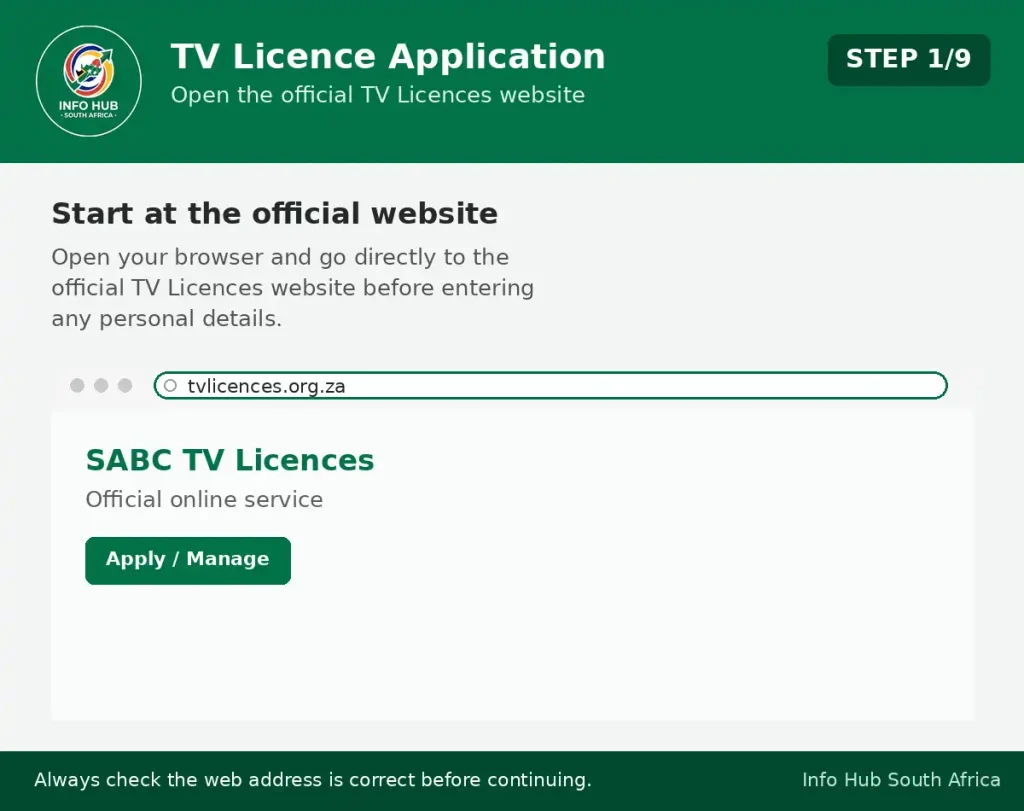
Check that you are using the official website before entering any personal or payment information. Avoid websites that ask you to provide your ID number or payment details simply to access the application service.
Step 2: Find the Online TV Licence Service
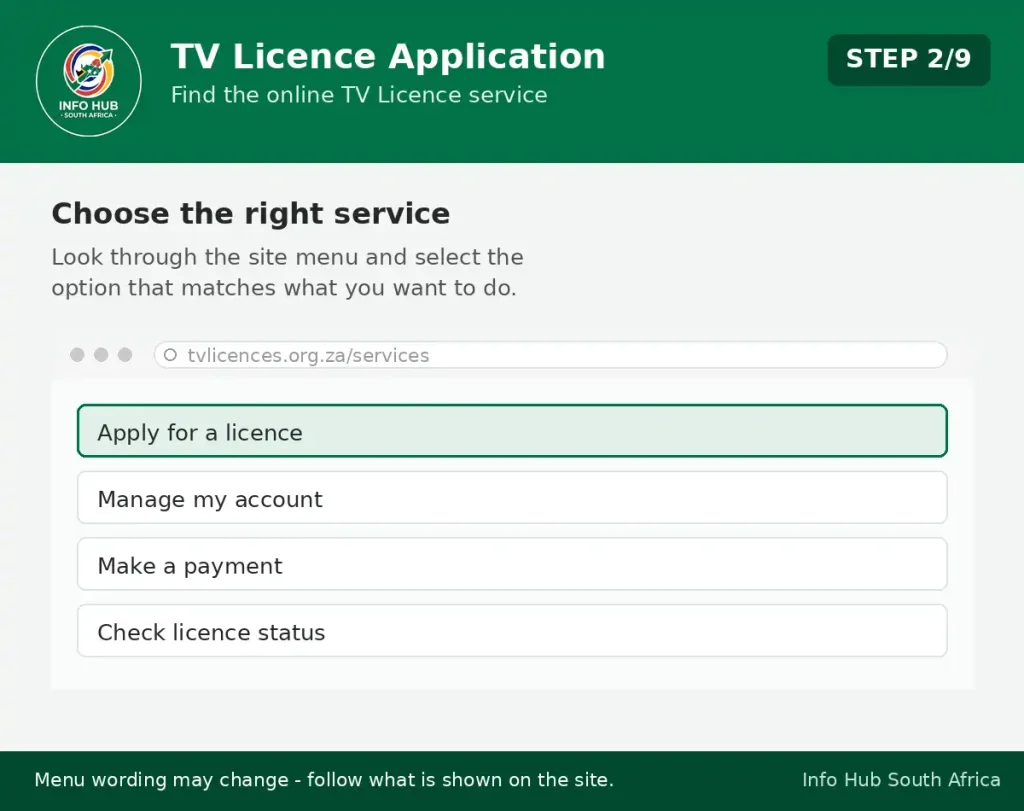
Once the official website has opened, look through the available TV licence services.
Choose the option that matches what you want to do, such as applying for a TV licence or accessing an existing licence account.
The wording and location of buttons may change when the website is updated, so follow the options currently displayed on the official TV Licences website.
Step 3: Prepare Your Personal Details
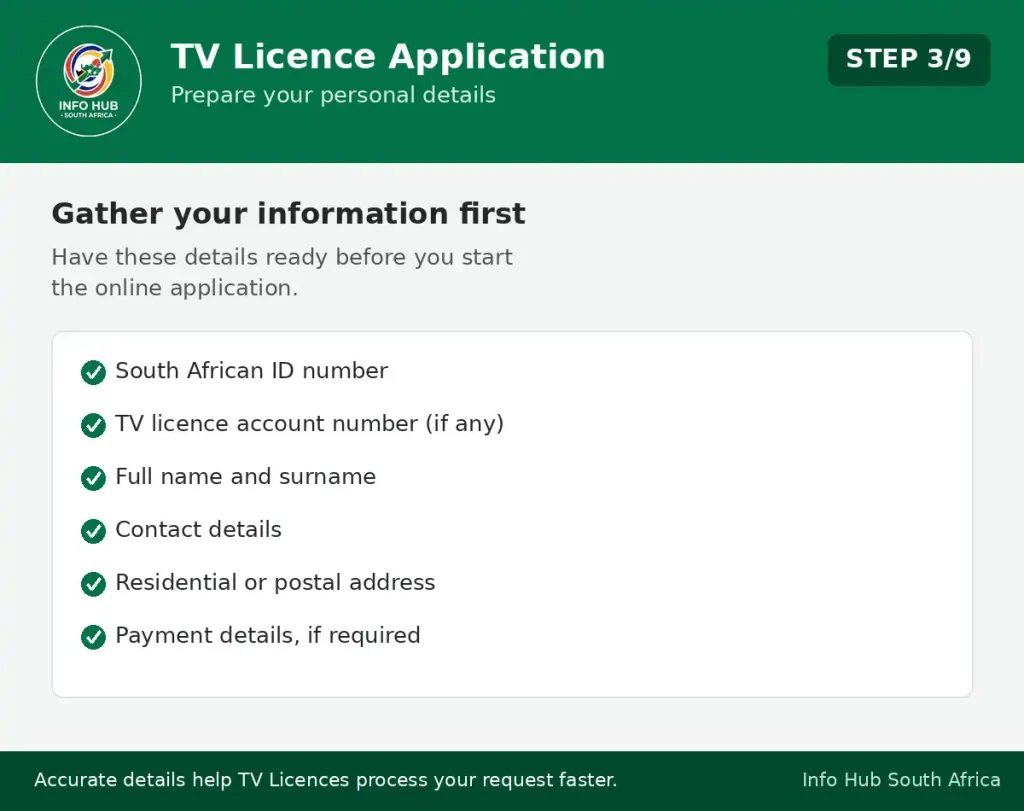
Before completing the online process, make sure you have the information you may need available.
Depending on the service, this can include:
Entering accurate information is important because incorrect details can make it harder to identify your account or process your request.
Step 4: Enter Your Information Carefully
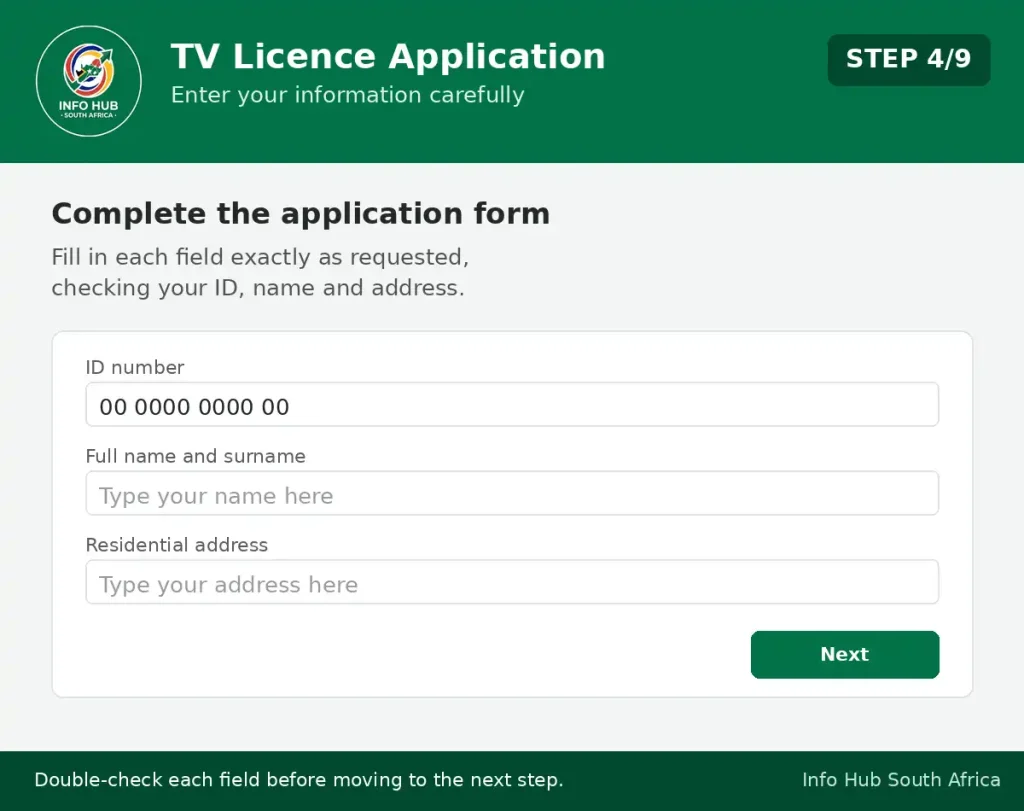
Complete the fields shown on the application or online service page.
Enter your details exactly as requested. Pay particular attention to your ID number, name, contact information and address before moving to the next step.
If you are using an existing TV licence account, make sure you use the correct account information so that your request is associated with the right licence.
Step 5: Check Your Details Before Submitting
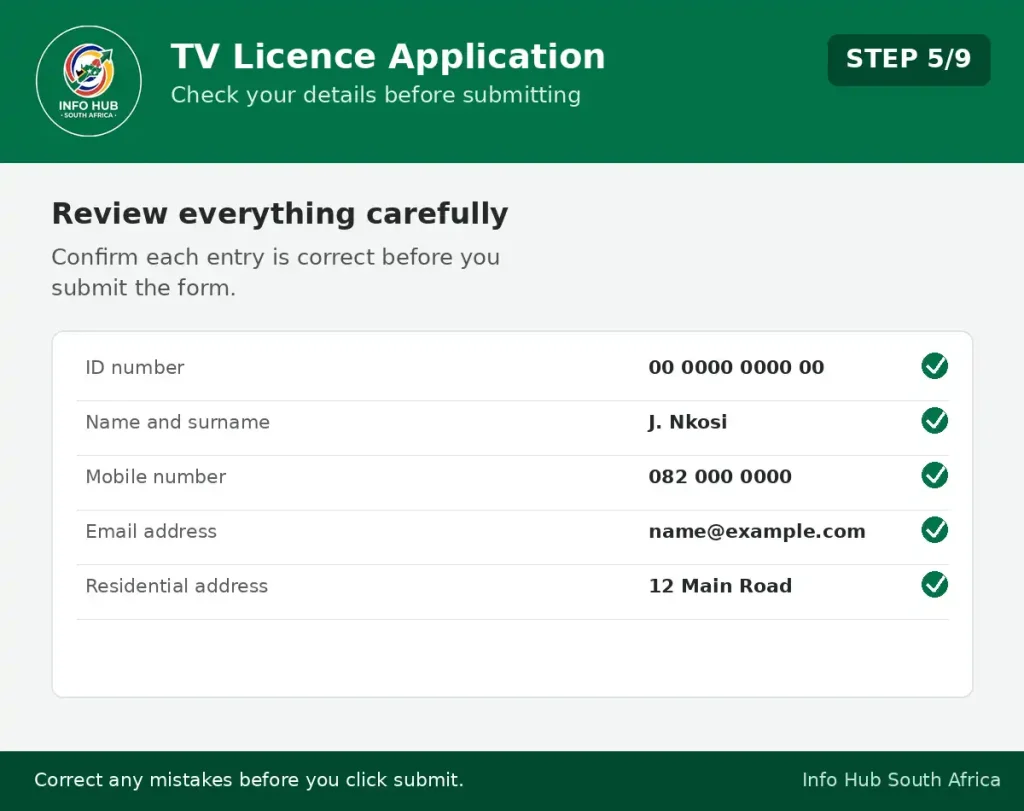
Before clicking the final submit button, carefully review everything you have entered.
Check:
Correct mistakes before submitting the form. A small error in your contact or account information could cause problems when you later need to check your licence or communicate with TV Licences.
Step 6: Submit the Online Application
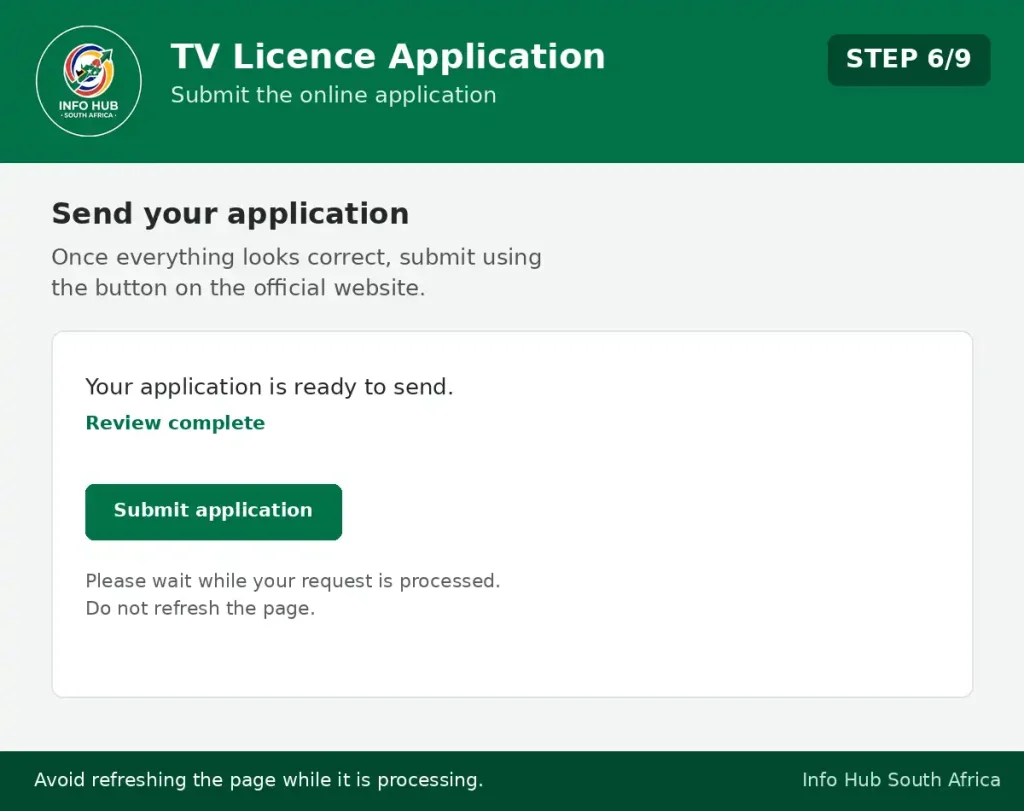
Once you are satisfied that your information is correct, submit the application or request using the button provided on the official website.
Depending on the service, the website may display a confirmation message or take you to another page to complete the process.
Do not refresh the page repeatedly while your application or payment is being processed.
Step 7: Pay the Applicable Television Licence Fee
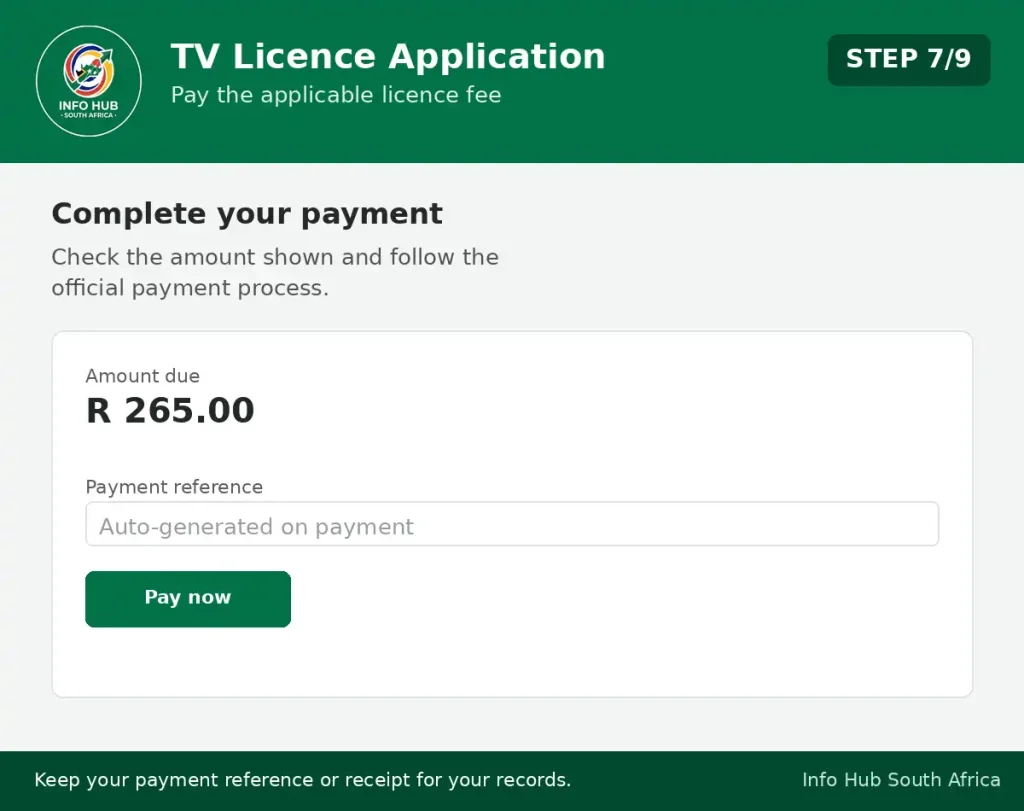
If your particular application or service requires payment, follow the payment instructions displayed on the official website.
Before making a payment, check the amount shown on the official service and make sure you are using the correct payment process.
After completing the payment, keep your payment reference or receipt for your records.
Step 8: Save Your Confirmation
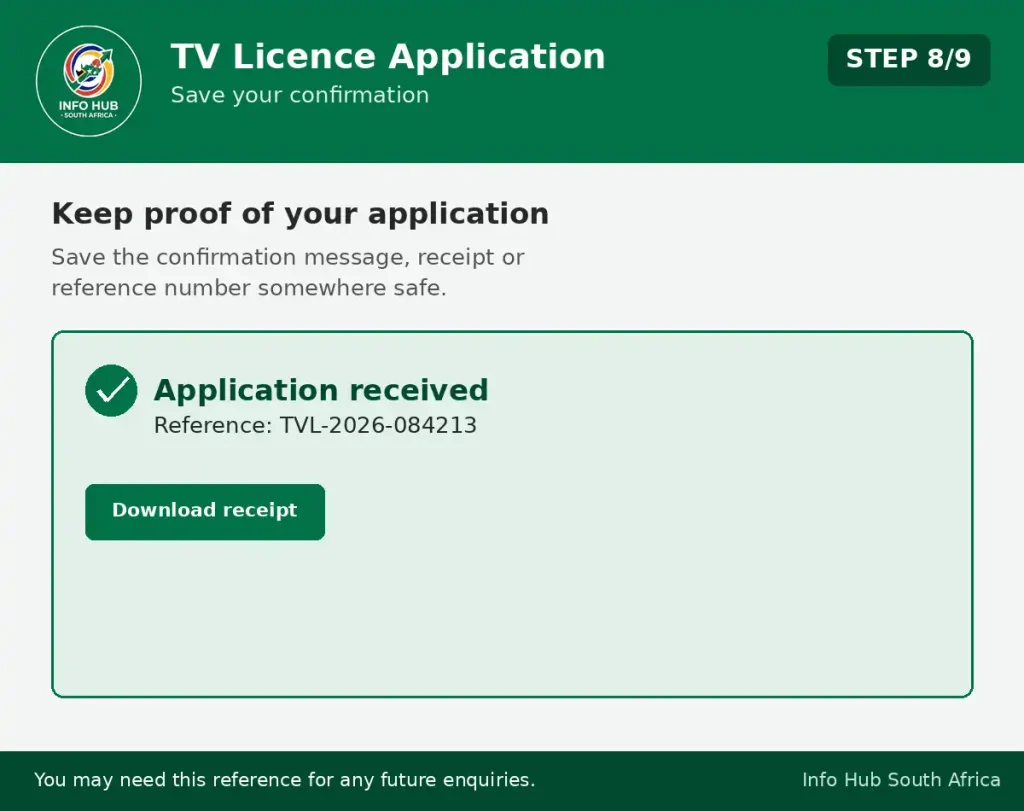
After completing the application, save any confirmation information provided by the website.
You can take a screenshot, download a receipt if available, or save the confirmation/reference number somewhere safe.
This information can be useful if you later need to:
Step 9: Check Your Application or Account Later
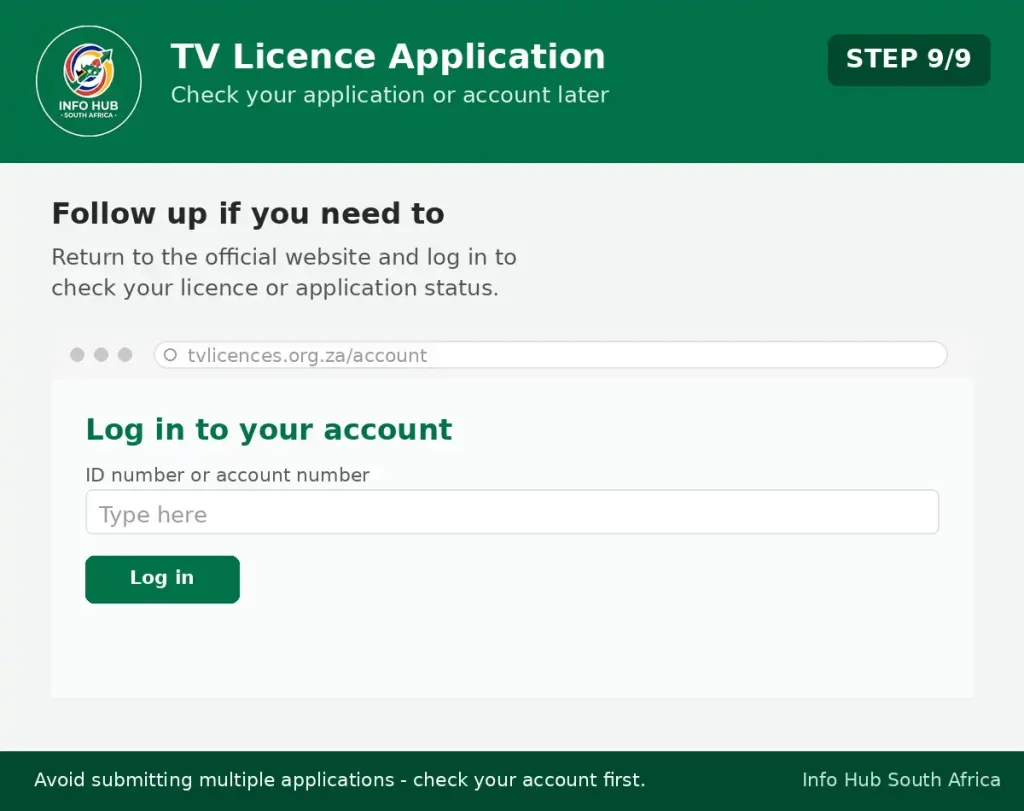
If you need to confirm your licence information after applying, return to the official TV Licences website and use the relevant account or licence service.
You may be asked for information such as your ID number or TV licence account number when making an enquiry.
If your application or payment does not appear immediately, avoid submitting multiple applications or payments without first checking your account or contacting the official TV Licences service.
Important: Use the Current Website Instructions
Online services can change over time. Buttons, menus, form fields and application steps may look different from screenshots or instructions published several years ago.
For this reason, treat older guides as general guidance only and follow the instructions currently displayed on the official tvlic.co.za website.
Most importantly, do not enter your personal or payment information on an unofficial website simply because its instructions look similar to the TV Licences application process.
New TV Licence Registration: What First-Time Applicants Need to Know
A first-time TV licence application creates a licence account with SABC TV Licences. New applicants should provide accurate information and make sure they select the correct licence category.
One of the key points to understand is the first-payment rule. According to the official TV Licences information, a person applying for a TV licence for the first time must pay the full R265 annual fee for a standard licence.
The R28 monthly payment arrangement applies to subsequent domestic licence renewals rather than the first application.
Registration checklist
Before submitting your application, have the following information available where applicable:
Make sure your address and contact details are accurate. If you move, TV Licences states that the SABC should be notified within 30 days of the change.
Already have a television licence?
Check your existing records before registering again.
If you already have a TV licence or account number, using your existing account details can help avoid unnecessary duplicate records. When contacting customer support, quote your existing licence or account number whenever possible.
Television Licence Check With ID Number Online
A search for TV licence check with ID number online usually means the person wants to confirm whether their account is active, check an amount owing, verify a payment or find out whether their licence requires renewal.
The official online payment and account system provides access to account-related services. The current payment portal uses an email address or cellphone number as the username when signing in.
How to check your account
Use the official portal and follow the current sign-in process:
- Go to the official TV Licences website.
- Choose Pay Now or the relevant account service.
- Open the official payment portal.
- Sign in using the details requested by the system.
- Review the account information available to you.
- Contact TV Licences customer care if you cannot access or identify your account.
Your ID number remains useful when dealing directly with customer support. The official contact information asks customers to provide the correct ID number and/or television licence account number when submitting enquiries.
Security reminder: Never enter your South African ID number into an unfamiliar website claiming to offer an SABC TV licence check. Use the official TV Licences domain or contact SABC TV Licences directly.
Checking Your SABC TV Licence Status
A TV licence status check can help you establish whether your account is paid up, whether an amount remains outstanding and whether you need to renew.
The official online payment system can be used for available account services. If you cannot retrieve your information online, customer support can assist with account and payment enquiries.
Keep these details nearby before contacting them:
Providing accurate information helps TV Licences locate the correct account and investigate issues such as missing payments or account discrepancies.
Why should you check your licence before renewal?
A missed renewal or incorrectly allocated payment can leave an account requiring attention. According to the official TV Licences information, late accounts can incur a 10% penalty per month, subject to a maximum of 100% per annum.
For that reason, checking your account before the licence period ends can help you identify an outstanding amount early and avoid unnecessary payment problems.
Where to Find Your TV Licence Number
Your TV licence number is one of the key details to have when dealing with SABC TV Licences. It can be required when making a payment, asking about your account, changing your details or investigating a payment that has not been reflected correctly.
If you already hold a licence, start by checking your licence documents, previous SABC correspondence or other account records. Your licence number may be shown on these documents.
Can’t locate it? Contact the official TV Licences customer service centre and provide the identification information requested so that the correct account can be found.
When making an enquiry, it is useful to have your ID number and TV licence account number, if you have one. The official contact information asks customers to provide the correct ID number and/or licence account number when submitting enquiries.
TV licence number vs ID number
These two numbers serve different purposes:
So, if a website or customer service representative asks for your TV licence number, don’t automatically substitute your ID number.
Television Licence Fees in South Africa for 2026
The amount you pay depends on the licence category that applies to you. For a standard domestic television licence, the official 2026 information lists an annual charge of R265. A qualifying concessionary domestic licence is listed at R74 per year.
| Licence category | Annual fee |
|---|---|
| Standard domestic TV licence | R265 |
| Concessionary domestic TV licence | R74 |
There is also a R28 monthly payment option for standard domestic licence renewals, subject to the applicable terms. This monthly arrangement is for subsequent renewals; a person applying for a TV licence for the first time must pay the full annual fee.
What if your television licence payment is late?
An overdue account can become more expensive because penalties may be added. The official TV Licences information states that a 10% penalty per month may apply, with the penalty limited to a maximum of 100% of the annual licence fee.
For this reason, it is sensible to check your TV licence account before paying. That lets you see the amount currently reflected on the account rather than assuming the balance is only the standard annual fee.
Television Licence for Pensioners: Who Qualifies?
Older South Africans may be able to apply for a concessionary TV licence, but reaching a particular age does not automatically mean that the reduced fee applies.
SABC TV Licences sets out eligibility conditions for concessionary licences, and applicants need to meet the requirements for the relevant category. The current annual concessionary fee is R74.
Concessionary licence requirements
The official FAQ includes qualifying pensioners and certain other eligible groups within the concessionary category. However, the requirements depend on the circumstances under which the concession is being claimed.
If you intend to apply for the reduced TV licence fee:
- Check the current eligibility requirements.
- Confirm that your circumstances meet the relevant category.
- Prepare any supporting information or documents requested.
- Submit the application through the official TV Licences service.
Don’t choose the concessionary option solely because you are a pensioner. Confirm your eligibility against the current SABC requirements before applying.
A concession does not remove the licence requirement
A concessionary television licence should not be confused with an exemption.
If you qualify for the concession, you still have a TV licencee and remain responsible for maintaining it and paying the applicable reduced fee. The concession changes the amount payable; it does not automatically eliminate the licensing requirement.
Renewing Your TV Licence Online
Keeping your TV licence renewed helps maintain your account for the next licence period and can reduce the risk of an account becoming overdue.
For a standard domestic licence, the official TV Licences information lists two renewal arrangements: R265 for the annual licence or R28 per month under the available monthly renewal option. The monthly arrangement applies to eligible renewals and should not be confused with the first-time application process.
Steps to renew your television licence
You can manage the renewal through the official online service:
- Open the official TV Licences website.
- Select Pay Now or the appropriate account service.
- Sign in using the credentials requested by the official payment portal.
- Open and review your licence account.
- Check the current amount payable.
- Choose an available payment method.
- Complete the transaction.
- Save the receipt or payment reference.
Don’t assume that every renewal will show the standard annual fee. If your account has an outstanding balance or penalties, the amount displayed by the system may be higher.
Changed your address or other details?
Keeping your account information current is important. According to the official TV Licences contact information, an address change should be reported within 30 days.
If you’re unsure how a particular change should be recorded, contact TV Licences through its official customer service channels. Creating another account isn’t a substitute for updating an existing one.
What If You Have a Television but No Valid Licence?
If you possess a television set that falls within the applicable licensing requirements without holding a valid licence, you may become liable for the relevant licence fees and penalties.
The official TV Licences information states that overdue accounts may incur a 10% penalty per month, subject to a maximum penalty of 100% per annum.
There can also be legal consequences. The official FAQ states that possessing a television set without a valid licence can constitute an offence under the applicable legislation.
Don’t simply abandon an old account
Stopping the use of a television does not automatically mean that an existing licence account should be ignored.
If your circumstances have changed, contact SABC TV Licences and ask what action is required for the account. Keep relevant documents and any confirmation you receive so there is a record of the change.
The same approach applies if you receive a payment demand that you believe may be incorrect. Verify the account through an official SABC TV Licences channel before making payment to an unfamiliar person or service.
Protect Yourself From TV Licence Scams
Searches such as SABC TV licence check, TV licence registration and TV licence online application South Africa can return websites other than the official SABC service.
That makes it important to check the website address before entering personal or payment information. For account management and payments, use the official tvlic.co.za website and the authorised payment portal.
Never give an unexpected caller, message or website your:
If someone claims to represent TV Licences and asks for sensitive banking information, verify the request through the official contact channels first.
FAQs
Conclusion
The safest way to manage a television licence is to work directly through the official SABC TV Licences services. Whether you’re registering for the first time, checking an account, renewing a licence or making a payment, verify the website before entering personal or financial information.
For 2026, the listed standard domestic fee is R265 per year, while the qualifying concessionary fee is R74 per year. Eligible standard domestic renewals can use the listed R28 monthly payment arrangement, and overdue accounts may be subject to penalties.
For practical information about South African education, government and official online services, Info Hub South Africa helps readers find the correct portals and understand how these services work without depending on unofficial sources.
Read More
Matric Results 2026 Online Check South Africa: Get Your NSC Results Instantly
SASSA Reapplication South Africa: How to Reapply for the SRD Grant in 2026
UI-19 Form South Africa: Download, Complete & Submit Guide (2026)