UIF Login South Africa 2026: Sign In, Registration & Online Portal Guid
If you are looking for UIF Login, you can access the official South African UIF online services through the government’s digital platforms. The Unemployment Insurance Fund (UIF) provides short-term financial assistance to qualifying workers who experience situations such as unemployment, reduced working hours, illness, maternity or adoption.
The official UIF website is operated under the Department of labor and provides information about UIF services, support and online applications.
For employers and certain employee services, uFiling provides secure online access for UIF-related declarations and other functions. However, the official uFiling portal currently states that employee benefit claims are no longer processed on uFiling and directs applicants to uifonline.labour.gov.za for UIF benefit applications.”Visit Homepage for more”.
What Is UIF Online?
The Unemployment Insurance Fund (UIF) is a South African social security fund designed to provide temporary financial support to eligible workers when they meet the requirements for a UIF benefit. The official department of labor describes UIF as a fund that provides short-term unemployment insurance to qualifying workers.
The online services make it possible to handle several UIF-related activities without relying entirely on a physical labour centre. Depending on the service and your user type, online systems can be used for applications, declarations, payment-related activities, claim information and other UIF functions.
The term uif online is often used broadly when people are looking for UIF services on the internet. It is useful to understand that there are different online services, particularly the newer UIF benefit application portal and the uFiling system.
UIF Online vs uFiling
| Service | Main purpose |
|---|---|
| UIF Online | Employee UIF benefit applications through the current benefit portal |
| uFiling | Online UIF declarations, contributions and related services |
| Department of Labour website | Official UIF information, contacts, forms and guidance |
The official uFiling website explains that uFiling is a free online system used for UIF declarations and contribution-related services. It also provides online functions for different types of users, including employees and employers.
Who Can Use UIF Services?
Eligibility depends on the type of UIF benefit and the person’s circumstances. Workers who have contributed to UIF may qualify for benefits when they experience an eligible event.
Common situations covered by UIF services include:
The official uFiling information confirms that employee accounts can be used for applications involving unemployment, reduced time, maternity, illness and adoption benefits.
A basic UIF guide published by the Department of labor also identifies workers who are excluded from the UIF legislation, including people who work fewer than 24 hours a month for an employer, public servants and certain other categories. Eligibility should therefore be checked according to your particular employment circumstances rather than assumed from employment alone.
What You May Need
Before starting an online UIF process, have the relevant personal and employment information available. For an employee account on uFiling, the official system lists a valid 13-digit South African ID number, an email address and a mobile phone number as required information.
Depending on the application, additional supporting documents may be required. Keep your employment and banking information accurate and consistent with your official records.
How to Access UIF Online Login
If you already have credentials for the relevant UIF Login, the basic process is straightforward.
Step 1: Open the Official UIF Portal
Start by opening the official UIF online login page:
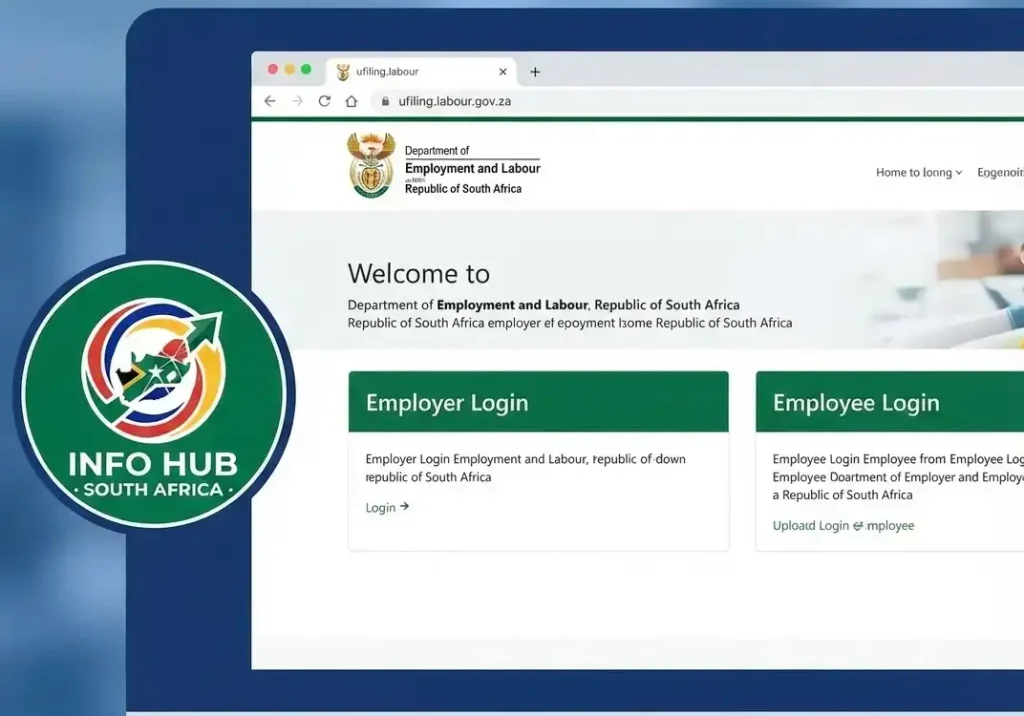
This is the address supplied for the UIF online login service. Avoid entering personal information on unofficial websites that imitate government services.
Step 2: Enter Your Login Details
Enter the username and password associated with your account. Check the information carefully before submitting it.
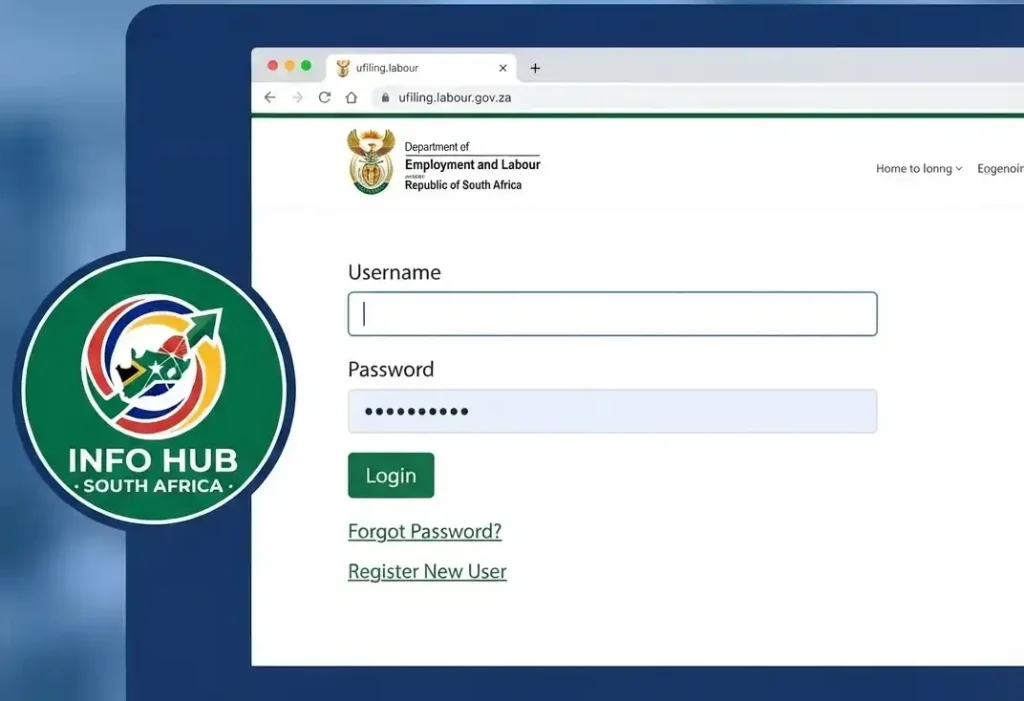
If you are using the uFiling system instead, the official uFiling login page provides fields for your username and password, along with options for forgotten usernames and passwords.
Step 3: Open Your Available UIF Services
After signing in, use the dashboard or available menu options to find the service you need. The exact options can depend on whether you are registered as an employee, employer, practitioner or another type of uFiling user.
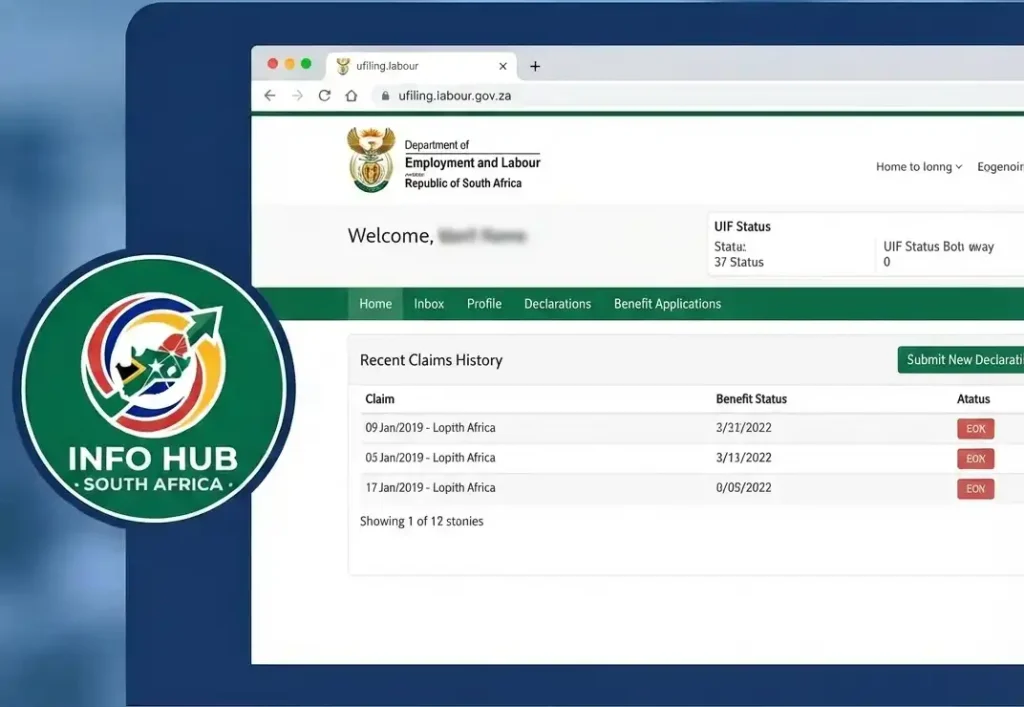
For employees, the official uFiling system lists functions such as viewing claims history, submitting benefit-related requests and checking employee declaration status.
Important: If your purpose is to submit a new employee UIF benefit claim, follow the current direction on the official uFiling portal and use the UIF online benefit application system at uifonline.labour.gov.za.
How to Register for uFiling
If you do not yet have a uFiling account, you can begin registration through the official portal.
1. Open the uFiling Website
Go to the official uFiling homepage:
The official website provides login and registration options for users.
2. Select Registration
Choose the registration option and provide the requested information. The current registration page asks for details such as your full name, surname, ID type and preferred contact method. Email and SMS are among the contact choices shown by the official system.
3. Enter Your Personal Details Carefully
Make sure your name and identification information match your official documents. Incorrect personal information can create problems when your account or UIF records need to be verified.
4. Activate Your Account
Follow the activation instructions provided by the system. Once your account has been activated, you can use your credentials to access the available uFiling services.
The official UIF site describes uFiling as a free service and provides online access for registered users.
A Useful Difference to Remember
Many people search for UIF Login and uFiling login as though they are exactly the same service. They are related, but they should not be treated as identical.
uFiling is the established online platform for UIF declarations and contribution-related services, while the official portal currently directs employees to uifonline.labour.gov.za for UIF benefit applications.
That distinction can save you time. If you are trying to apply for a UIF benefit, start with the current official UIF online application portal rather than assuming that every benefit application must be completed inside uFiling.
UIF Online Claims, Documents and Status Checks
Once you have access to the relevant UIF online service, the next step is understanding how to submit a benefit application correctly. The process is designed to reduce unnecessary visits to a labour centre, but your application can still be delayed if information or supporting documents are missing.
The official UIF guidance states that uFiling can be used for several employee benefit processes, while the current uFiling homepage directs employee benefit applicants to the dedicated UIF online system.
How to Apply for UIF Benefits Online
The exact requirements can vary according to the benefit you are claiming. Before starting, make sure you have your identification details, employment information and relevant supporting documents available.
For an employee applying for a UIF benefit, the general online process is:
Step 1: Sign in to the UIF Online Portal
Open the official UIF Login page:
Enter your registered login details and continue to your account.
If you are using uFiling for an available service, use the official uFiling portal instead:
Step 2: Find the Benefit Application Area
After signing in, look for the section relating to UIF benefits or benefit applications.
Depending on the service available to your account, you may see options relating to unemployment, maternity, illness, adoption or reduced working time.
Select the benefit that matches your circumstances. Do not submit an application under the wrong benefit category simply because it appears first on the screen.
Step 3: Enter Your Claim Information
Complete the requested information carefully.
Your personal details should correspond with your official identification and UIF records. Employment information should also be accurate because the UIF uses employment and contribution information when processing benefit applications.
Take your time at this stage. A small error in an identification number, contact detail or banking information can cause additional verification or delays.
Step 4: Upload Supporting Documents
The documents required depend on the type of UIF benefit.
You may be asked for supporting information such as:
Do not upload documents simply because someone online says they are required. Follow the document list shown by the official UIF service for your particular claim.
Step 5: Check the Application Before Submission
Before pressing the final submission button, review the information you have entered.
Check:
This final check is worth doing because correcting information after submission may take more time than correcting it before the application is sent.
Step 6: Submit the Application
Once everything is correct, follow the declaration and submission instructions displayed by the UIF online system.
Save any confirmation message, reference number or application information shown after submission.
A screenshot can also be useful for your own records, particularly if you later need to contact the UIF about the application.
Which UIF Benefits Can You Apply For?
UIF provides support for several qualifying circumstances. The benefit you select should reflect the reason you are claiming.
Unemployment Benefits
Unemployment benefits may apply when a qualifying worker becomes unemployed under circumstances covered by UIF legislation.
Examples can include certain cases involving:
Eligibility is not determined simply by being without a job. Your contribution history and circumstances must meet the applicable UIF requirements.
Maternity Benefits
- Employees who take maternity leave may be able to apply for maternity benefits if they meet the relevant requirements.
The application requires information supporting the maternity claim. Make sure the dates and other information submitted correspond with the documents you provide.
Illness Benefits
UIF also provides for illness-related benefits in qualifying circumstances.
If you are applying because you are unable to work due to illness, follow the requirements displayed by the official UIF service and provide the supporting documentation requested.
Adoption Benefits
Qualifying workers may also apply for adoption benefits where the applicable UIF requirements are met.
The documents and information required for an adoption claim can differ from those used for an unemployment application, so select the correct benefit category before beginning.
Reduced Working Time
A reduction in working hours may also qualify for UIF assistance in certain circumstances.
This is particularly important for employees whose employment situation has changed without ending completely. The relevant UIF requirements should be checked before submitting the application.
How to Check Your UIF Claim Status Online
One of the main reasons people use UIF Login services is to check what is happening with an application.
You generally do not need to repeatedly visit a labour centre simply to ask whether your claim has moved forward. Where online status information is available, you can use your account to check the progress.
Checking Your Claim
- Open the official UIF Login service.
- Sign in using your registered credentials.
- Open the section for benefit applications or claims.
- Locate the relevant application.
- Review the status and available claim information.
The wording used for a status can vary according to the stage of processing.
A claim may show that it has been submitted, is being processed, requires attention, or has reached a payment stage. If the system asks you to provide additional information, follow the instructions rather than submitting a completely new claim unnecessarily.
What If Your UIF Claim Is Delayed?
A UIF application can take longer when information needs to be checked or when required documentation is incomplete.
Before contacting the Department of Labour, review your application and check whether:
It is also useful to keep your application reference information. This gives you something specific to provide when asking about a claim.
Banking Details Matter
- Incorrect banking information is one of the areas you should pay particular attention to when dealing with UIF.
Your banking information should be accurate and belong to the appropriate claimant. If the UIF system requires verification or supporting banking documentation, provide it according to the official instructions.
Never give your online password, PIN or one-time security codes to another person claiming they can process your UIF payment.
UIF Online Login Problems
Sometimes the problem isn’t the claim itself. You may simply be unable to access your account.
Forgotten Password
If you cannot remember your password, use the password recovery option available on the official login page rather than creating another account immediately.
For uFiling, the official login service provides options for users who have forgotten their username or password.
Follow the recovery instructions and use the contact information connected to your account.
Forgotten Username
If you cannot remember your username, check whether the official login page provides a username recovery option.
Avoid repeatedly entering guessed credentials because repeated unsuccessful attempts can make account access more difficult.
Registration Problems
If you are unable to complete registration, first check that:
If the issue continues, use the official UIF support channels rather than relying on unofficial social-media accounts or third-party agents.
How to Avoid Common UIF Online Mistakes
A few simple precautions can make the process easier.
1. Use the Correct Portal
Do not automatically assume that UIF Login and uFiling are interchangeable.
The official uFiling platform currently provides a notice directing employee benefit applications to the UIF online system.
2. Check Your Information
Your name, identification details, contact information and banking details should be entered carefully.
3. Keep Evidence of Submission
Save reference numbers, confirmation messages and screenshots where appropriate.
4. Don’t Create Duplicate Claims
If an existing application is still being processed, creating multiple applications can make the situation harder to understand. First check the status of the existing claim.
5. Protect Your Login Details
The Department of Labour or UIF should not require you to share your password with an unrelated person. Keep your credentials private.
Quick UIF Online Checklist
Before submitting your application, run through this list:
Taking a few minutes to check these details can prevent avoidable problems later.
Official UIF Contact Options
| Purpose | Official contact |
|---|---|
| UIF Call Centre | 0800 030 007 |
| UIF general enquiries | [email protected] |
| uFiling enquiries | [email protected] |
| UIF complaints | [email protected] |
| Department of Employment and Labour | labour.gov.za |
For the latest contact details, use the official Department of Employment and Labour contact page:
What to Do Before Contacting UIF
Before calling or emailing, gather the information connected with your application.
It can help to have:
A clear explanation of the problem makes it easier for the support team to understand what you need.
Don’t Send Sensitive Login Information
Your UIF password should remain private. Do not send your password, PIN or one-time security code to someone claiming to be able to “unlock” your UIF account.
If someone asks you to pay them to access a government UIF service, be cautious. The official uFiling website describes uFiling as a free online service.
Important Difference Between uFiling and UIF Online
One of the biggest sources of confusion is the relationship between uif online login and uFiling. The official uFiling homepage currently displays an important notice stating that employee benefit claims are no longer processed on the uFiling portal and directs users to uifonline.labour.gov.za for UIF benefit applications.
At the same time, uFiling remains an important UIF online service. The official platform provides services connected with UIF declarations and contributions, particularly for employers, while its information pages also describe employee-related functions.
For this reason, use the service that matches your purpose instead of searching for an unofficial UIF login website. Info Hub South Africa provides this guide to help users understand the difference between uFiling and UIF Online and find the appropriate official service more easily.
FAQs
Conclusion
The UIF online login makes it easier for eligible workers to access UIF services, manage applications and find important claim information online. Whether you need to apply for unemployment, maternity, illness, adoption or reduced working-time benefits, using the correct official portal is an important first step.
If you are looking for the UIF online login, always use the official government website and check that the address is uifonline.labour.gov.za. For services available through uFiling, use the official uFiling portal rather than an unofficial third-party website.
Before submitting a UIF application, make sure your personal details, employment information, banking details and supporting documents are accurate. Keeping your reference number and submission confirmation can also make it easier to follow up if your application takes longer than expected.
For reliable information about UIF online services, uFiling, SASSA, SARS, Home Affairs and other South African government services, Info Hub South Africa provides practical guides designed to help users understand online processes and find the correct official resources.
Read More
SASSA Change Phone Number South Africa: Step-by-Step Guide 2026
Home Affairs Online Booking South Africa 2026: Complete Appointment & Application Guide
UIF Status Check Online South Africa 2026: Check Your UIF Claim Status
CUT Status Check South Africa 2026: Complete Application and Admission Guide
Sol Plaatje University Online Application 2026 South Africa: Complete Step-by-Step Application Guide
NSFAS Online Application 2026 South Africa: Complete Application Guide & Requirements