Home Affairs Online Booking South Africa 2026: Complete Appointment & Application Guide

Finding time to visit a Department of Home Affairs office can be challenging, especially when long queues and limited service hours are involved. To make government services more convenient, the Home Affairs online booking system allows eligible South Africans to reserve appointments before visiting selected offices and participating bank branches.
Whether you want to apply for a Smart ID Card, renew a passport, update personal information, or complete a DHA Gov ZA ID application online booking, using the online system helps reduce waiting times and improves your overall experience.
The eHomeAffairs platform, managed by the DHA, enables citizens to book appointments, complete certain online applications, and track selected services from one secure portal.
What Is Home Affairs Online Booking?
The Home Affairs online booking system is an appointment scheduling service provided by the Department of Home Affairs (DHA). Instead of waiting in long queues, eligible applicants can choose an available date and time before visiting a participating branch.
This booking service is mainly used for:
The booking system forms part of the eHomeAffairs digital platform, which continues to expand online government services across South Africa.
What Services Can You Book Online?
The Home Affairs online booking system (BABS) lets you reserve appointments for selected Department of Home Affairs services before visiting a branch. You can use it to book appointments for:
Services Not Available Through BABS
Some Department of Home Affairs services cannot be booked online through the BABS system. These require you to visit a DHA office in person without an online appointment, including:
If you need any of these services, you should visit your nearest Department of Home Affairs office during its operating hours, as they are handled on a walk-in basis.
This information is based on the scope of services described for the Home Affairs online booking system.
Benefits of Using Home Affairs Online Booking
Choosing Home Affairs online booking offers several advantages compared to visiting a branch without an appointment.
Some of the main benefits include:
Although appointments help improve efficiency, arriving on time with the correct documents remains essential.
Who Can Use the eHomeAffairs Booking System?
The eHomeAffairs portal is available to many South African citizens who need supported Home Affairs services.
Depending on your selected service, you may be able to:
Some services may only be available at selected DHA offices or participating bank branches.
Requirements Before Booking Your Appointment
Before starting your Home Affairs online booking, make sure everything is ready. Preparing in advance helps prevent delays during the booking process.
Internet Access
You need:
A stable internet connection is recommended throughout the booking process.
Supported Web Browser
For the best experience, use an updated browser such as:
Older browsers may not display all portal features correctly.
South African ID Number
To complete your DHA Gov ZA ID application online booking, you’ll normally need your South African identity number or other accepted identification details for verification.
Active Mobile Number
Your cellphone should be able to receive SMS messages because the system may send a One-Time Pin (OTP) during verification.
Valid Email Address
Your email address is used for communication and appointment confirmations. Make sure it is active and accessible before you begin.
How to Book a Home Affairs Online Appointment
Follow these simple steps to book your appointment through the DHA online booking system:
Step 1: Visit the Official DHA Booking Portal

Go to the official Department of Home Affairs (DHA) booking portal. Sign in using either your South African ID number or passport number to begin your online booking.
Step 2: Enter Your Personal Information
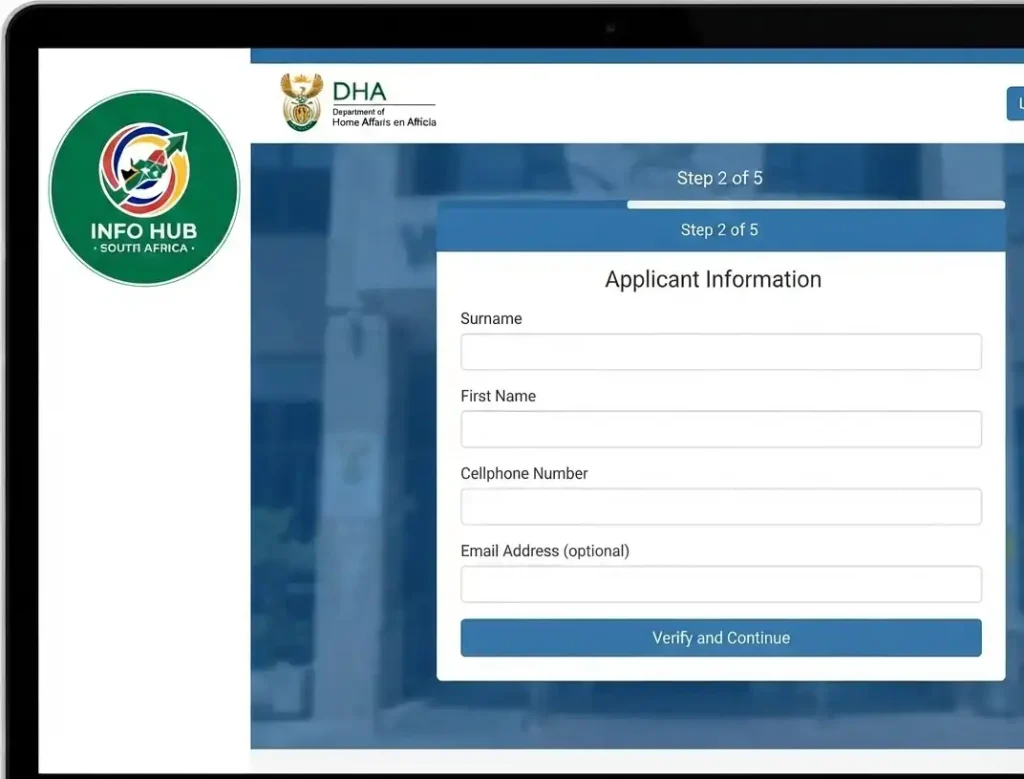
Provide your surname, first name, and cellphone number. You may also add your email address if you want to receive booking notifications. Complete the verification process to continue.
Step 3: Select the Service You Need
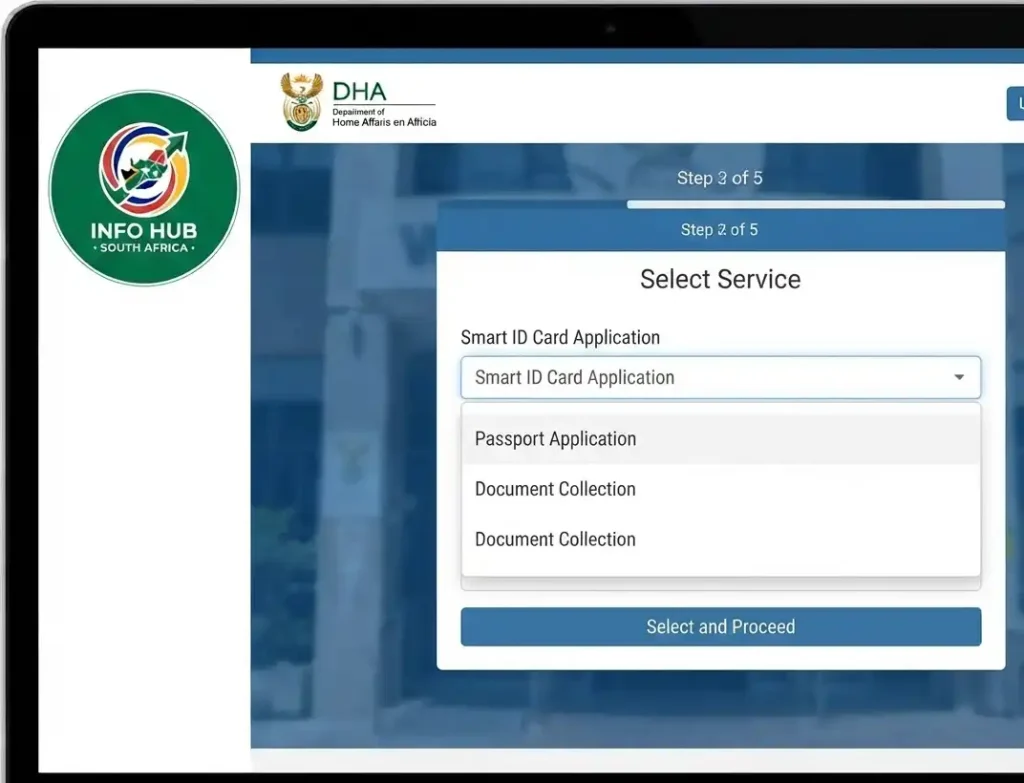
Choose the service you want to book, such as a Smart ID card application, passport application, or document collection.
Step 4: Choose Your Branch, Date, and Time

Select your province, city, and a participating Home Affairs branch. Then choose an available appointment date and time that suits your schedule.
Step 5: Download Your Booking Confirmation
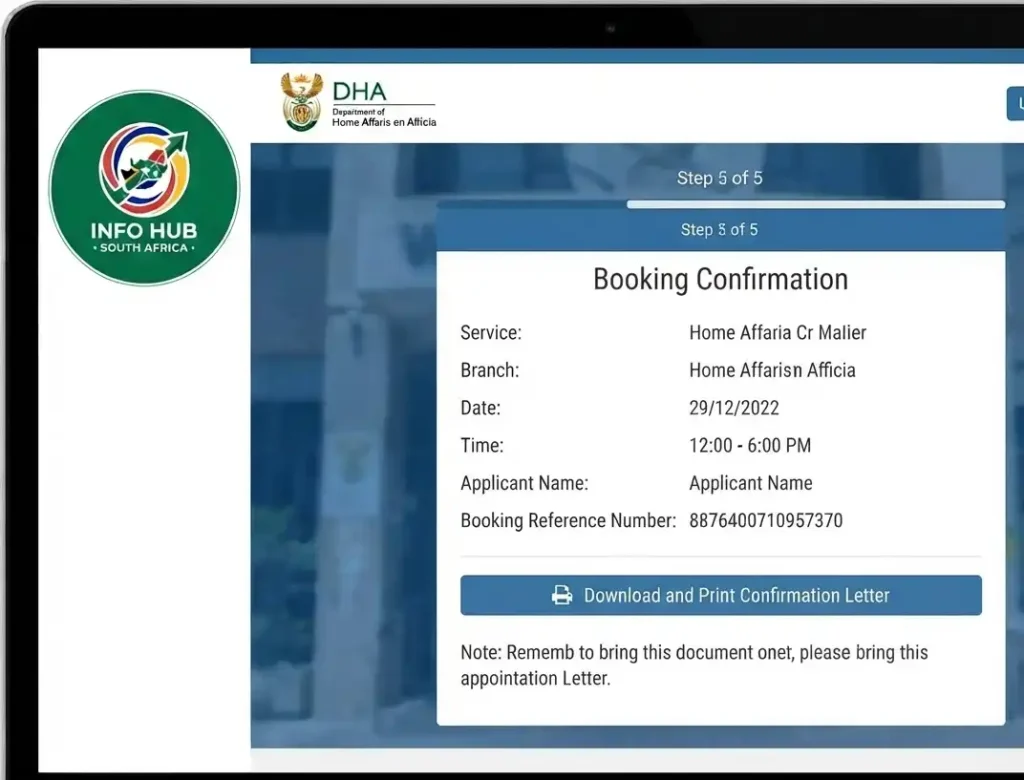
After confirming your appointment, download and print the barcoded confirmation letter. Bring it with you on your appointment day. Keep in mind that only DHA offices with the Live Capture system support online bookings, while other branches may still accept walk-in applications.
Booking at a Bank Branch
If you prefer visiting a bank instead of a Home Affairs office, you can book an appointment through the eHomeAffairs portal after paying the required application fee. Selected bank branches offer Smart ID card and passport application services, making the process more convenient for many applicants.
Participating banks include Absa, FNB, Standard Bank, Nedbank, Capitec, Discovery Bank, Investec, African Bank, and TymeBank. These services are available to anyone with a valid South African ID number—you do not need to be a customer of the participating bank to book an appointment.
Selecting Your Appointment Date and Time
Once you have chosen your preferred DHA office, the next step is to select a suitable appointment slot.
The Home Affairs online booking system displays available dates and times based on the branch you selected. If your preferred date is unavailable, try another nearby office or check again later, as appointment slots may become available when cancellations occur.
When choosing your appointment:
Booking an appointment that fits your schedule helps avoid missed appointments and unnecessary delays.
Review Your Booking Details
Before confirming your DHA Gov ZA ID application online booking, carefully review all the information you entered.
Check the following:
| Information | Verify |
|---|---|
| Full Name | Correct spelling |
| South African ID Number | Correct digits |
| Selected Service | Matches your application |
| DHA Branch | Correct location |
| Appointment Date | Correct |
| Appointment Time | Correct |
| Contact Number | Active |
| Email Address | Correct |
Even a small mistake could require you to make another appointment.
Complete OTP Verification
To protect your personal information, the eHomeAffairs system may send a One-Time Password (OTP) to your registered mobile number.
Enter the OTP before it expires.
If you don’t receive the code:
Save Your Booking Confirmation
After successfully completing your Home Affairs online booking, you’ll receive a booking confirmation.
Save it by:
You’ll usually need to present this confirmation when visiting the branch.
Documents to Bring to Your Home Affairs Appointment
Booking online is only the first step. Arriving with the correct documents is equally important.
Depending on your application, you should bring:
Essential Documents
Some applications require additional documents, so always check the specific service requirements before your appointment.
Payment Information
Certain DHA services require payment.
Depending on your application, payment may be:
Carry your bank card or another accepted payment method if payment has not already been completed.
Services Available Through Home Affairs Online Booking
The services offered through Home Affairs online booking continue to expand.
Commonly available services include:
Smart ID Card Applications
The eHomeAffairs platform supports first-time Smart ID Card applications and replacements for eligible applicants.
Passport Applications
South Africans can use the portal to schedule passport appointments at selected DHA offices or participating banks.
Document Collection
If your document is ready, you may also be able to schedule a collection appointment instead of waiting in a queue.
Common Home Affairs Online Booking Problems and Solutions
Although the system is generally reliable, users occasionally experience difficulties.
| Problem | Possible Solution |
|---|---|
| OTP not received | Wait a few minutes and request another OTP |
| Website loading slowly | Try another browser or use a stable internet connection |
| No appointment available | Check another participating branch or try again later |
| Unable to log in | Verify your ID number and personal details |
| Session timed out | Sign in again and restart the booking |
Tips for a Successful Appointment
Following these simple recommendations can make your visit much smoother.
These small preparations can save considerable time on the day of your visit.
Is Home Affairs Online Booking Safe?
Yes. The official eHomeAffairs platform uses identity verification and OTP authentication to help protect applicants’ personal information.
For your security:
Common Mistakes to Avoid
Many applicants experience delays because of avoidable errors. Before confirming your DHA Gov ZA ID application online booking, avoid these common mistakes:
Taking a few extra minutes to review your information can help prevent unnecessary delays.
Quick Checklist Before Visiting Home Affairs
Use this checklist before leaving for your appointment:
Being prepared helps your appointment run more smoothl
FAQs
Conclusion
Booking a Home Affairs appointment online can save time and make it easier to access important government services. Through the official eHomeAffairs platform, South African citizens can book appointments, apply for Smart ID Cards and passports, and access various supported Department of Home Affairs (DHA) services.
If you need to complete a DHA Gov ZA ID application online booking, make sure you use the official Department of Home Affairs platform. Carefully review your personal information before submitting your application, and ensure that you have all the required documents ready. On the day of your appointment, arrive at your selected Home Affairs office or participating bank branch at the scheduled time.
Following the correct online booking process can help reduce unnecessary delays and make your Home Affairs visit easier and more convenient.
At Info Hub South Africa, our aim is to provide clear and easy-to-understand guides covering South African government services, online applications, grants, education, employment opportunities, and other important public information. We regularly update our content to help you stay informed about the latest official procedures and requirements.
Read More
Matric Results 2026 Online Check South Africa: Get Your NSC Results Instantly
UI-19 Form South Africa: Download, Complete & Submit Guide (2026)
JMPD Vacancies 2026 South Africa: Latest Jobs, Requirements & How to Apply