Gauteng Database South Africa 2026: How to Access and Search Online
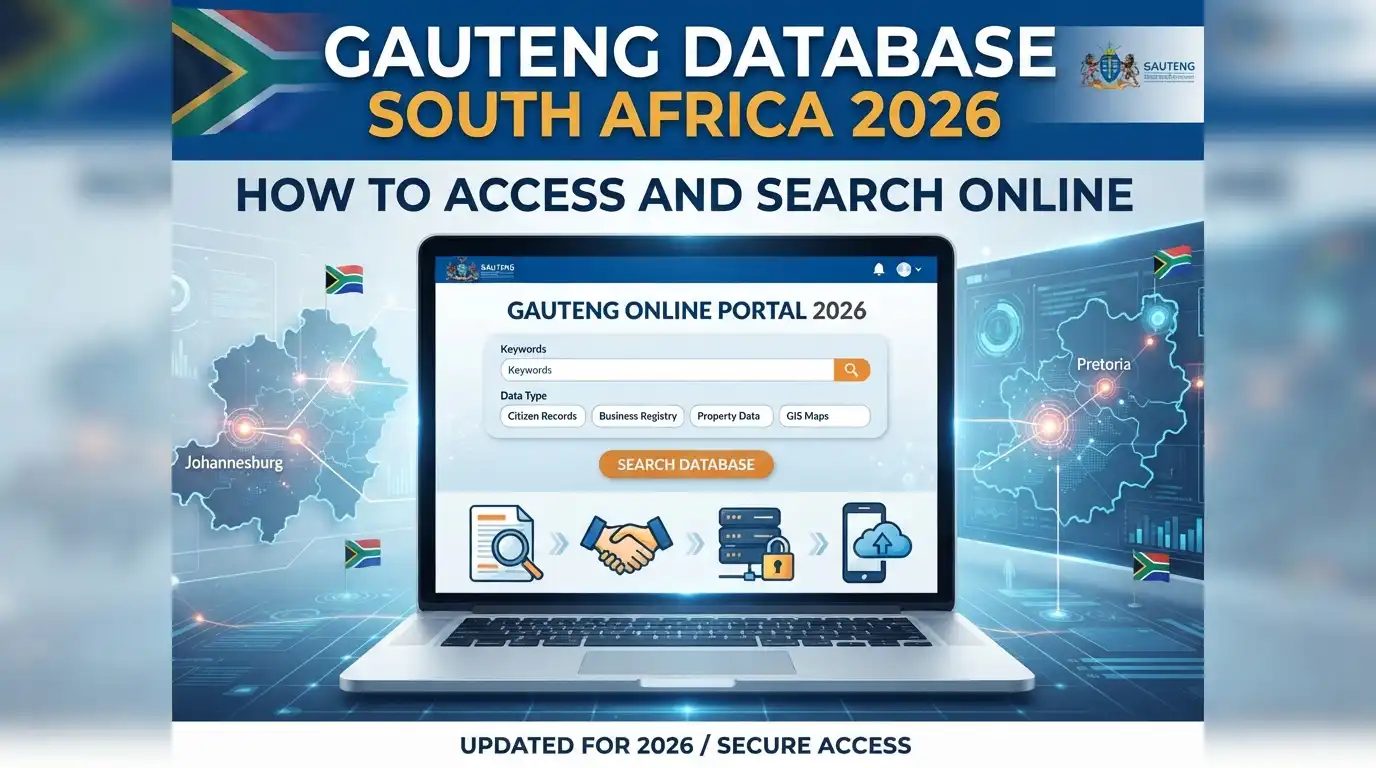
Finding a stable teaching post in South Africa’s most populous province doesn’t have to mean endless waiting or relying on word of mouth. The Gauteng Databas — officially known as the GDE Unemployed Educators Database — was built specifically to connect qualified, unemployed teachers, therapists, and education professionals with real vacancies inside Gauteng’s public school system. If you’re a job-seeking educator, understanding how this platform works could be the difference between months of uncertainty and landing your next classroom.
This guide walks you through everything: what the database is, who can use it, how to register, and how to keep your profile competitive once you’re in the system.”Visit Homepage for more”.
What Is the GDE Unemployed Educators Database?
The GDE Unemployed Educators Database is a centralized, government-run recruitment platform where qualified educators create professional profiles, upload their credentials, and become visible to school governing bodies and district offices actively hiring across Gauteng. Rather than applying to each school individually, educators build one comprehensive profile that districts and schools can search when a post opens up — whether that’s a substantive position, a temporary or substitute role, a growth post, or a language-specific placement.
It’s worth understanding how this fits into the province’s broader employment ecosystem. Many educators are already familiar with the GPG (Gauteng Provincial Government) as the umbrella body overseeing public sector employment in the province, and the education database operates as a specialized extension of that system — tailored specifically to teaching and therapy posts rather than general public service roles.
Who Should Register?
The platform is designed for:
A Critical Security Warning Before You Start
Before diving into registration, there’s one point the Department stresses repeatedly, and it deserves to be front and center: registration, application review, and appointment letters are completely free. There is no fee at any stage of this process.
If anyone — whether by phone, email, WhatsApp, or in person — asks you to pay money for a post, an interview, or a database listing, that is a scam, full stop. The GDE does not charge for any part of this process. If you encounter this, report it immediately to [email protected].
This warning matters because recruitment scams targeting unemployed educators are unfortunately common, and scammers often specifically target people searching for terms like GPG vacancies or general public sector job listings, hoping to intercept genuine job seekers before they reach the legitimate portal.
Getting Ready: What You’ll Need Before You Register
A smooth registration experience depends heavily on preparation. Before you open the portal, gather the following documents and information in digital form:
Identification
Educational and Professional Credentials
Application Materials
Contact Details
Address Information
Having all of this ready before you start prevents the frustration of a half-completed application and reduces the chance of registration errors that could delay your profile going live in the system that connects to the GPG professional job centre network of public sector placements.
How to Register on the GDE Unemployed Educators Database
Once you have your documents ready, registration itself is straightforward. Here’s exactly how to do it.
Step 1: Navigate to the Official Portal
Open your browser and go directly to the official registration page:

Always use this exact link rather than searching generically, since third-party sites sometimes mimic government portals to harvest personal information. Bookmarking this page is a good habit if you plan to check your status or update your profile regularly.
Step 2: Access the Registration Form

On the homepage, locate and click the Register link in the navigation menu. This opens the new applicant form.
Step 3: Fill in Your Personal Details

You’ll be asked to:
Step 4: Input Contact and Address Data
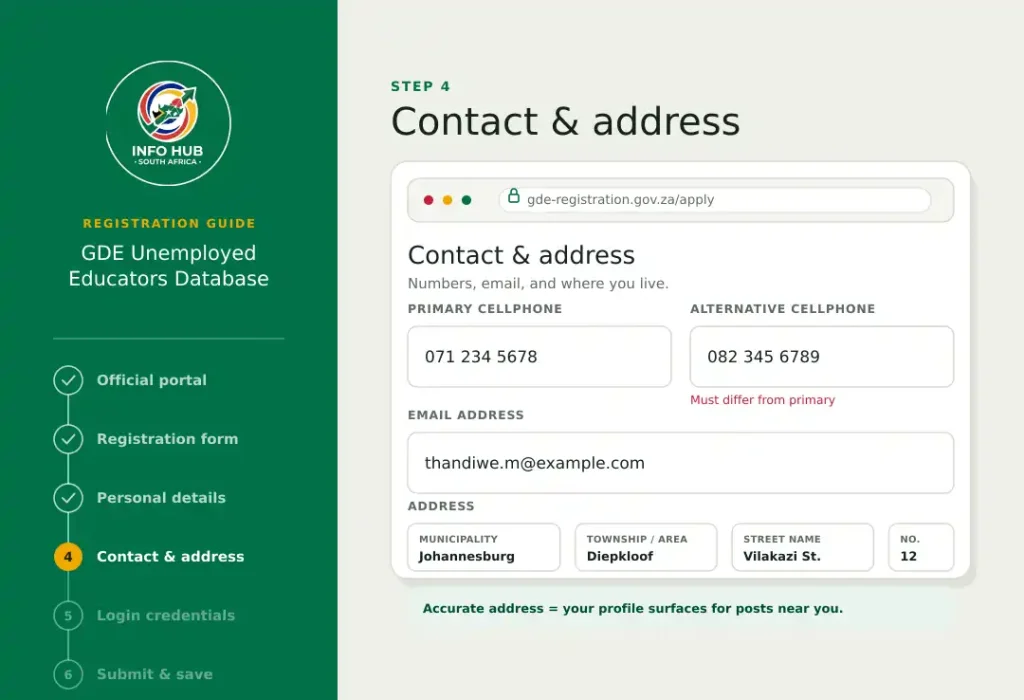
Next, complete your contact information:
Accuracy here matters more than people realize. School districts and governing bodies search the gauteng department of education database by location among other filters, so incomplete or incorrect address data can mean your profile is overlooked for posts near you.
Step 5: Set Up Your Login Credentials
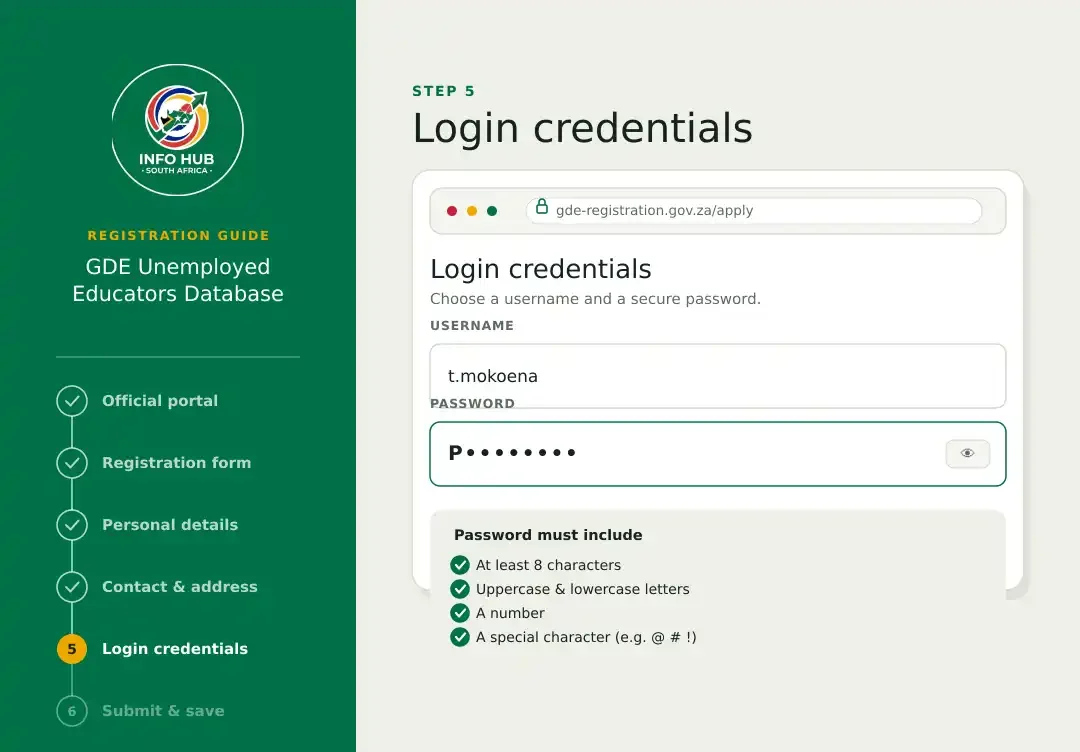
Choose a secure username and password. The system enforces a password complexity rule: your password must be at least 8 characters long and include a mix of uppercase letters, lowercase letters, numbers, and special characters (for example, something like P@ssw0rd).
Step 6: Submit and Save
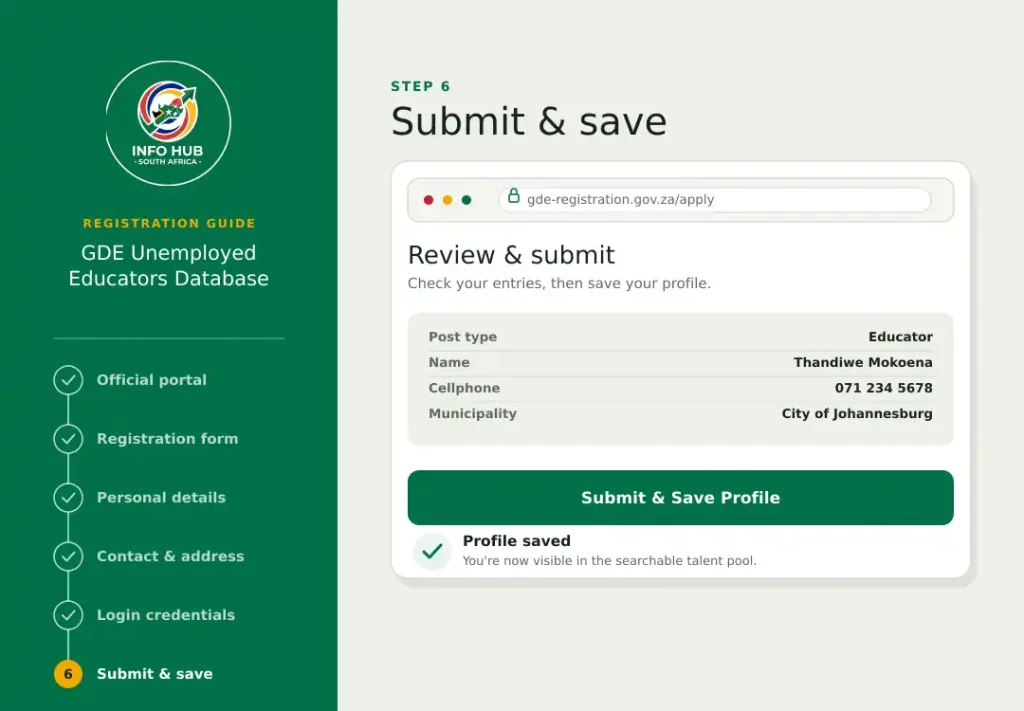
Review your entries carefully, then submit and save your profile. Once saved, your information becomes part of the searchable talent pool available to schools and district offices across the province.
Logging In and Managing Your Profile
Registration isn’t a one-time task — an active, well-maintained profile is far more likely to get noticed. Here’s how ongoing account management works.
Logging In
- Go to the login page at the same official portal address
- Enter your registered ID number, or your email/username, along with your password
- Click Login
Keeping Your Profile Competitive
Once logged in, make it a habit to regularly:
An outdated profile is one of the most common reasons qualified candidates get passed over — school governing bodies can only shortlist what’s current and accurate.
Forgot Your Password?
Click the “Forgot your Password?” link on the login page, and instructions will be sent to your registered email address.
A Note on ESS Login vs. the Unemployed Educators Database
It’s worth clarifying a point of confusion many job seekers run into: the ESS login (Employee Self-Service) system is a separate portal used by already-employed Gauteng government and education staff to manage things like payslips, leave, and personal HR details. It is not the same system as the Unemployed Educators Database. If you’re job-seeking and not yet employed by the GDE, the registration and login process described above — through the official unemployed educators portal — is the one that applies to you.
Understanding this distinction can save you time, since searching broadly for provincial employment systems sometimes surfaces ESS-related results that aren’t relevant to first-time job seekers.
FAQs
Conclusion
The Gauteng Databas Educators exists to solve a real problem: connecting qualified teaching professionals with the schools that need them, without the inefficiency of applying blind to individual institutions one by one. Getting the most out of it comes down to three things — preparing your documents thoroughly before you start, filling in every section of your profile accurately, and revisiting your account regularly to keep it current.
Above all, remember the one non-negotiable rule that protects you throughout this process: nothing about registration, review, or appointment costs money. Bookmark the official portal, keep your credentials updated, and treat any request for payment as an immediate red flag.
For more guides like this one — covering government portals, job databases, and practical how-to resources for South African job seekers — visit Info Hub South Africa, where we break down official processes like this one into clear, easy-to-follow steps.
Read More
SIS Portal South Africa: Login, Registration & Student Guide 2026
Wits Self Service Portal South Africa: Login, Application Status & Student Guide 2026
UFH Blackboard Login South Africa: Student Portal Guide 2026
Learners Licence Booking South Africa 2026: Requirements, Steps & Fees