Appeal SASSA SRD Grant 2026: How to Submit Your Appeal Online
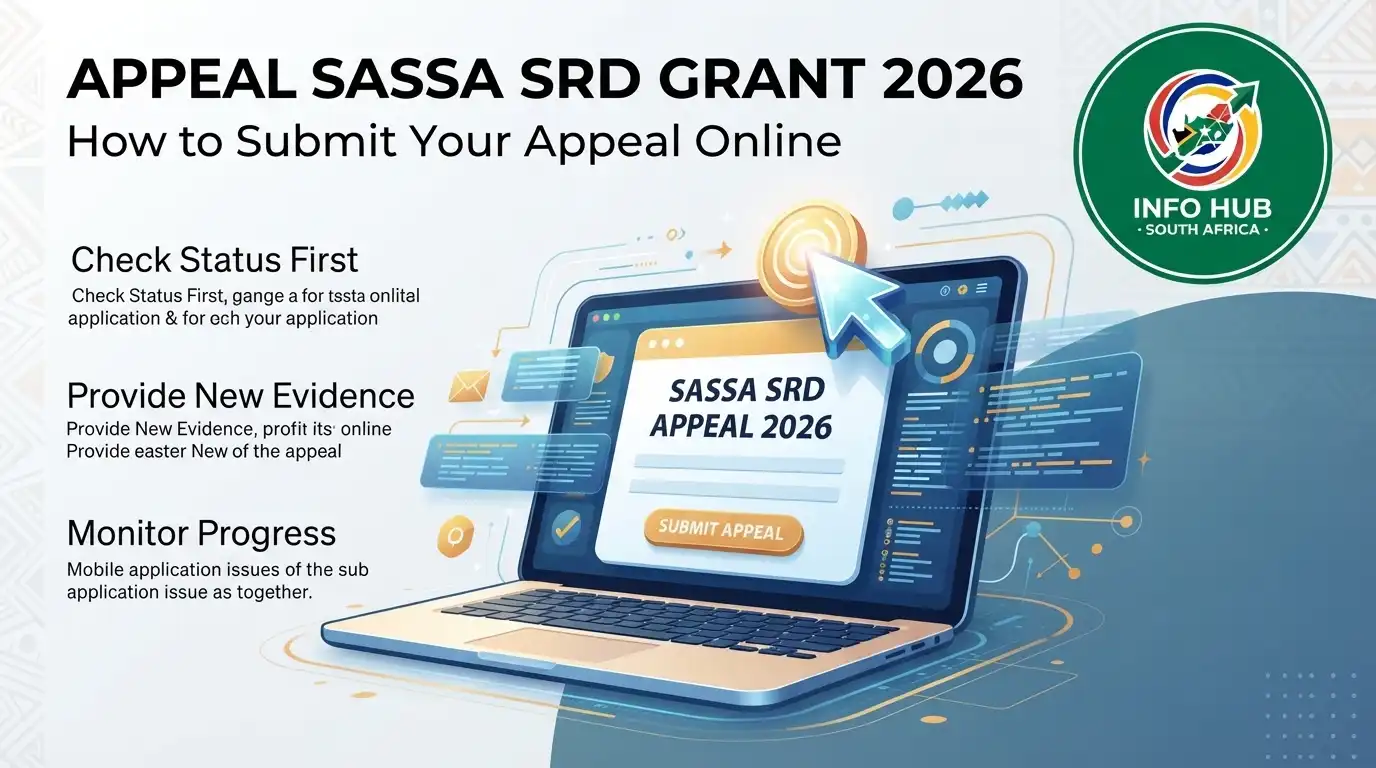
If your SASSA SRD application has been declined, you may be able to request a reconsideration through the official appeal process. A declined result does not necessarily mean you have no further option. Applicants who believe they meet the requirements can submit a SASSA appeal so that their application can be reviewed again.
When submitting an appeal, you will generally need the 13-digit South African ID number and the mobile phone number linked to your application. If you are checking an existing application or appeal, a SASSA status check can also help you follow the progress of your application.”Visit Homepage for more”.
Who Can Appeal an SRD Grant Application?
Before starting an SRD appeal, check that you meet the main eligibility requirements. Applications may be declined when an applicant does not satisfy one or more of the qualifying conditions.
You may be eligible if you meet the following requirements:
What to Do If Your SRD Application Was Declined
If you believe you satisfy the eligibility requirements but your application was still declined, you can use the official appeal process to request that your application be reconsidered.
After submitting the appeal, keep your details available so you can perform an SRD status check when you need to monitor the outcome. Checking your status can help you determine whether your appeal is still being processed or whether a decision has been recorded.
The SASSA status check appeal process is specifically useful for applicants who want to follow up after challenging a declined SRD application. Make sure the personal information you provide during the appeal matches the details used in your original application.
Important Information Before Submitting an Appeal
An appeal should only be submitted if you believe the decline decision does not accurately reflect your circumstances or eligibility. Review the requirements carefully before proceeding and ensure that your ID number and registered mobile number are correct.
If you have already submitted an appeal, avoid submitting unnecessary duplicate requests. Instead, use the available SASSA status check options to monitor the progress of your application.
The SRD programme has specific eligibility rules, so meeting some requirements does not automatically guarantee approval. SASSA must assess the information connected to your application before making a final decision.
“Related Articles”
SASSA R350 Change Banking Details in South Africa: 2026 Guide
SASSA Status Check 2026: SASSA Status Check for R370 & SRD Status Online
How to Lodge a SASSA Appeal
If your SRD Grant application has been declined and you disagree with the decision, you can lodge a SASSA appeal with the Department of Social Development. An appeal must be submitted separately for each month in which your application was declined.
Appeals should be lodged within 30 days of receiving the rejection notice. According to the provided information, an appeal cannot be submitted more than 90 days after the decline. These instructions apply to SRD Grant applications that were declined after April 2022.
Important Things to Check Before Your Appeal
Before starting the SASSA status check appeal process, make sure the personal and contact information on your SRD profile is correct. If your contact details need to be changed, update them before continuing with the appeal.
This is important because, if the appeal is successful, the Independent Tribunal can direct SASSA to make the relevant SRD payment. Your correct contact information is therefore needed for communication and processing.
After saving your updated details, you will be redirected to the SRD DSD Appeal website so you can continue with your appeal.
Applicants, or a person acting as their proxy, must also confirm that they have read and accepted the conditions contained in the Declaration and Consent documents before submitting the appeal.
Submit an Appeal for Each Declined Month
An important part of the SRD appeal process is that you must lodge a separate appeal for every month in which your grant application was rejected and you disagree with the decision.
For example, if your SRD application was declined for three different months, you should submit an appeal for each of those months rather than relying on one appeal to cover all three.
Once you have submitted your appeal successfully, a confirmation message should appear on the page indicating that your application has been submitted.
How Long Does a SASSA Appeal Take?
After submission, the Independent Tribunal will assess the appeal and communicate the outcome electronically. The information provided states that applicants may receive the result within approximately 60 to 90 days from the date the appeal was lodged.
You can also use a SASSA status check to keep track of your application and appeal information where the relevant status service is available.
What Do the SRD Reconsideration Decline Reasons Mean?
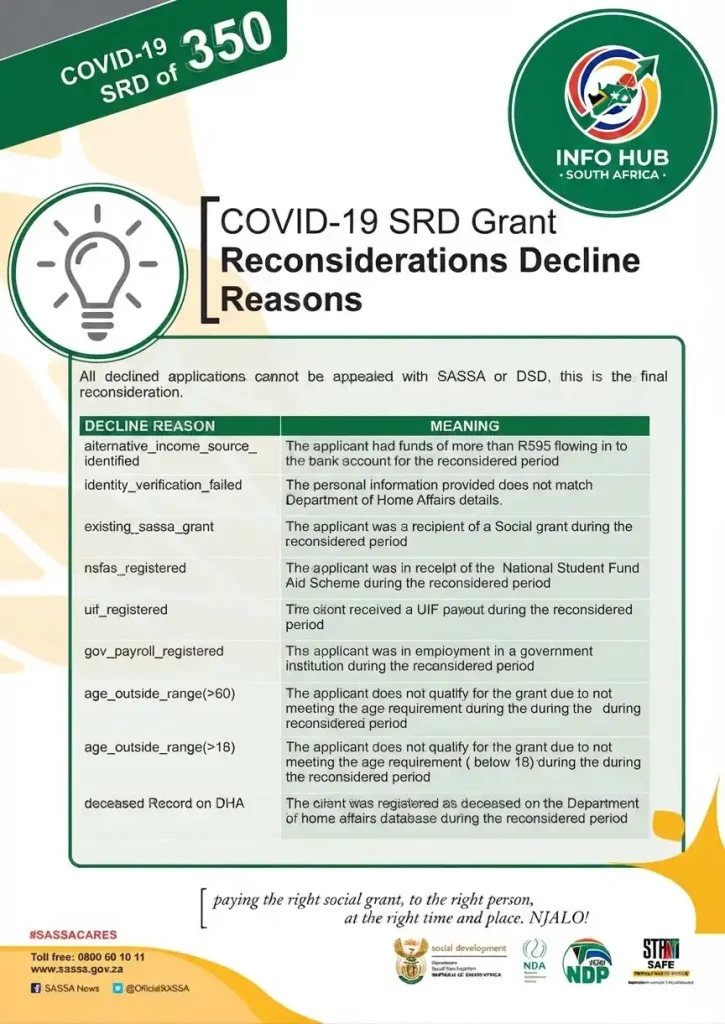
If you successfully submitted an appeal but your application was declined again after reconsideration, the provided information states that this is treated as the final decision and the declined application cannot be appealed again through SASSA or the Department of Social Development.
The decline code shown on your SRD status check can help explain why your application was not approved.
Alternative Income Source Identified
alternative_income_source_identified means that a balance of R595 or more was identified as coming into the applicant’s bank account during the period being reconsidered.
Identity Verification Failed
identity_verification_failed means that the personal information supplied in the application did not match the information held by the Department of Home Affairs.
Existing SASSA Grant
existing_sassa_grant means that the applicant was receiving a social grant during the period being reconsidered.
NSFAS Registered
nsfas_registered means that the applicant was receiving funding from the National Student Financial Aid Scheme (NSFAS) during the relevant reconsideration period.
UIF Registered
uif_registered means that the applicant received a payment from the Unemployment Insurance Fund (UIF) during the period being reconsidered.
Government Payroll Registered
gov_payrol_registered means that the applicant was recorded as being employed by a government institution during the period under review.
Age Outside Range — Over 60
age_outside_range(>60) means that the applicant was over 60 years old during the reconsidered period and therefore did not meet the stated age requirement.
Age Outside Range — Under 18
age_outside_range(<18) means that the applicant was under 18 years old during the reconsidered period and therefore did not meet the stated age requirement.
Deceased Record on DHA
A deceased record on DHA means that the applicant was recorded as deceased on the Department of Home Affairs database during the period being reconsidered.
Understanding the decline reason can make your SASSA status check more useful because it shows what issue was recorded against the application. If you believe the information is incorrect, review the details connected to your application and follow the applicable appeal or enquiry process.
Can You Cancel or Reinstate an SRD Application?
Your circumstances can change after submitting an SRD application. If you no longer need the SRD Grant or you no longer meet the requirements, you can cancel your application through the available cancellation service.
Cancelling an application may be appropriate when you no longer require the Social Relief of Distress (SRD) assistance or your circumstances have changed in a way that means you no longer qualify.
How to Cancel Your SRD Application
Applicants who no longer need the grant can use the official SRD cancellation service to withdraw their application. Before cancelling, make sure you understand that you are choosing to stop your existing application.
If you later need the SRD Grant again and meet the relevant requirements, you may have the option to request reinstatement.
How to Reinstate a Cancelled SRD Application
If you previously cancelled your SRD application but your circumstances have changed again, you can use the reinstatement service to request that your application be restored.
After requesting reinstatement, you can use a SASSA status check to monitor the application and see whether there has been an update. If you are checking information specifically related to a previous cancellation or reinstatement request, an SRD status check can help you follow the relevant application status.
How Are SRD Grant Payments Made?
The SRD Grant payment process differs from some other social grants. According to the provided information, SRD payments are not made according to a fixed payment day each month. Instead, payment is processed once the applicant’s application has been assessed and approved.
This means applicants should not assume that everyone will receive an SRD payment on the same date. The timing depends on when the application has been processed.
How Will You Know When Your SRD Payment Is Available?
Approved applicants will receive an SMS notification when their SRD Grant payment is available for collection or withdrawal.
Depending on the payment arrangement, funds may be accessed through participating retail merchants such as Checkers, Pick n Pay, Shoprite and Boxer Stores, or through a bank.
If you are waiting for a payment notification, regularly checking your SASSA status can help you stay informed about changes to your application. Applicants can also carry out an SRD status check when they want to review the current position of their SRD application.
SASSA Appeal Contact Details
If you need assistance with an appeal, the provided information lists the Department of Social Development Independent Tribunal for Social Assistance Appeals (ITSAA) as the relevant contact point:
FAQs
Conclusion
Understanding the SASSA appeal process is important if your SRD Grant application has been declined and you believe you still meet the requirements. Remember to submit an appeal for each applicable month, keep your contact details accurate and use a SASSA status check or SRD status check to stay informed about your application.
If you have cancelled an application and later need to apply again, the available reinstatement process may also be relevant. For the latest guidance on SASSA status check, SRD applications, appeals and related grant information, Info Hub South Africa provides helpful information to assist applicants in understanding the process and following the correct steps.
Read More
SAPS Vacancies 2026 South Africa: Latest Jobs, Requirements & How to Apply
Home Affairs Online Booking South Africa 2026: Complete Appointment & Application Guide
Matric Results 2026 Online Check South Africa: Get Your NSC Results Instantly
Z83 Form South Africa 2026: Download, Complete & Submit Online
SA Youth Mobi South Africa 2026: Login, Registration & Jobs Guide
SASSA R350 Change Banking Details in South Africa: 2026 Guide