CIPC eServices Login: Registration & Online Guide
Starting or managing a business in South Africa often involves official company records, director information, annual returns and registration documents. The Companies and Intellectual Property Commission (CIPC) provides online services that help business owners handle many of these administrative tasks without relying entirely on paper-based processes.
The CIPC eServices portal is an official online platform for accessing available company and intellectual property services. Entrepreneurs, existing company directors and other eligible users can use the platform to manage supported transactions relating to business registration and company information.
Who Should Use CIPC eServices?
The CIPC portal can be useful for different people involved in South African business administration.
Not every service is available to every user, and certain transactions may have additional requirements. Before starting an application, read the instructions displayed for that specific service.
CIPC Login: How to Access Your Account
If you already have a CIPC customer profile, the CIPC login process allows you to access the relevant online services using your registered credentials.
Step 1: Open the official website
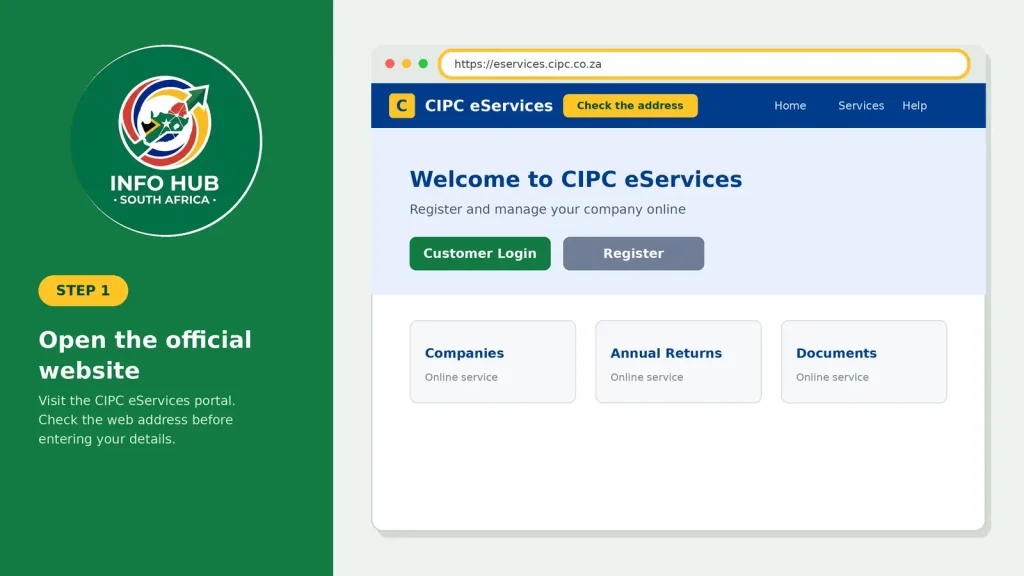
Visit the CIPC eServices portal. Check the website address before entering your details.
Step 2: Select Customer Login
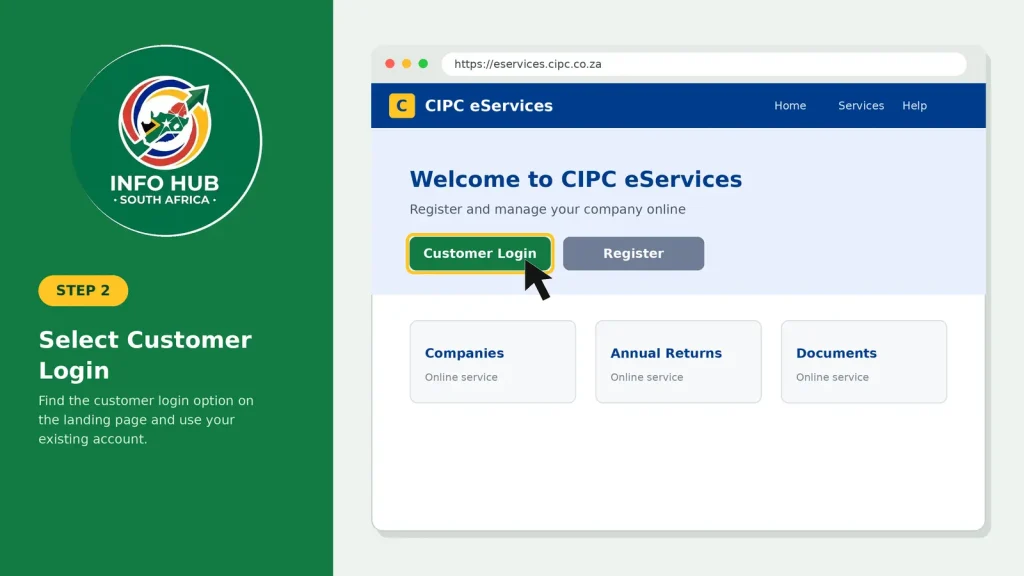
Look for the customer login option on the portal’s landing page. If you are a returning user, use the existing account rather than registering a second profile unnecessarily.
Step 3: Enter your login credentials
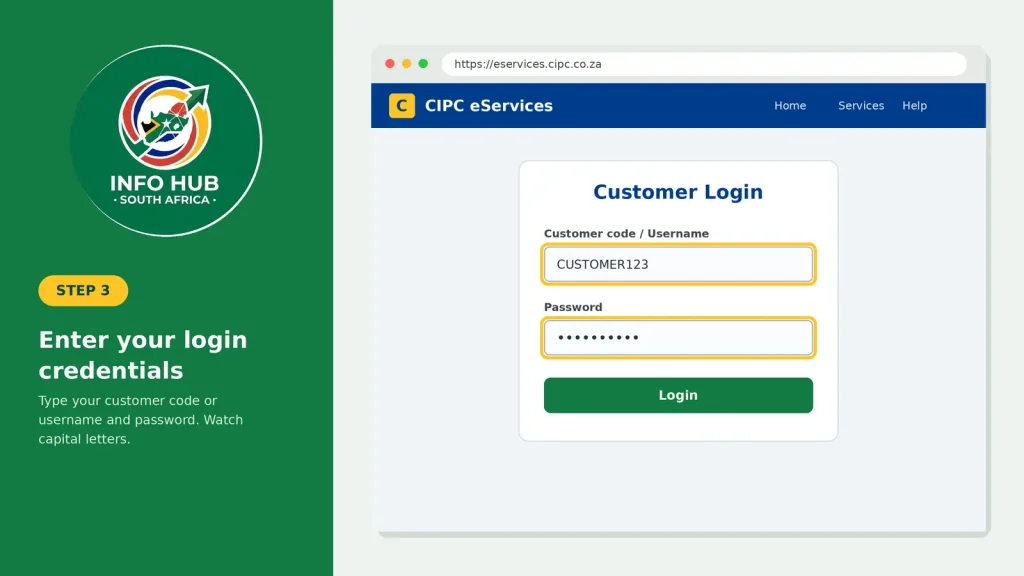
Provide your assigned customer code or username and password as requested. Pay attention to capital letters and any other details required by the login form.
Step 4: Access the available services
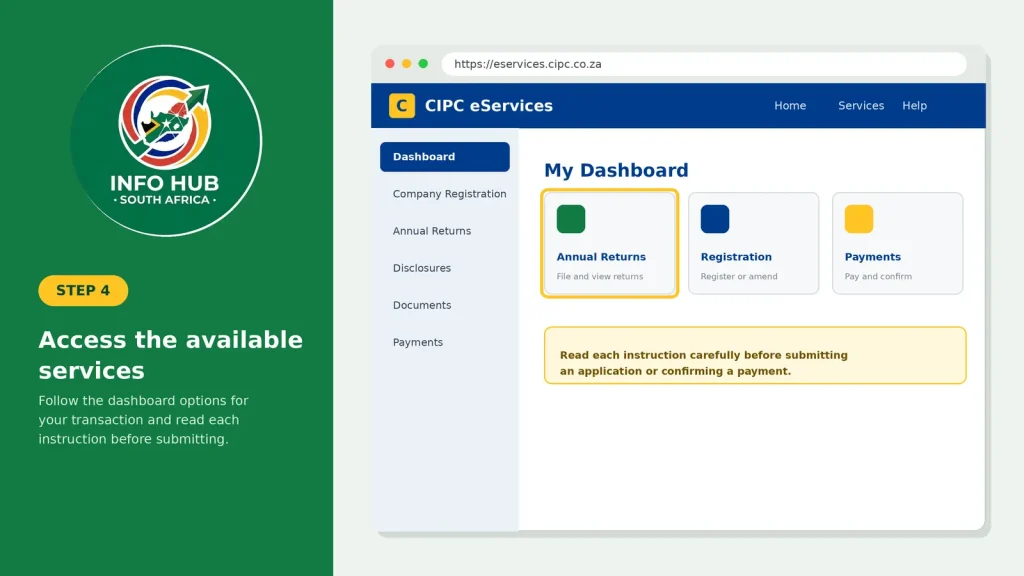
Once authenticated, follow the dashboard options for the transaction you need. Read each instruction carefully before submitting an application or confirming a payment.
What if the CIPC login page does not work?
A login problem does not necessarily mean your account has been suspended. It may result from an incorrect password, a typing error, a browser issue or a temporary service interruption.
Try these checks before starting a new registration:
If the issue continues, use the official CIPC support channels rather than relying on unofficial websites that claim to recover accounts.
How to Register for CIPC eServices Online
If you have never used the platform, you may need to create a customer profile before accessing certain CIPC services. Customer registration and company registration are two different processes: creating a customer account does not automatically register a business.
Documents and details to prepare
Before beginning, have the following information available where applicable:
Some transactions may require supporting documents or payment. Requirements can vary, so use the instructions on the official portal as your final reference.
Customer registration steps
1. Open CIPC eServices. Visit the official CIPC portal.
2. Choose Customer Registration. Find the registration option on the homepage and open the relevant form.
3. Provide your identification details. Select the appropriate residency or identification option and enter the requested information accurately.
4. Complete your contact information. Supply your email address, mobile number and other mandatory details. Check for spelling errors before proceeding.
5. Submit the registration form. Follow the on-screen instructions and complete any required verification.
6. Keep your customer code safe. If the portal issues a customer code or sends account information to your registered contact details, save it securely for future access.
7. Return to the login page. Use your newly created credentials to access the available services.
Important: The precise registration fields and verification process may change. If the website displays different instructions, follow the current official process rather than relying solely on a third-party tutorial.
CIPC Registration Online: How to Register a Company
Once your customer profile is ready, you can investigate the company-registration options available through CIPC. The steps depend on the type of business entity you intend to establish and the services offered to your account.
For a typical new company, the process involves selecting the appropriate registration service, providing the required business details and completing the relevant submission.
Step 1: Choose the appropriate company service
Log in to the CIPC portal and locate the company-registration section. Read the descriptions carefully so that you select the correct entity type for your business.
A private company and a non-profit company, for example, have different purposes. Do not select an option simply because it appears first on the page.
Step 2: Check the proposed business name
If you intend to use a particular company name, review the applicable name-reservation or name-search process before proceeding. A name that appears suitable to you is not automatically available for registration.
Make sure the proposed name is entered correctly and that you understand any reservation requirements displayed by CIPC.
Step 3: Enter the required company information
Depending on the application, you may need to supply information about the business, its directors, registered address and other required particulars.
Check every field before moving to the next screen. Incorrect identity details, incomplete information or inconsistent names can cause delays or require corrections.
Step 4: Review and submit the application
Before submitting, check that the information matches your supporting documents. Follow the portal’s instructions for declarations, documentation and any applicable fees.
Keep your transaction reference or confirmation details if they are provided. These can help when checking progress or making a later enquiry.
Step 5: Monitor the application
Use the available CIPC account functions or status-checking instructions to follow up on your submission. Do not assume that completing an online form means the company has been registered successfully.
Wait for the official confirmation or registration documentation before representing the application as completed.
CIPC Company Search by Name: What You Need to Know
A CIPC company search by name can help users investigate an existing business or check information relevant to a proposed name. However, searching for a company and reserving a new company name are not necessarily the same process.
If you want to find a registered business, start by identifying its exact name or other available identifying details. Similar names can refer to different entities, so check the information carefully before relying on a search result.
For a proposed company name, follow the relevant name-checking or reservation service provided by CIPC. An informal search result should not be treated as a guarantee that the name will be approved.
Tips for more accurate company searches
These checks are especially useful for entrepreneurs researching a new venture and for people who need to verify the identity of a business before entering into a commercial arrangement.
CIPC Services Available Through the Online Portal
The CIPC services you can access depend on the transaction, your account permissions and the current options provided by the commission. The following table summarises common tasks associated with company administration.
| CIPC service | What it helps you do |
|---|---|
| Company registration | Submit an application to establish an eligible business entity. |
| Name reservation | Apply to reserve a proposed company name where required. |
| Annual returns | Complete applicable annual-return filing obligations. |
| Director amendments | Apply for supported changes to company director information. |
| Company information | Search for or request available information about registered entities. |
| Certificates and documents | Request eligible registration documents, disclosures or certificates. |
Annual returns deserve particular attention. Businesses should check their applicable filing deadlines and requirements instead of assuming that a registered company can remain compliant without further action.
Likewise, changes to directors or registered details should be submitted through the appropriate service. Keep copies of confirmations and supporting records for your business files.
BizPortal Login vs CIPC Login
People often search for both BizPortal login and CIPC login when trying to register or manage a business in South Africa. Although the platforms are related to business administration, they should not automatically be treated as interchangeable.
CIPC eServices
Use the CIPC eServices portal to access its available company and intellectual property services, subject to the relevant account and transaction requirements.
BizPortal
BizPortal is another official business-services platform associated with CIPC. It provides its own service pathways and login experience. If you started a transaction there, return to the same platform and follow its instructions.
Before logging in, consider what you are trying to accomplish. If you need to manage a transaction already started on CIPC eServices, begin with that portal. If your intended service is offered through BizPortal, follow the relevant BizPortal process instead.
CIPC Enquiries and Contact Details
If you cannot complete a transaction, need clarification about an application or have an account-access problem, use the official CIPC support channels.
Start by reviewing the instructions and help options on the official CIPC eServices website. For more specific contact information, visit the official CIPC website at www.cipc.co.za.
When making CIPC enquiries, prepare the relevant information in advance:
Never include your password or one-time PIN in an ordinary support message. If you need to send supporting documents, follow the commission’s official instructions.
Tip: Keep your enquiry focused. Explaining which service you were using, what happened and whether you received a reference number can help the support team understand the issue.
Common CIPC Portal Problems and Solutions
I cannot access my CIPC account
Check your login details and confirm that you are using the correct portal. If you have forgotten your password, use the official account-recovery process.
My customer registration is not working
Review the information entered in the form. Ensure your identification details match your documents and that your email address and mobile number are correct. Complete any verification steps shown on the website.
My company application has not been finalised
Keep your transaction reference and check the application status through the available official options. If further information is required, follow the instructions provided by CIPC.
I cannot find a company using its name
Check the spelling and try searching with a distinctive part of the name. Where available, use additional identifying details to distinguish similarly named entities.
The website displays an error
Try refreshing the page, using an updated browser or returning later if the problem appears temporary. Avoid submitting the same payment or application repeatedly without first checking whether the original transaction was processed.
FAQs
Conclusion
The CIPC eServices portal helps users access supported business-registration and company-administration services online. Whether you need CIPC login assistance, CIPC registration online, annual-return information or a company search by name, start with the official platform and follow the instructions for your particular transaction.
Keep your customer credentials secure, review all submitted details and save transaction references. If an application or account problem persists, use the official CIPC enquiries channels rather than relying on unverified third-party services.
For readers of Info Hub South Africa, the key point is to distinguish between customer-account access, company registration and ongoing business compliance. Understanding that difference makes it easier to select the right service and avoid unnecessary delays.
Read More
GEHS Login South Africa 2026: Online Login, Password Reset & Status Check Guide
Television Licence South Africa: Online Application, Status Check & SABC TV Licence Guide 2026
Passport Renewal South Africa: Online Application, Fees & Banks