UNIVEN Status Check 2026: Login & Application Guide
Checking your university application after submitting it is important, particularly if you want to know whether your documents have been received or whether your application has progressed through the admission process. For applicants to the University of Venda (UNIVEN), the university provides an online service where application progress can be checked.
The UNIVEN status check 2026 allows applicants to view their current application information online instead of contacting the university or visiting campus. Depending on how the application was submitted, you may be asked to provide details such as your South African ID number, passport information, or an application or student reference number.
For accurate results, always start with the official UNIVEN application status service. The university’s Student Affairs section provides the relevant status-check facility, making it the appropriate place to verify the progress of your application.
UNIVEN Status Check 2026 at a Glance
The UNIVEN status check 2026 is intended for applicants who have already submitted an application to the University of Venda (UNIVEN) and want to check its current progress. The key details to know are:
| Information | Details |
|---|---|
| University | University of Venda (UNIVEN) |
| What you can check | Application and admission progress |
| Online service | UNIVEN application status check |
| Details you may need | South African ID number, passport details, or relevant application/student information |
| Who can use it | South African, foreign and international applicants |
| Official website | univen.ac.za |
| Status facility | UNIVEN Student Affairs application status page |
Before opening the status service, have the information you used when submitting your application available. This can make the process smoother and helps you avoid entering details that do not match your application record.
The status checker is mainly useful for applicants who want to see what is happening with an application that has already been submitted. If the information entered does not match the details held by the university, the system may not be able to locate the application.
What Is the UNIVEN Status Check?
The UNIVEN status check is the University of Venda’s online facility for applicants who want to follow the progress of an application they have already submitted. Rather than relying entirely on email updates, applicants can use the university’s designated status service to find out whether their application has been received and whether there has been any progress in its processing.
The information available through the status service may vary depending on the individual application and the stage reached in the university’s processing system. It can relate to details such as the application submitted, selected qualifications, supporting documentation, or the admission outcome.
For 2026 applicants, using the university’s official status facility is a more reliable approach than repeatedly searching for different UNIVEN login pages. This helps you reach the correct service and reduces the chance of relying on unofficial information.
Why Should You Check Your UNIVEN Application Status?
Checking your application regularly can help you spot situations where further action may be required. If UNIVEN asks for additional information or supporting documents, knowing about the request early gives you an opportunity to respond without unnecessary delays.
This is especially useful during busy admission periods, when universities may be handling a high volume of applications. A regular status check can therefore help you stay aware of any changes to your application and respond when necessary.
Before You Start Your UNIVEN Status Check
Having your application details ready before you begin can save time and help prevent errors. Use the same identification information that you provided when submitting your University of Venda application.
You may want to have the following available:
Use the Same Details You Provided When Applying
When checking an application, it is best to start with the identification details originally submitted to UNIVEN. Trying unrelated numbers or switching between different details can make it harder to locate your application record.
For instance, applicants whose submission was made using a South African identity number should begin with the UNIVEN status check using ID route where applicable. Applicants from outside South Africa should instead use the passport or application details connected to their original submission.
How to Check Your UNIVEN Application Status
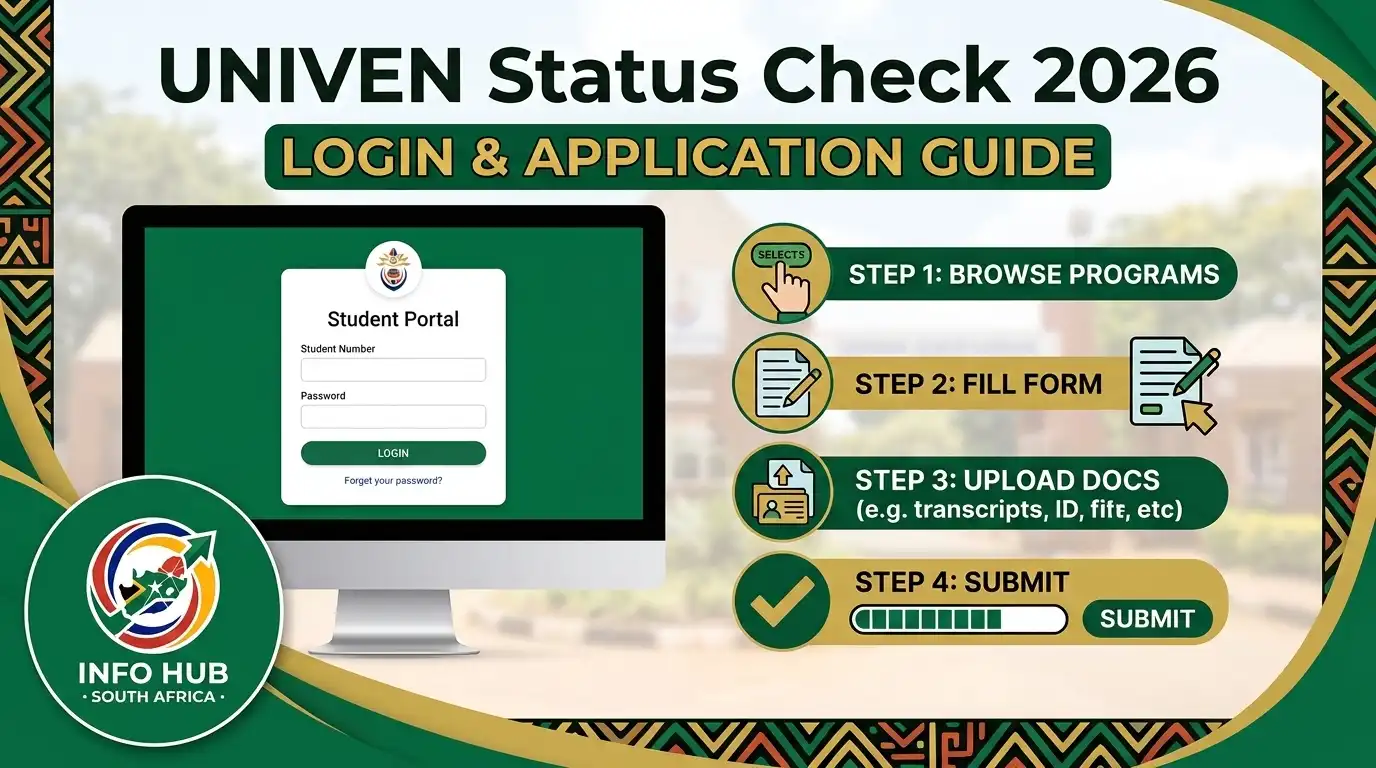
Checking your UNIVEN application status is a simple process when you use the university’s official website and enter the correct information. The University of Venda provides an official application-status page through its Student Affairs section, allowing applicants to check the progress of their applications online.
Follow the steps below to complete your UNIVEN status check safely and correctly.
Step 1: Open the Official UNIVEN Status Page
Start by visiting the University of Venda’s official application-status page. Using the university’s own website is important because it helps you avoid unofficial status-check websites that may request unnecessary personal information.
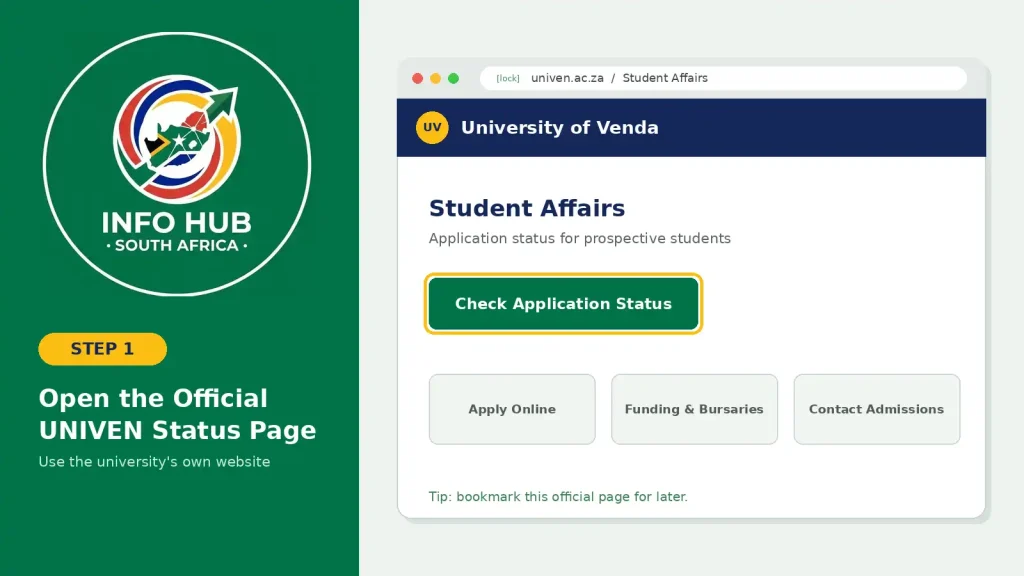
If you expect to check your application more than once, consider saving the official UNIVEN page in your browser for easier access later.
Step 2: Check Which Information You Need
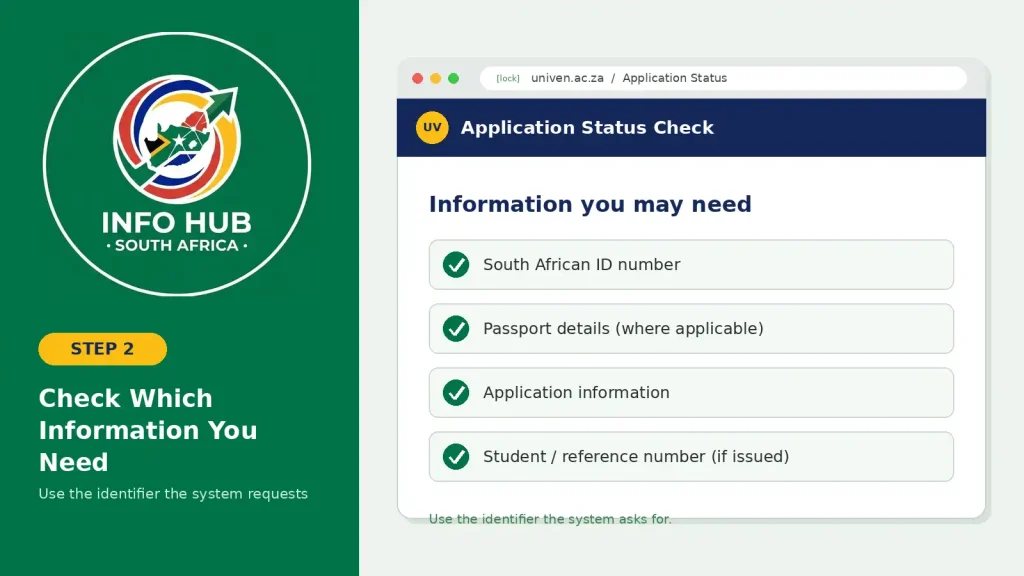
Before submitting a status request, carefully review the information requested by the UNIVEN status-check system.
Depending on your application and the details associated with your record, you may need information such as:
Make sure you use the identifier requested by the system. Your student number, application number and ID number are not necessarily interchangeable, as they can serve different purposes within the university’s online services.
Step 3: Enter Your Details Correctly
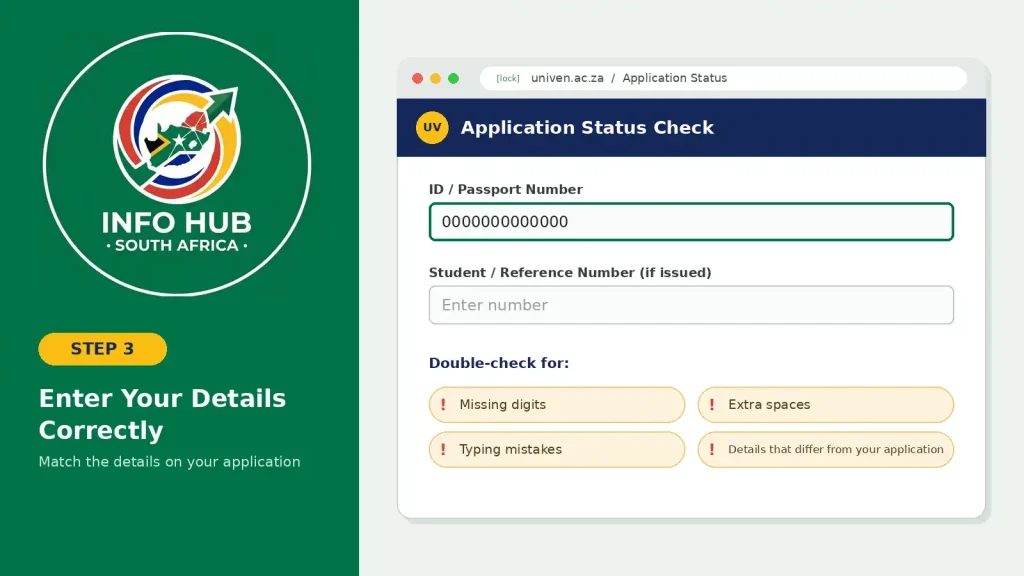
Enter your information exactly as required by the status-check page. Take a moment to review everything before submitting the request.
Check for common errors such as:
If your information does not match the university’s records, the system may fail to locate your application even if you have already applied.
Step 4: Submit Your Status Request
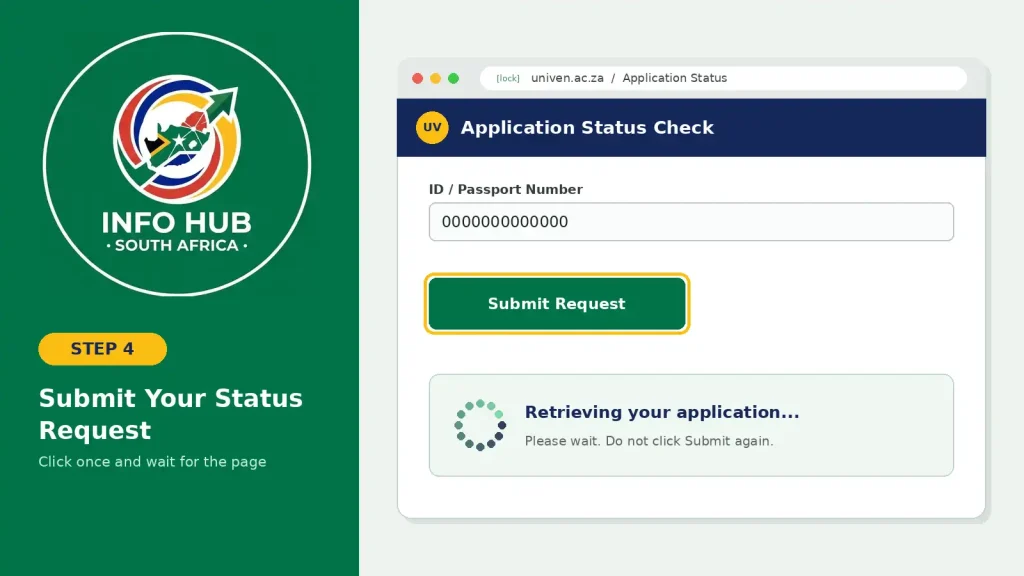
Once you have entered the required information, submit the request to retrieve your application record.
The page may take some time to respond during busy admission periods when many applicants are checking their UNIVEN application status at the same time. If the page appears slow, wait for the request to finish rather than repeatedly clicking the submit button.
If the first attempt does not work, check your details again before trying another request.
Step 5: Review Your Application Status
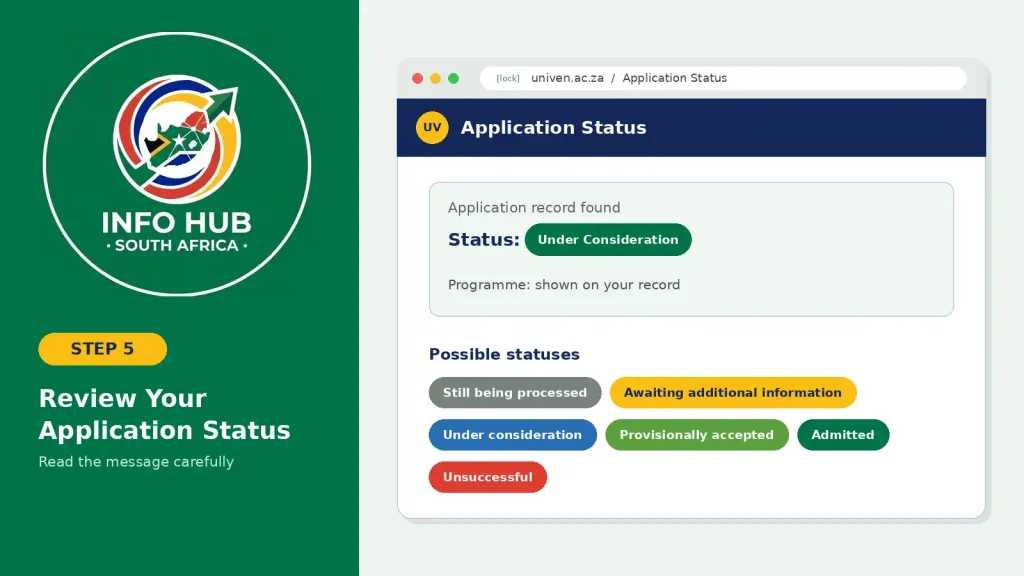
When your application record is successfully retrieved, carefully read the information displayed on the page.
Your application may show a status indicating that it is:
The exact wording can vary depending on your application and programme. Therefore, do not assume that two different status messages have exactly the same meaning.
If the status indicates that further action or information is required, follow the instructions provided by the university rather than submitting a new application unnecessarily.
UNIVEN Status Check Using ID
For many South African applicants, checking an application with an ID number is a convenient way to find their university record. If you are looking for a UNIVEN status check using ID, make sure you use the identification details that were provided when you submitted your application.
Enter your complete South African ID number carefully and check it before submitting the request. The information you provide should match the details held by the University of Venda.
What If Your ID Number Does Not Work?
If the system does not find your application when you enter your ID number, do not immediately assume that your application has been rejected. A failed search can happen for several reasons, including an incorrect entry, a temporary technical issue, or an application that has not yet been reflected in the online system.
Before contacting the university, try these troubleshooting steps:
- Enter your ID number again: Check every digit carefully and make sure there are no typing errors.
- Remove unnecessary spaces: Enter the number in the format requested by the status-check page.
- Confirm your details: Make sure you are using the same identification information submitted with your application.
- Use the official UNIVEN website: Avoid third-party websites claiming to provide an application status service.
- Try again later: If the website is slow or temporarily unavailable, wait and repeat the check later.
- Contact UNIVEN for assistance: If your details are correct but you still cannot access your record, contact the university through its official channels for further help.
The most important point is that a “record not found” message does not automatically mean that your application was unsuccessful. It only means that the system was unable to retrieve a matching record at that time. Check your information first and seek assistance from UNIVEN if the problem continues.
UNIVEN Status Check Using Student Number
Applicants may also search for a UNIVEN status check using student number, particularly if the University of Venda has already provided them with a student or application-related number.
A student number can be important for accessing various university services, but it should not automatically be used in place of an ID number or passport number. Always follow the identifier requested on the official UNIVEN status-check page.
If the status page asks for your ID number or passport details, use the required information rather than entering your student number instead. Similarly, if a particular UNIVEN service specifically requires your student number, enter the number provided by the university.
Using the correct identifier can help prevent unnecessary errors when trying to access your application or student information.
Where Can You Find Your UNIVEN Student Number?
If UNIVEN has already issued you a student number, check the official communication or application-related information you received from the university. Depending on your circumstances, it may appear in correspondence or documents provided after you submitted your application.
Keep your student number secure and easily accessible. You may need it later when accessing other UNIVEN student services, completing university-related processes, or communicating with the institution.
If you cannot find your number, avoid guessing or creating a replacement number. Instead, use the official UNIVEN support channels to confirm which identifier you should use for the service you are trying to access.
Understanding Your UNIVEN Application Status
After completing your UNIVEN status check 2026, it is important to understand what the result displayed on the screen actually means. An application status is more than a simple label—it can show whether your application is still being assessed, whether additional information is required, or whether UNIVEN has made an admission decision.
Application outcomes can differ depending on the qualification, programme and stage of the admissions process. Always read the information displayed for your specific application carefully before taking further action.
Application Received or Submitted
A status showing that your application has been received or submitted generally means that UNIVEN has recorded your application in its system.
However, this does not mean that you have already been admitted. Your application may still need to go through academic, administrative or other checks before a final decision is made.
If you see this type of status, there is normally no need to submit another application simply because an admission decision has not appeared yet. Continue monitoring your application through the official UNIVEN status service and follow any instructions provided by the university.
Under Consideration or Review
A status such as under consideration, under review or a similar message generally means that your application is still being assessed.
UNIVEN may need to consider your academic information and the admission requirements for the qualification you selected. A pending or review status should not be interpreted as either an acceptance or a rejection.
Continue checking your application periodically and pay attention to any communication from the university. If UNIVEN requests additional information, provide it according to the instructions given.
Awaiting Documents
If your application indicates that documents are outstanding, carefully check which information or supporting documents are required.
Depending on your application, the university may request items such as identification information, passport details or academic results.
Do not ignore an outstanding-document notification. If UNIVEN provides specific instructions for submitting the required information, follow those instructions and use only the official communication channels provided by the university.
Provisionally Accepted
A provisionally accepted result can indicate that you have satisfied certain initial admission requirements, while UNIVEN may still require final information, documentation or results before the admission process is fully completed.
Read any conditions attached to the decision carefully. If the university asks you to submit final results, additional documents or complete another admission step, make sure you follow the instructions within the stated timeframe.
A provisional decision should not automatically be treated as confirmation that every registration requirement has been completed.
Admitted or Offered a Place
An admission-related status generally represents a positive outcome for your application and indicates that UNIVEN has made an offer or admission decision concerning your chosen programme.
If the university instructs you to accept an offer, complete registration or take another step, follow the official instructions and pay attention to any deadline provided.
Remember that receiving an admission decision does not necessarily mean that every registration or enrolment requirement has already been completed. Check the university’s instructions carefully and complete any remaining steps.
Application Unsuccessful
An unsuccessful application status means that your application did not result in admission for the particular qualification or application concerned.
The reason can vary. Admission decisions may depend on factors such as meeting programme requirements, the number of available places, academic considerations and other qualification-specific criteria.
If your result is unsuccessful, review any information provided by UNIVEN before deciding what to do next. Depending on your circumstances, you may wish to explore other suitable programmes or consider future application opportunities.
What to Do If Your UNIVEN Status Has Not Changed
It is understandable to want an immediate admission decision after submitting an application. However, application processing can take time, particularly during busy admission periods. If your UNIVEN status check 2026 continues to show that your application is being processed, this does not necessarily indicate a problem with your application.
Avoid submitting a duplicate application simply because your online status has not changed. Instead, work through the following checks:
The online status should be viewed as an important source of information about your application, but it may not explain every part of the admissions process. If UNIVEN sends you a specific instruction by email or through another official channel, follow that instruction even if the online status has not changed yet.
UNIVEN Status Check iEnabler: Avoid Mixing Up Portal Services
Applicants may also come across the search term UNIVEN status check iEnabler when looking for a way to track their application. However, it is important not to assume that every UNIVEN portal containing terms such as “iEnabler,” “login” or “student portal” is designed for application-status checking.
Universities often operate several online systems for different purposes, including applications, registration, student administration and other services. A separate or older portal may therefore not be the correct place to check the outcome of a current application.
If your goal is to check your 2026 UNIVEN application status, start with the official application-status page provided through the university’s Student Affairs website rather than choosing a portal based only on its name.
Before Entering Your Details
Before submitting any personal information, take a moment to verify three things:
- The website belongs to UNIVEN: Make sure you are using an official University of Venda website.
- The page is for application-status checking: Confirm that the service is actually intended to retrieve an application result.
- The requested information matches your application: Use the identification or reference information requested by the official status-check system.
These simple checks can prevent confusion between different UNIVEN online services and help reduce the risk of entering personal information on an unofficial website.
When in doubt, return to the official UNIVEN website and navigate to the application-status service from there rather than relying on an unfamiliar search result.
Why Your UNIVEN Application May Not Appear
Seeing a message that your application record cannot be found can be concerning, especially when you are waiting for an admission decision. However, a missing record does not automatically mean that your UNIVEN application has been unsuccessful.
Before assuming there is a problem, check the most common reasons below.
1. Your Details May Be Incorrect
A small typing error can prevent the system from matching your information with your application record.
Carefully review every digit and character in your:
If possible, compare the information you entered with the original details used when you submitted your application.
2. You May Be Using the Wrong Identifier
The identifier used for your status check should match the information associated with your application.
For example, if you applied using passport information, attempting to find the application with a South African ID number may not produce a matching record.
Similarly, do not automatically enter a student number when the status-check service specifically asks for an ID or passport number. Use the identifier requested by the relevant UNIVEN service.
3. Your Application May Still Be Processing
If you submitted your application recently, it may take some time before the information becomes available through the relevant online system.
Avoid assuming that a missing record means your application has been rejected. Give the university reasonable processing time and check the official status service again later.
4. The Website May Be Experiencing Technical Problems
Online admission systems can experience slow loading, temporary interruptions or increased traffic during busy application and admission periods.
If the UNIVEN status page is not working correctly, try these basic troubleshooting steps:
Avoid repeatedly clicking the submit button while the page is still processing. If the problem continues after you have checked your information and tried again later, contact UNIVEN through its official channels for guidance.
UNIVEN Status Check: Common Problems and Solutions
If you experience difficulties while checking your application, the problem may be related to your details, the website, or the particular UNIVEN service you are using. The table below provides a quick way to identify common issues and what you can try.
| Problem | What to Try |
|---|---|
| Record not found | Recheck your ID number, passport details or application information for typing errors. |
| Page will not load | Refresh the page, try an updated browser or check again later. |
| Incorrect login information | Confirm which identifier the specific UNIVEN service requires before trying again. |
| Status still pending | Continue monitoring the official application-status page for updates. |
| Missing documents | Review UNIVEN’s instructions and provide any outstanding information through the requested official channel. |
| Unsure about a decision | Read the admission message or other official communication accompanying the status. |
| Portal seems unfamiliar | Return to the official UNIVEN website and verify that you are using the correct service. |
The safest approach is to treat the official UNIVEN website as your main reference point whenever you are unsure which portal, login page or application-status service to use. Avoid entering personal information into unfamiliar websites simply because they appear in search results.
When Should You Contact UNIVEN?
If you have entered your details carefully but still cannot access your application information, it may be time to contact the University of Venda for assistance.
You should consider contacting UNIVEN if:
For official assistance, contact UNIVEN directly rather than relying on social-media comments, unofficial admission websites or advice from third parties.
Official UNIVEN Website
You can use the university’s main website to verify official information and find the appropriate contact or support service:
UNIVEN Contact Information
For this guide, the following university contact details are provided:
When contacting the university, keep your application number, student number or other relevant details available. Providing accurate information can make it easier for the appropriate office to understand your issue and guide you through the next step.
For security, only provide personal information through official UNIVEN channels and avoid sharing sensitive identification details publicly on social media or discussion forums.
FAQs
Conclusion
Checking your UNIVEN application status is the best way to keep track of your application after submission. Whether you are checking with an ID number, passport details or another identifier provided by the university, always use the information requested by the official UNIVEN status service.
If your application is still being processed, there is usually no need to submit another application simply because the status has not changed. Check for outstanding documents, monitor your email and mobile messages, and follow any instructions provided by the University of Venda. If you cannot find your record or the information displayed is unclear, contact UNIVEN through its official channels for assistance.
For more helpful guides on South African university portals, application status checks, education services and government portals, you can also visit Info Hub South Africa. The website is designed to make online services easier to understand by providing practical, step-by-step information and helping readers find the official portals they need.
Keep your application details secure, rely on official university information, and check your status regularly until you receive a final outcome.
Read More
GEHS Login South Africa 2026: Online Login, Password Reset & Status Check Guide
Television Licence South Africa: Online Application, Status Check & SABC TV Licence Guide 2026
UMP Moodle Login South Africa 2026: Student Portal Access Guide