HURU Criminal Record Check: How to Apply Online
A criminal background check is often part of the recruitment process in South Africa, particularly for positions that require screening before employment. It may also be requested by professional organisations or approved e-hailing platforms. If you have been asked to provide one, understanding the HURU criminal record check process can help you prepare the right documents and avoid unnecessary delays.
HURU offers a digital background screening service that involves identity verification and fingerprint collection at participating retail locations. Once the checks have been processed, applicants can receive their reports electronically, depending on the service and its requirements.
Before getting started, make sure you know which identification documents are accepted, whether the organisation requesting the check recognises a HURU report, and how to follow up if your results take longer than expected.
Understanding the HURU Criminal Record Check Service
The HURU criminal record check is designed to help individuals obtain a digital criminal background screening report for approved purposes. HURU works with Afiswitch, which performs fingerprint clearances against the South African Police Service (SAPS) fingerprint database.
The fingerprint-based process allows relevant criminal record information to be checked as part of employment screening and certain professional registration procedures. Employers and organisations can use an accepted report to support their assessment of an applicant.
Who can apply for a HURU criminal background check?
A HURU criminal background check may be relevant to several groups of applicants, depending on the requirements of the organisation requesting the screening.
Eligibility and acceptance depend on the intended purpose of the report. A service that meets one employer’s requirements might not satisfy another organisation’s rules, so confirm the requirements before paying for the check.
HURU Criminal Record Check vs SAPS Police Clearance Certificate
Although both services relate to criminal record screening, a HURU criminal background check and a SAPS Police Clearance Certificate are not interchangeable. Choosing the correct document is essential, especially when applying for employment, professional registration or opportunities outside South Africa.
| Feature | HURU criminal record check | SAPS Police Clearance Certificate |
|---|---|---|
| Purpose | Criminal screening for accepted employment and registration purposes | Formal police clearance for purposes requiring the official certificate |
| Application process | Digital screening with fingerprint capture at participating locations | Application through the official SAPS police clearance process |
| Results | Digital report, generally provided electronically | Certificate issued through the SAPS process |
| Acceptance | Depends on the employer or organisation requesting the report | Depends on the requirements of the requesting authority |
Which one should you choose?
If an employer specifically requests a HURU report and accepts the service, you can follow HURU’s application process. However, if you need a formal Police Clearance Certificate, you should use the official SAPS procedure instead.
Visit the SAPS Police Clearance Certificate website to review the official application information.
Before making a payment, ask the organisation requesting your documents to confirm exactly which certificate or background check it requires. This can prevent you from paying for a report that does not meet its requirements.
Documents and Requirements for a HURU Criminal Record Check
Preparing your identification documents before visiting a participating collection point can make the application process easier. HURU’s published instructions require applicants to bring an original, valid identification document.
Which identification documents should you bring?
The document you need may depend on your citizenship and the particular service you intend to use.
| Applicant category | Identification document to check |
|---|---|
| South African citizen | Valid RSA Smart ID card or green barcoded ID book |
| South African applicant using a driving licence | Valid RSA driving licence, where accepted for the selected service |
| Foreign national | Valid foreign passport |
| Contact information | Active mobile number and email address, where requested |
Document requirements can vary according to the service and the provider’s current rules. An expired document, photocopy or photograph of your identification may not be accepted in place of the required original.
What to check before visiting a collection point
Use the following checklist to prepare for your HURU criminal record check:
It is also important to understand that HURU’s criminal background check cannot be used for every official purpose. Its terms exclude certain uses, including PSiRA registration, Professional Driving Permit applications, firearm applications and relevant visa applications.
If your application involves any of these purposes, check the relevant authority’s requirements before proceeding. Selecting the correct screening service at the beginning can save time, money and the inconvenience of having to apply again.
How to Apply for a HURU Criminal Record Check
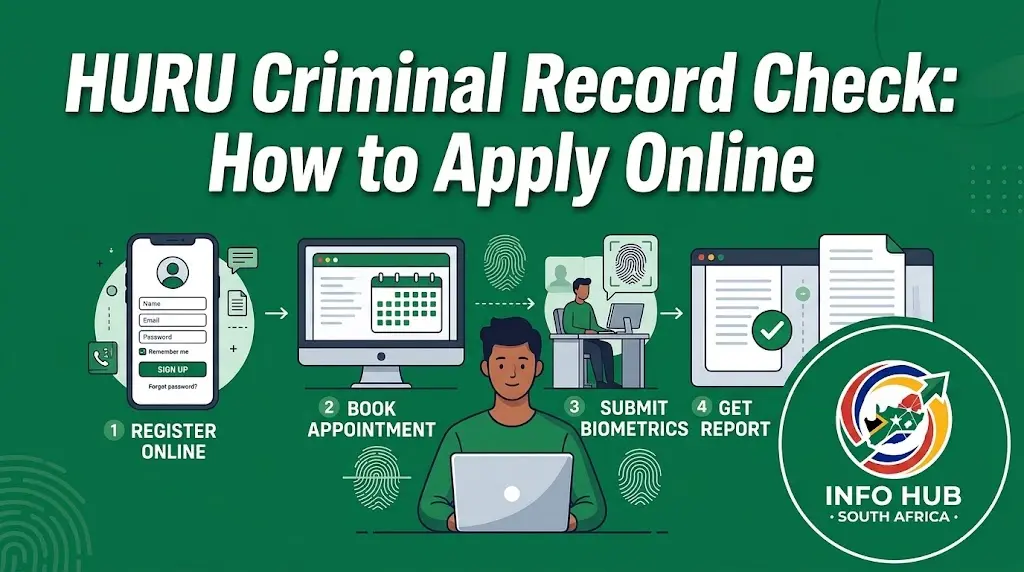
Getting a HURU criminal record check generally involves visiting a participating collection point, confirming your identity and having your fingerprints captured electronically. Once the information has been submitted for processing, your report is delivered digitally according to the service’s delivery arrangements.
Step 1: Locate a Participating PostNet or Jetline Branch
Individual applicants can visit participating PostNet or Jetline stores for fingerprint capture. Before travelling, make sure the branch offers the HURU criminal background check service you need.
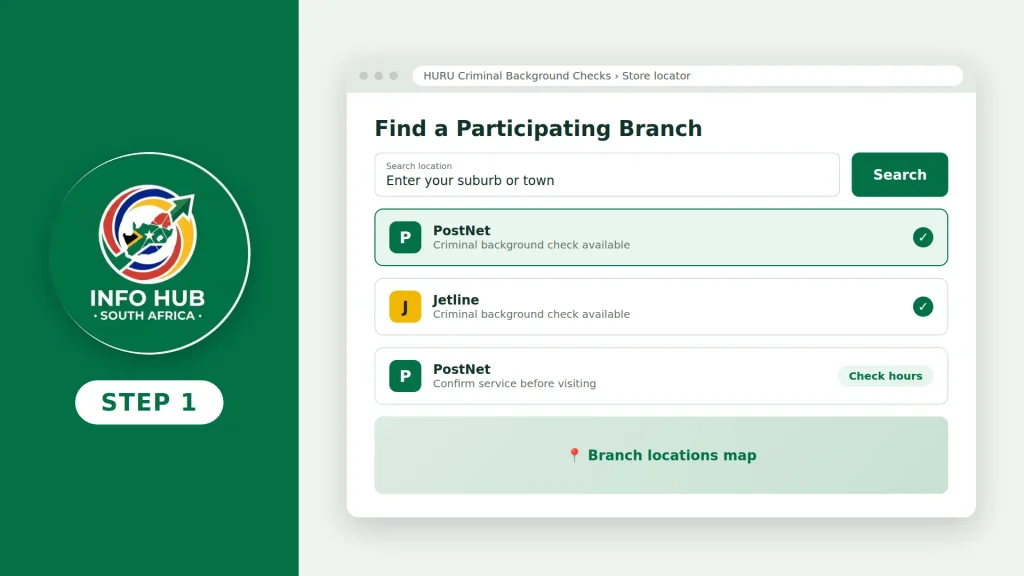
To find a suitable location:
- Open the official HURU Criminal Background Checks website.
- Look for the store locator or participating collection point information.
- Confirm that your chosen branch provides the required service.
- Check its opening hours and any visit requirements before leaving.
Not every branch necessarily provides the same services, so confirming availability in advance can help you avoid an unnecessary trip.
Step 2: Explain Which Background Check You Need
When you arrive at the store, tell the staff member that you want to complete a HURU criminal record check. Explain whether the report is required for employment, e-hailing or another purpose accepted by the service.
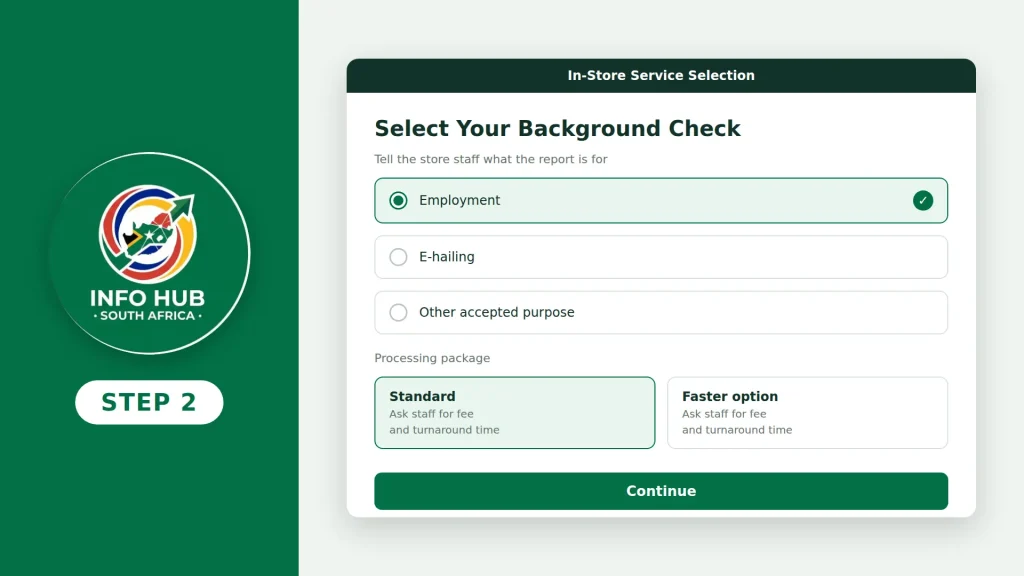
The staff member can help you identify the appropriate option. Ask about the available processing packages, current fees and estimated turnaround times before making your selection.
Step 3: Complete Identity Verification and Fingerprinting
You will need to provide the required identification document so that your details can be verified. The capture process includes your identification information, a profile photograph and electronic fingerprints.
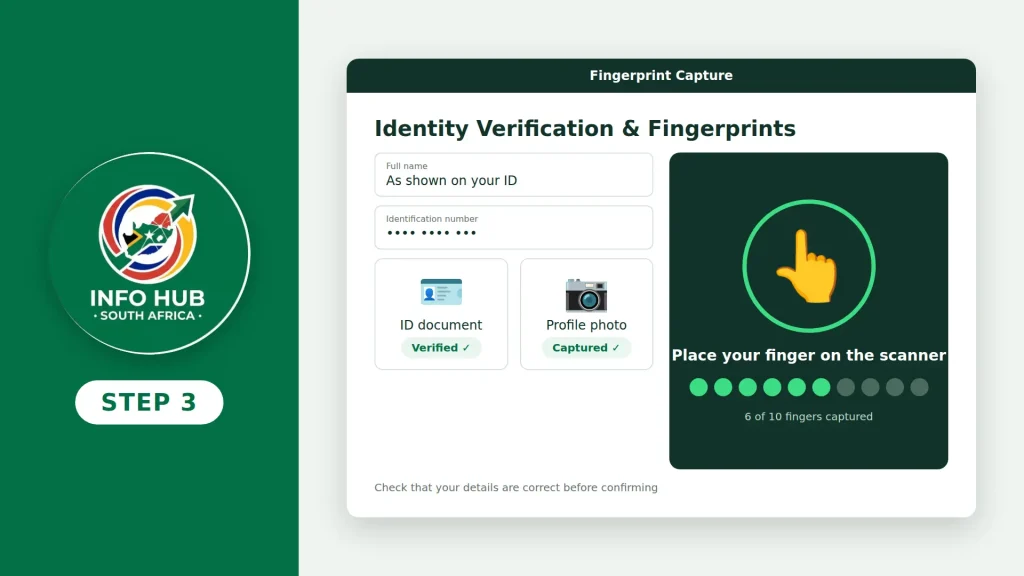
Follow the operator’s instructions throughout the appointment. Before the process is completed, check that your personal details have been recorded correctly, as errors may cause problems with processing or matching your report to your application.
Step 4: Pay for Your Selected Service
Once the required information has been captured, pay the applicable fee using the payment methods offered by the participating store.
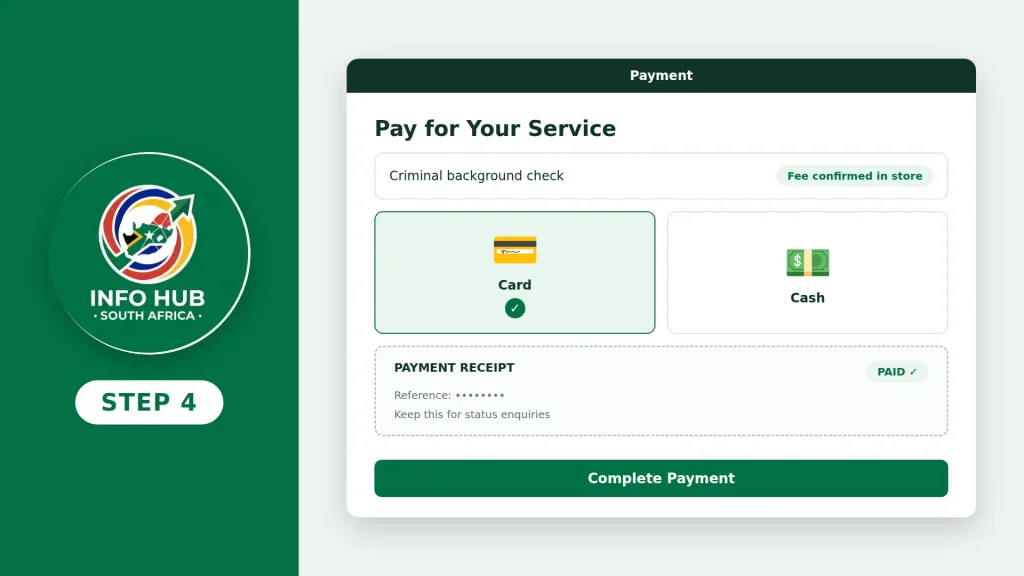
HURU’s published guidance indicates that in-store payments can be made by cash or card. However, it is sensible to confirm the available payment options and current price with the branch before your visit.
Keep your payment receipt or reference details. These may be useful if you need to ask about the progress of your criminal record check.
Step 5: Receive Your Criminal Background Check Report
After your application has been submitted, the information goes through the relevant processing procedure. HURU provides individual criminal background check reports electronically, with delivery through WhatsApp or email depending on the arrangements for the service.
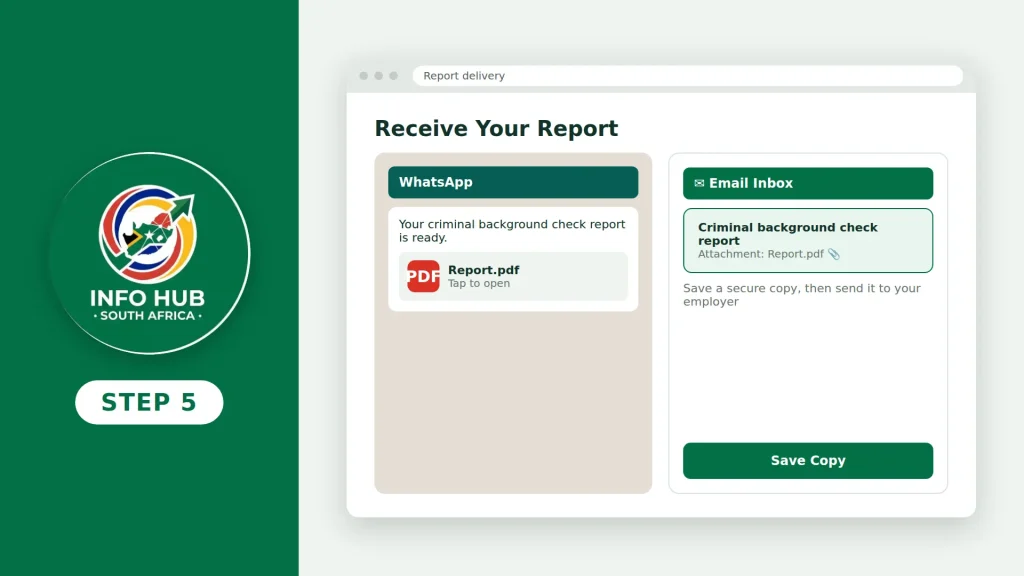
When the report arrives, save a copy somewhere secure. If an employer has requested the document, check whether you should email the report, provide a PDF copy or upload it to the employer’s recruitment portal.
Tip: If you have not received your report within the expected timeframe, keep your payment confirmation available and contact HURU support to ask about the status of your application.
HURU Login: How to Access Your Account
Searching for HURU login or HURU criminal check login can mean different things. You might need to access an existing account, recover your password or find out how to receive your criminal background check results.
The correct procedure depends on which of these tasks you want to complete.
Logging in to an existing HURU account
If you already have a HURU account, visit the official HURU website and look for the relevant login option. Enter your registered credentials and follow the instructions provided.
If you cannot remember your password, check whether the login page offers a password-recovery option. HURU’s published instructions describe a recovery process that uses your mobile number and a one-time PIN delivered by SMS.
What to do if you cannot log in
Try the following checks before requesting further assistance:
Keep your password and verification PIN private. Never share these details with someone claiming they need them to release your results.
It is also worth remembering that receiving a criminal record check report and logging in to an account are not necessarily the same process. If you have completed an individual check, your report may be delivered electronically without requiring you to log in.
Can You Check a Criminal Record Online Using an ID Number in South Africa?
An ID number helps identify an applicant, but entering an ID number alone is not the standard HURU individual criminal record check process described in the service information.
HURU’s process includes biometric fingerprint capture. This means an applicant must complete the required verification procedure rather than simply entering an ID number into a website to view criminal history.
If you need a HURU criminal record check, the practical next step is to:
- Confirm that the service is accepted for your intended purpose.
- Prepare the required original identification document.
- Visit a participating collection point for identity verification and fingerprint capture.
- Complete the payment and follow the instructions for receiving your report.
Is it safe to use websites offering ID-number-only criminal checks?
Be careful with websites that claim to reveal someone’s criminal history merely by entering their ID number. Criminal record information is sensitive, and legitimate screening procedures may require identity verification, appropriate authorisation and consent.
Use the official HURU website or the relevant government authority when checking which service you need. Avoid entering your personal information on unfamiliar websites, particularly those that make promises they cannot substantiate.
Understanding Your HURU Criminal Record Check Results
After your application has been processed, the HURU criminal record check report will show the outcome of the screening. The status matters because some results may require additional checks before the process can be considered complete.
What the Different HURU Result Statuses Mean
HURU criminal record check results may display different statuses depending on the outcome of the initial screening and whether further verification is needed.
1. Clear
A clear result indicates that the check has not identified previous criminal convictions or pending cases within the scope of the report. If you requested the check for employment or professional registration, follow the organisation’s instructions for submitting your results.
2. SAPS Verification Requested
This status means that further verification may be necessary because a possible record has been identified. It should not automatically be interpreted as confirmation that you have a criminal conviction.
Follow the instructions provided with your report and contact HURU if you need an explanation of the status.
3. Pending SAPS Verification
A pending SAPS verification status indicates that additional processing or confirmation is required. You may need to wait for an updated result before your screening process is complete.
If your employer has set a deadline, let them know that further verification is pending and ask whether they require any additional documentation.
Remember: A preliminary status requiring verification is not the same as a final determination. If you are unsure what your result means, seek clarification from HURU rather than making assumptions.
How Long Does a HURU Criminal Record Check Take?
The processing time for a HURU criminal record check depends on the service option you select and whether additional verification is required.
HURU publishes the following estimated turnaround times:
| Service option | Estimated processing time |
|---|---|
| Standard | Within 48 hours |
| Premium | Within 5 hours |
| Priority | Within 2 hours |
These timeframes are estimates rather than guaranteed completion times. Delays may occur because of SAPS availability, third-party systems or the need for further verification.
How to avoid delays with your HURU criminal check
If you need your report for a job application or another deadline, take these precautions before applying:
Choosing a faster service does not necessarily mean every application will be completed within the advertised timeframe. If your results are delayed, contact HURU support with your application reference and ask for an update.
HURU Criminal Record Check WhatsApp Number and Customer Support
If your report has not arrived, you cannot access your account or you need help understanding a result, contacting HURU support is a practical next step.
HURU’s individual screening process allows reports to be delivered electronically through WhatsApp or email. However, the number used to deliver your report should not automatically be assumed to be the correct number for general customer support.
For assistance, visit the official HURU contact page.
HURU’s published contact details include:
What information should you provide when contacting HURU
To help the support team understand your query, explain whether you are experiencing a delayed report, a login issue or a result that requires further verification. Include your application reference if you have one.
For your privacy, avoid sending your full identity details or other sensitive information through an unverified WhatsApp number, email address or public channel. Use the official contact details and follow the support team’s instructions for any additional verification required.
Does a HURU Criminal Record Check Expire?
The validity of a HURU criminal record check depends on the organisation requesting the report. There is no universal expiry period that applicants should assume applies to every employer, professional body or application.
For instance, an employer may ask for a recently issued criminal background check, even if you already have a report from an earlier date. Another organisation may have its own rules about when screening must be repeated.
If you want to know whether your HURU criminal record check is still valid, take the following steps:
- Review the organisation’s requirements: Check whether it specifies how recently the report must have been issued.
- Check your report date: Look at the issue date on your existing HURU criminal record check.
- Confirm whether a new report is needed: Ask the employer or requesting organisation whether your current document is acceptable.
- Ask about repeat fingerprinting: Before ordering another check, confirm whether you need to repeat the fingerprint-capture process.
Important: Do not assume that a HURU criminal record check automatically expires after 12 months. Confirm the applicable validity requirements with HURU or the organisation requesting the report before paying for a new check.
FAQs
Conclusion
Applying for a HURU criminal record check can be a convenient way to complete criminal background screening in South Africa when the requesting employer or organisation accepts the service. By preparing the correct identification documents, visiting a participating collection point and following the fingerprint-capture process, you can help avoid unnecessary delays.
Before applying, confirm the current fees, expected processing time and requirements for your intended purpose. If your report requires further verification or has not arrived within the expected timeframe, contact HURU through its official support channels. Remember that a HURU criminal background check is not a replacement for a formal SAPS Police Clearance Certificate when the latter is specifically required.
For more practical information about South African services and online procedures, Info Hub South Africa provides guides covering government services, online applications, grants, education, employment opportunities and other useful public information. The website aims to help readers understand application requirements and navigate relevant processes with greater confidence. Always verify important requirements through the appropriate official organisation before submitting an application or paying for a service.
Read More
GEHS Login South Africa 2026: Online Login, Password Reset & Status Check Guide
Television Licence South Africa: Online Application, Status Check & SABC TV Licence Guide 2026
Coastal College Online Application 2027: How to Apply & Check Status