UIF Status Check Online South Africa 2026: Check Your UIF Claim Status
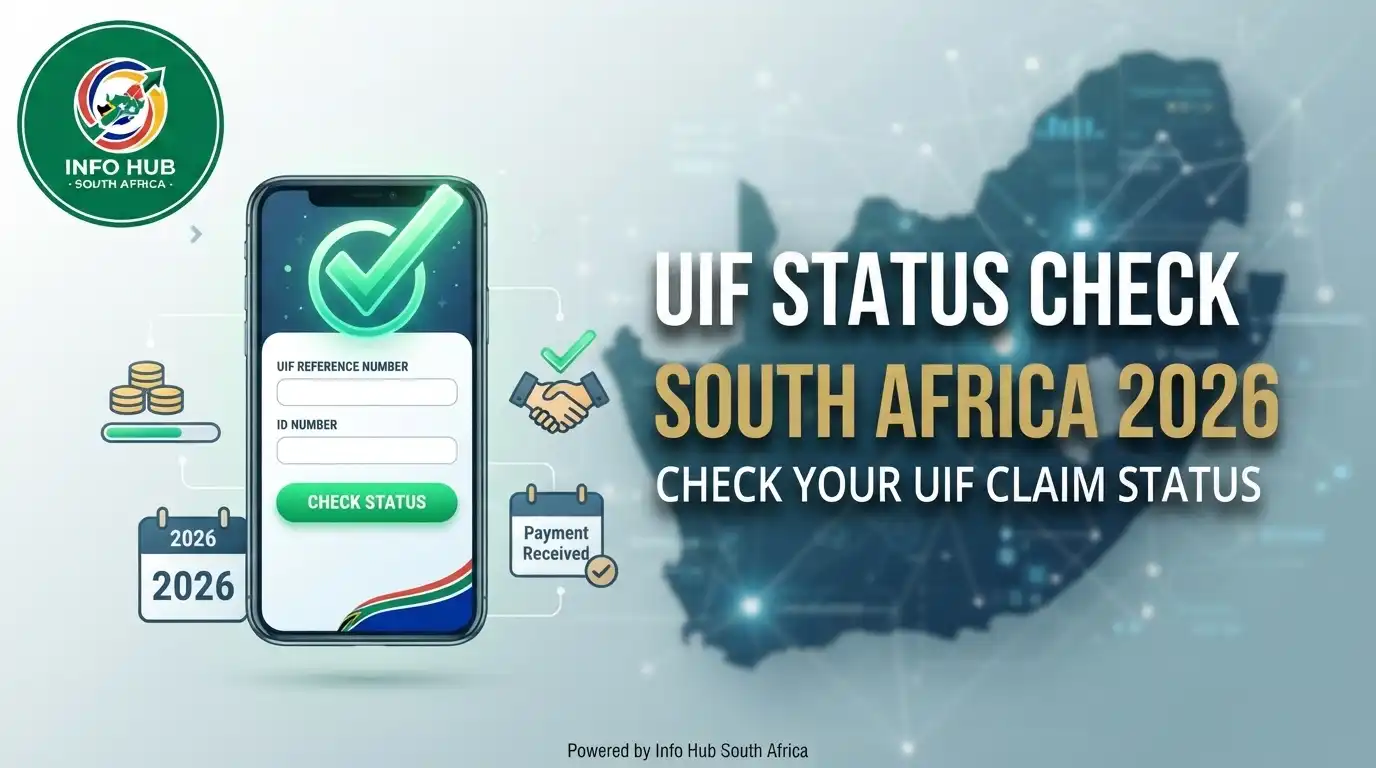
A UIF Status Check helps workers in South Africa keep track of their Unemployment Insurance Fund (UIF) claim and understand what is happening with their application. Using uif online services, applicants can check whether their claim has been received, processed, approved, or paid.
The UIF online system provides a convenient way to monitor claim progress without having to visit a labour office in person. It can also help beneficiaries spot possible delays or missing information and take action when necessary.
Regularly checking your UIF claim status can make it easier to stay updated on benefits such as unemployment, maternity, illness, or dependent benefits. The Department of Labor and UIF processes are designed to support eligible beneficiaries, so keeping your claim information up to date is an important part of receiving payments without unnecessary delays.”Visit Homepage for more”.
Related Post
UIF Login South Africa 2026: Sign In, Registration & Online Portal Guid
What is UIF Status Check
UIF Status Check is the process of checking the current progress of a worker’s Unemployment Insurance Fund (UIF) claim in South Africa. It allows applicants and beneficiaries to see whether their claim has been received, processed, approved, or paid.
Using the UIF online service or UIF online system, claimants can monitor their application without needing to visit a labour office. A regular status check can also help identify delays or missing information that may affect payment.
UIF Status Check Online 2026
A UIF Status Check Online lets you monitor the progress of your UIF application and see whether your claim is still being processed, approved, or paid. The UIF online system provides a convenient way to access your claim information without making an unnecessary trip to a labour office.
Step 1: Open the UIF uFiling Portal
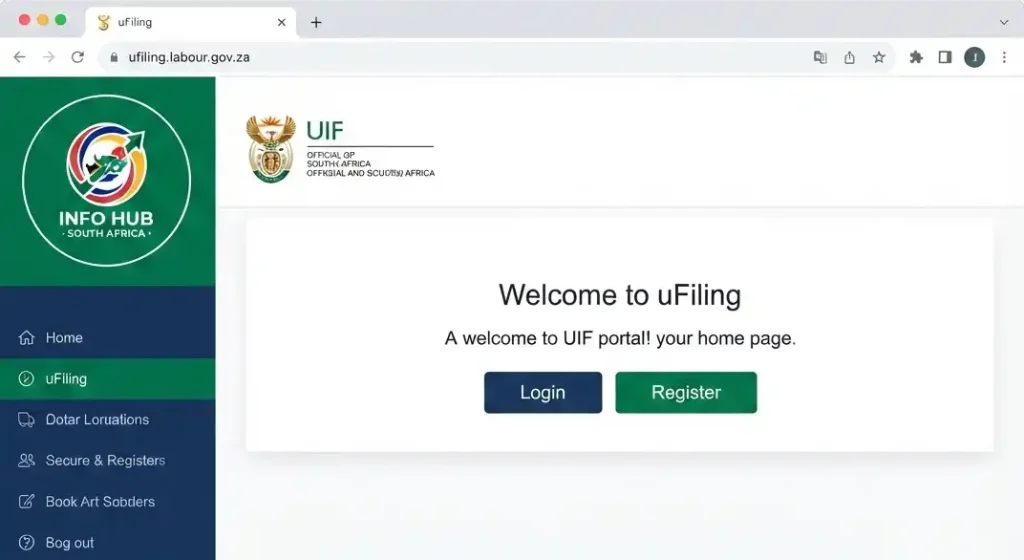
Start by opening your browser and accessing the official UIF uFiling portal. The platform provides online services for UIF claims, applications, and related account information.
Step 2: Sign In to Your Account
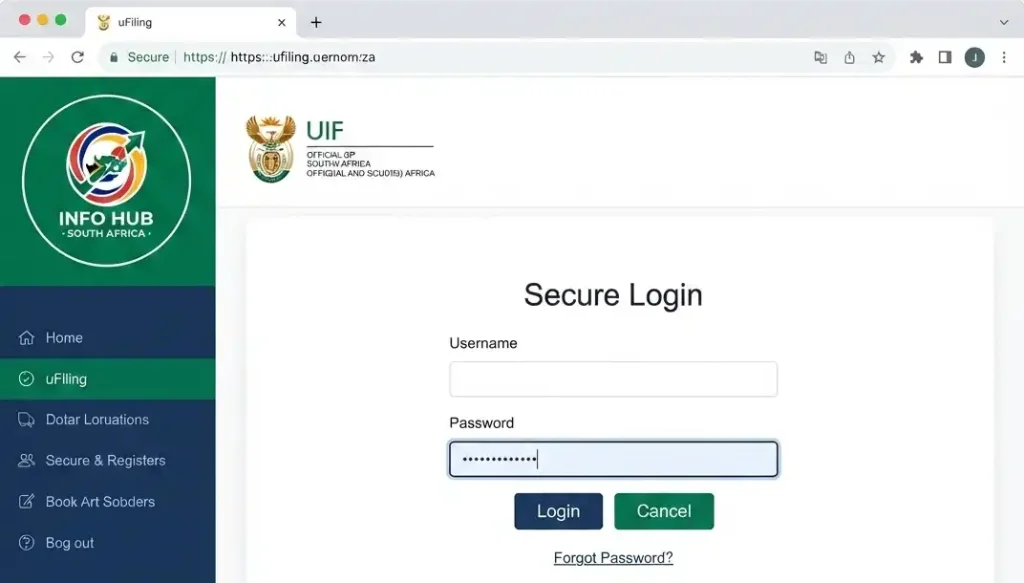
Enter your registered username and password to log in. If you have not registered yet, follow the registration process and provide the required South African identification and personal information.
Step 3: Find Your UIF Benefits or Claims
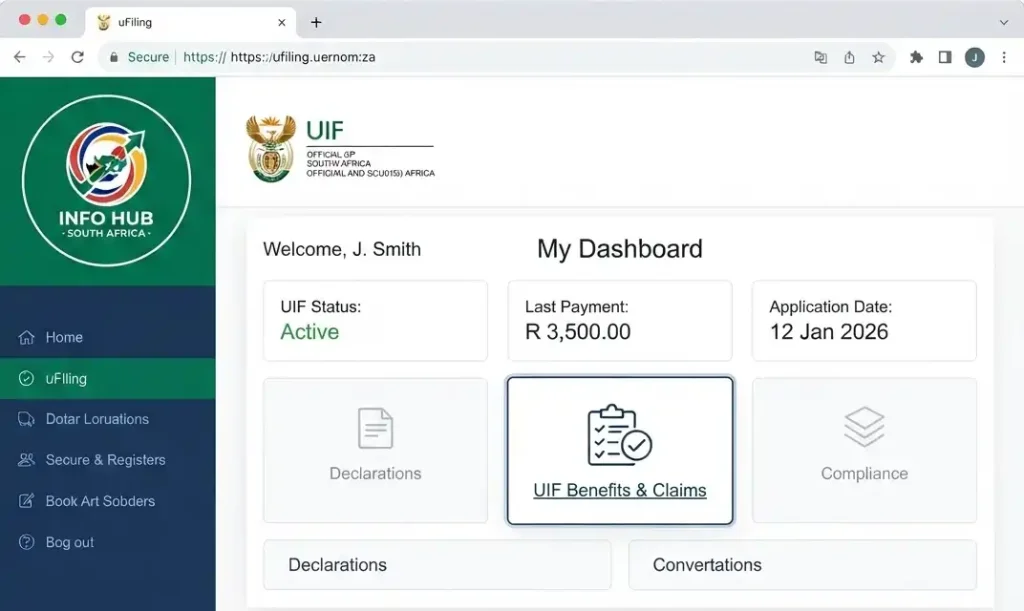
Once you are signed in, open the section relating to UIF benefits, claims, or claim services. Your dashboard should provide access to information connected with your submitted applications and claim history.
Step 4: Choose the Status Checking Option
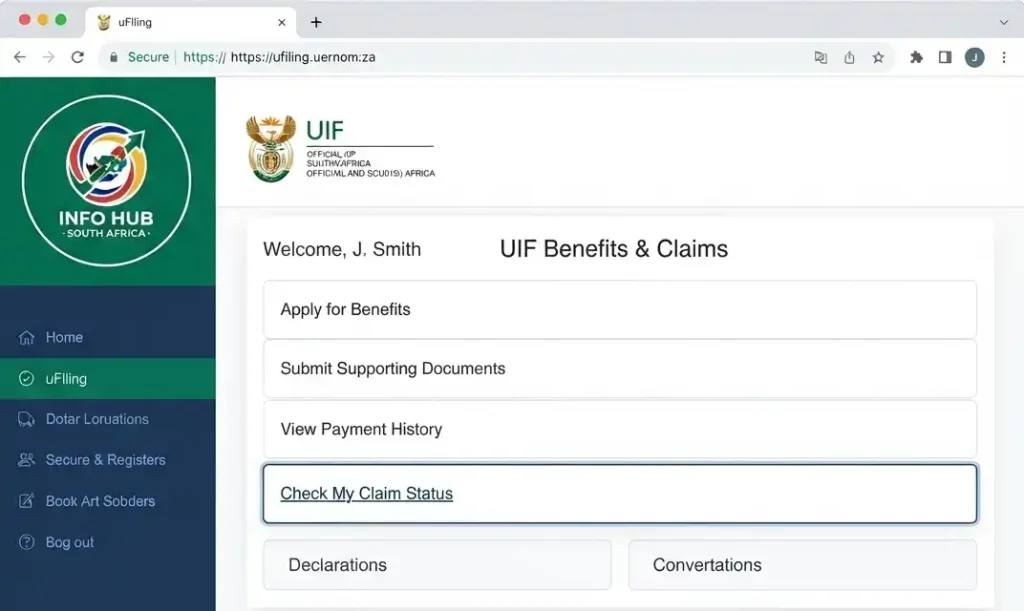
Look for an option such as “Check Status” or “Track Claim”. The exact wording may vary depending on the services available in your account.
Step 5: Provide the Required Information
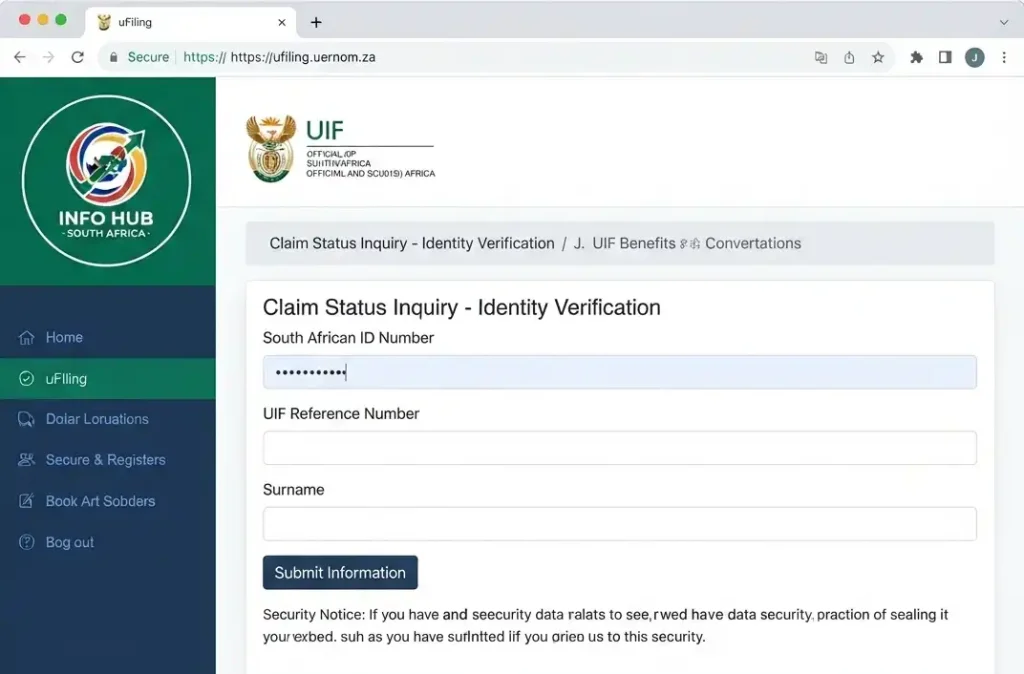
Enter the details requested by the system. These may include your South African ID number, UIF reference number, or claim number. Check the information carefully before continuing.
Step 6: Submit the Status Request
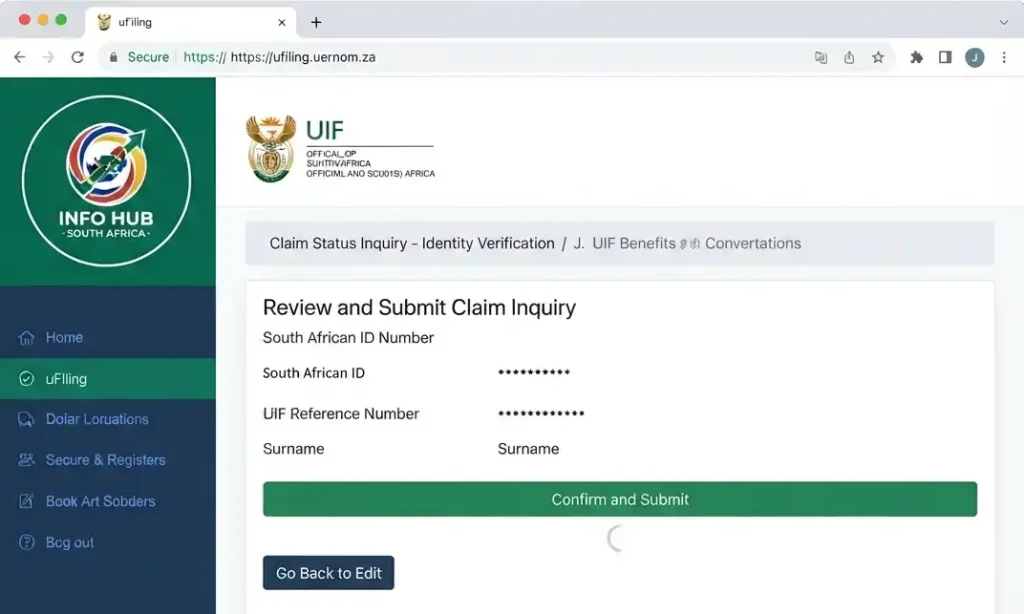
Select “Submit”, “Check Status”, or the relevant button shown on the page. The uif online service will then process your request and display the available information about your claim.
Step 7: Check Your UIF Claim Status
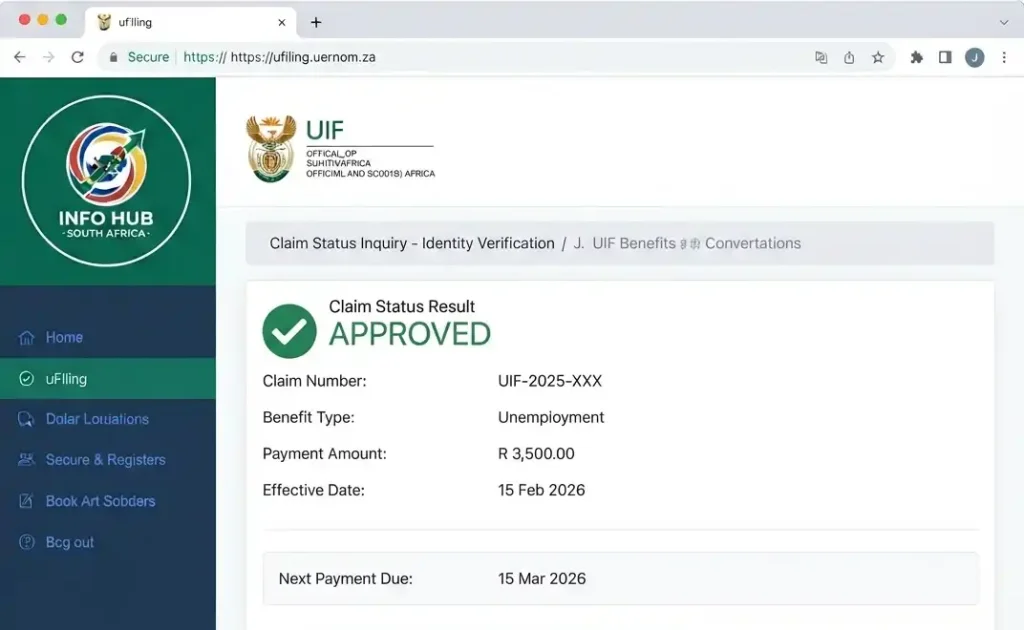
Review the result shown on the screen. Depending on the stage of your application, you may see information indicating that the claim has been received, is being processed, has been approved, or has been paid. The system may also provide information about outstanding requirements or further action.
Step 8: Keep a Record of the Result
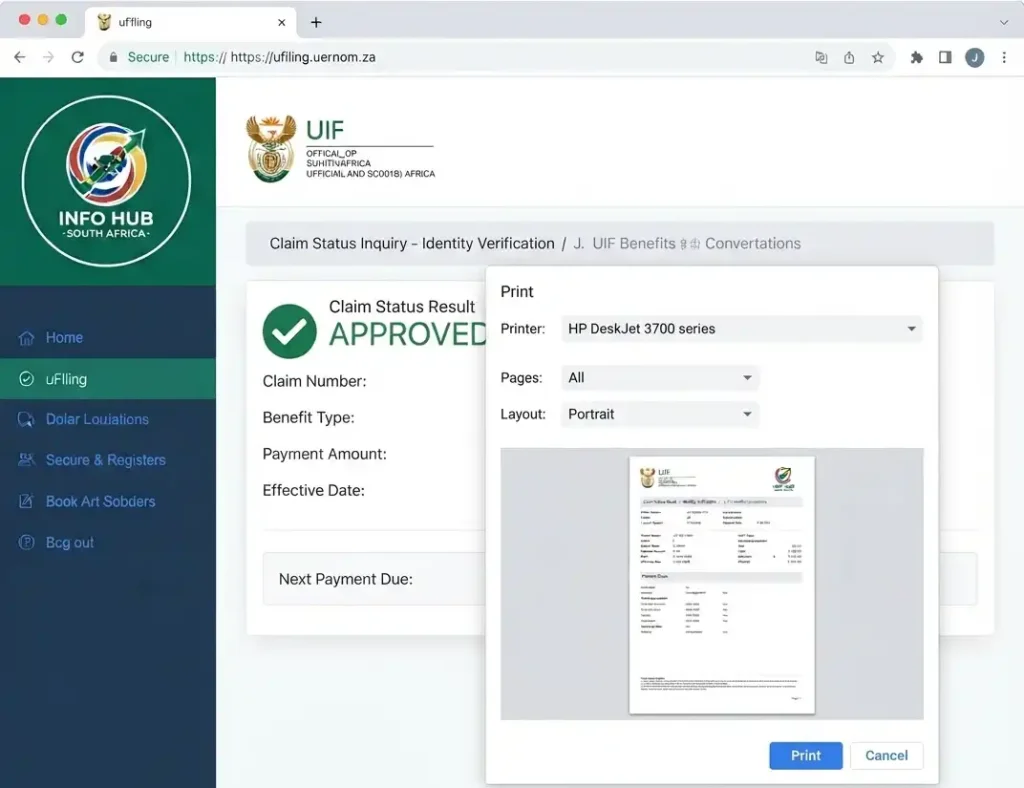
If you need the information for a future follow-up, save a screenshot or print the status details. Having a record can be useful when contacting the Department of Labor or following up on a delayed UIF claim.
Check UIF Claim Status Online
You can check your UIF claim status through the official UIF online services. After signing in with your ID number and password, open the Benefit Payments or Claim History section and select View My Claims. From there, you can see your claim progress, payment updates, and available balance.
How to Check Your UIF Claim Status
- Visit the official UIF uFiling platform.
- Sign in with your ID number and password.
- Open Benefit Payments or Claim History.
- Select View My Claims.
- Review your claim status, payment details, and available balance.
How to Check UIF Status on WhatsApp
The UIF WhatsApp service provides another way to request your claim information from your phone. You can use the service by starting a conversation and following the automated options provided.
- Save the official UIF WhatsApp number: 0800 030 007.
- Open WhatsApp and start a chat with the UIF number.
- Send Hi or Hello to begin.
- Follow the options shown by the automated menu.
- Select UIF Status Check or Claim Status.
- Enter your South African ID number when requested.
- Allow the system to verify your information.
- Review the UIF claim status and payment updates displayed in the chat.
This option can be useful if you want to check your UIF information from your mobile phone without accessing the full UIF online system.
UIF Status Check Online and USSD
If you don’t have an internet connection, you can check your UIF status using the USSD service mentioned in the source information.
Dial
*134*843#
Follow these steps:
- Dial *134*843# from your mobile phone.
- Wait for the UIF menu to appear.
- Choose Claim Status or UIF Status Check.
- Enter your South African ID number when prompted.
- Follow the instructions displayed on your phone.
- Review the UIF claim and payment information provided.
The USSD option offers a phone-based method for checking claim status, payment progress, and related updates without requiring an internet connection.
UIF Payment Status Check on Your Phone
You can check your UIF payment status from your phone through the UIF uFiling portal, the UIF WhatsApp service, or the USSD option. Depending on the service you use, you may need to provide your South African ID number or other claim details.
Once your information has been verified, you can review available payment updates, the processing stage, and payment dates.
Check UIF Payment Status Using Your ID Number
Your South African ID number can be used when accessing available UIF services to check claim and payment information. Through the UIF uFiling portal or other official UIF channels, you can review whether your payment has been approved, processed, or paid.
Steps to Check UIF Payment Status With an ID Number
- Open the official UIF uFiling portal.
- Log in to your account.
- Go to the Claim Status or Payment Status section.
- Enter your South African ID number when requested.
- Submit the information.
- Review your current payment status, claim progress, and latest updates.
Checking with your ID number provides a straightforward way to access your available UIF claim information. If you need to follow up on an application or payment, keep the status details available when contacting the relevant Department of Labor office or UIF support service.
UIF Pending Status: Meaning and What You Can Do
Seeing Pending during a UIF status check generally means that your claim is still being reviewed. At this stage, a claims examiner may be checking your application, supporting documents, employment information, or waiting for verification from your employer.
What Does a Pending UIF Status Mean?
A pending UIF claim has not yet reached a final decision. The UIF online system may show this status while the relevant information is being checked before the claim can move to the next stage.
The review may involve your personal details, employment history, submitted documents, and information provided by your employer. Until these checks are completed, the claim may remain marked as pending.
What to Do If Your UIF Claim Is Pending
If your status has not changed, consider the following steps:
Important: A pending status generally indicates that the claim is still undergoing checks. Once the required verification has been completed, the status may change to a later stage such as approved or paid.
How Long Does UIF Status Processing Take?
The time required to process a UIF claim can vary depending on how quickly the application and supporting information are verified. Based on the information provided, the process generally takes around 4 to 8 weeks, or approximately 20 to 35 working days, from the application date until the first payment.
UIF Approval Stage
The initial stage begins after your application has been submitted. During this period, the UIF reviews the claim and verifies important information, with processing typically taking 20 to 35 working days.
The checks may include:
You can use the uif online system to monitor available updates as your application moves through the process.
How Long Does UIF Take After Approval?
Once your UIF status check shows Approved, the payment stage begins. According to the information provided, funds are generally transferred to your bank account within 7 to 10 working days.
The overall processing time can depend on the accuracy of your documents and how quickly the required verification is completed. Where there are no outstanding issues, most claims are expected to move through the process within 4 to 8 weeks.
If your claim takes longer than expected, checking your status through uif online services can help you identify whether the application is still under assessment or whether further action may be required. You can also follow up with the Department of Labor if necessary.
What Each UIF Status Means
A UIF status check can show several different messages depending on whether your claim is being assessed or a payment is being processed. Understanding these terms makes it easier to know what is happening and whether you need to take any action.
UIF Claim Statuses
| Status | What It Means |
|---|---|
| Pending | Your UIF claim has been received and remains under review. There is usually nothing you need to do at this stage. |
| Sent to Assessor | A UIF assessor is reviewing your information and supporting documents. This is part of the normal assessment process and does not mean your claim has been rejected. |
| Parked | Processing has been placed on hold, commonly because information is missing or something in the application needs to be corrected. |
| Completed by Assessor | The assessment has been completed, although the payment process may still need to be handled separately. |
| Auto Close | The claim was automatically closed, often because there was no activity for a period of time. It may still be possible to follow up on the claim. |
| Cancelled | The application or a particular payment request was stopped by the claimant, employer, or UIF. |
UIF Payment Statuses
| Status | What It Means |
| Payment Processed | The payment has been approved and processed. It should normally reflect in your bank account after the relevant processing period. |
| Payment Reversed | The payment could not be completed and was returned. Incorrect or mismatched banking information may be one possible reason. |
| Payment Blocked | A problem needs to be resolved before the payment can proceed. This may involve banking verification or missing documentation. |
| Payment Finalised | The payment cycle has been completed, or the available credit days for the claim have been used. |
What to Do About a Blocked or Reversed Payment
If your UIF online system shows Payment Blocked or Payment Reversed, review your banking information first and check whether your submitted details match your identification information.
You can use the uif online services to monitor subsequent updates and check whether the issue has been resolved. If further assistance is required, consider contacting UIF through the appropriate official support channel or the Department of Labor.
Tip: A UIF status message does not always mean that something has gone wrong. Some statuses simply show that your claim has moved to another stage of assessment or payment processing.
Why Your UIF Status Hasn’t Changed
It isn’t unusual for a UIF claim to remain on the same status for several weeks. A status that doesn’t change immediately doesn’t necessarily mean there is a problem with your application. Several factors can affect how quickly a claim moves through the UIF online system.
If your UIF status check has shown no change for four weeks or longer, consider contacting the UIF call centre or visiting your local Labour Centre instead of continuing to wait without following up.
You can also review the relevant UIF information to make sure your documents and application details are complete. Using uif online services regularly can help you identify new updates or information that may require attention.
How Long Do UIF Payments Last?
The length of time you can receive UIF benefits depends on your accumulated credit days rather than a fixed number of months. According to the information provided, unemployment claims may run for up to 365 days, while maternity or adoption claims may be available for up to 121 days.
Your actual benefit period depends on your contribution history and available credit days. Checking your information through the UIF online service can help you keep track of your claim.
For a more personalised estimate, a UIF calculator can be used to estimate credit days and potential payout duration based on salary and employment period.
Common UIF Status Delays, Problems and Solutions
A UIF status check may remain unchanged when there are document problems, verification delays, heavy application volumes, technical issues, or banking errors. Understanding the possible cause can help you decide what to check next.
1. Missing or Incorrect Documents
Incomplete or inaccurate documents, such as your ID, UI-19 form, or banking information, can hold up the processing of a UIF claim.
Solution: Review your submitted information carefully and make sure all required documents are complete, accurate, and submitted through the appropriate UIF service.
2. Employer Verification Is Still Pending
Your claim may take longer if your employer has not confirmed your employment information or UIF contributions.
Solution: Contact your employer or HR department and ask them to confirm that the necessary UIF declarations have been completed correctly.
3. High Number of Applications
A large volume of UIF applications can contribute to longer processing times. In these situations, a claim may remain in the same status while it waits for further processing.
Solution: Allow additional processing time and continue checking your claim through the uif online service for new updates.
4. Login or System Problems
Technical issues can sometimes prevent users from accessing their accounts or seeing the latest status information. Problems may include unsuccessful logins or a status that does not appear to update.
Solution: Try accessing the UIF online system again later. You can also clear your browser cache, restart your browser, or try another device or internet connection.
5. Incorrect Banking Details
Banking information that is incorrect or does not match the required records can interfere with UIF payments and may result in delays or failed transactions.
Solution: Review your banking information and update it through the appropriate official UIF system if changes are required.
Benefits of Checking Your UIF Status Regularly
Regular UIF status checks help you keep track of your application and payment progress. They can also make it easier to notice problems that may need attention while you are waiting for benefits related to unemployment, illness, or maternity leave.
1. Spot Application Problems Early
Missing information or incomplete applications can affect the progress of a UIF claim. Checking your status regularly gives you an opportunity to identify issues such as missing identification documents, incorrect banking details, or outstanding verification.
Resolving these issues early may help prevent avoidable delays.
2. Check Your Employer’s UIF Information
Regular monitoring can help you identify whether your employment and UIF contribution information has been recorded correctly. The source information notes that employees can check whether their employer is making the required monthly 1% contributions.
If you notice missing contributions, consider contacting your HR department or employer for clarification.
3. Monitor Your UIF Credit Days
Your UIF benefits are linked to accumulated credit days, which are earned through your employment history. Keeping track of your recorded credits can help you understand the information associated with your benefit entitlement and how long benefits may be available if you become unemployed.
4. Reduce the Risk of Claim Problems
Incorrect employment records can affect a UIF claim. For example, employment termination information may need to be updated before a claim can progress correctly.
Using uif online services to monitor your information can help you notice potential problems while your application is being processed, giving you an opportunity to follow them up.
5. Keep Track of UIF Payments
Once your claim has been approved, checking your status can help you monitor payment progress and identify potential issues with the transfer of funds.
If a payment is delayed or does not arrive as expected, reviewing your banking information and claim details can help you determine what needs to be checked next. Where further assistance is necessary, you can follow up with UIF or the relevant Department of Labor office.
UIF Contact Details
If you need help with a UIF status check, claim, payment, or other UIF-related matter, you can contact the UIF through its official support channels. The UIF contact centre operates Monday to Friday, from 07:30 to 16:00.
UIF Contact Information
| Contact Method | Details |
|---|---|
| Toll-Free Number | 0800 030 007 |
| Additional Toll-Free Number | 0800 843 843 |
| [email protected] | |
| Switchboard | 012 337 1997 |
| Official Website | UIF and uFiling online services |
| Office Hours | Monday–Friday, 07:30–16:00 |
The official UIF contact information lists 230 Lillian Ngoyi Street, Absa Towers, Pretoria Central as the UIF head office address.
UIF Physical Address
UIF Building
230 Lillian Ngoyi Street
Absa Towers
Pretoria Central
South Africa
For online assistance, the official UIF online system provides access to relevant services and support information. The current uFiling website also directs users to 0800 030 007 for UIF website and services support.
If you are following up on a claim, have your South African ID number and relevant UIF claim information available when contacting the Department of Labor or UIF support. This can make it easier to identify your application and understand what action may be required.
FAQs
Conclusion
A UIF Status Check Online makes it easier for South African workers to keep track of their UIF claims, payment progress, and application updates. Whether you use uFiling, WhatsApp, or USSD, checking your status regularly can help you identify delays, follow up on outstanding information, and stay informed about your benefits.
For more helpful information on UIF, uif online services, government programmes, and other useful resources in South Africa, visit Info Hub South Africa. We aim to provide clear, practical, and easy-to-understand information to help readers find the guidance they need and stay updated.
Read More
SASSA Change Phone Number South Africa: Step-by-Step Guide 2026
Home Affairs Online Booking South Africa 2026: Complete Appointment & Application Guide
Matric Results 2026 Online Check South Africa: Get Your NSC Results Instantly
Z83 Form South Africa 2026: Download, Complete & Submit Online
Sol Plaatje University Online Application 2026 South Africa: Complete Step-by-Step Application Guide
NSFAS Online Application 2026 South Africa: Complete Application Guide & Requirements