| |

SANTS Login South Africa: Step-by-Step Guide to Access Your Student Portal
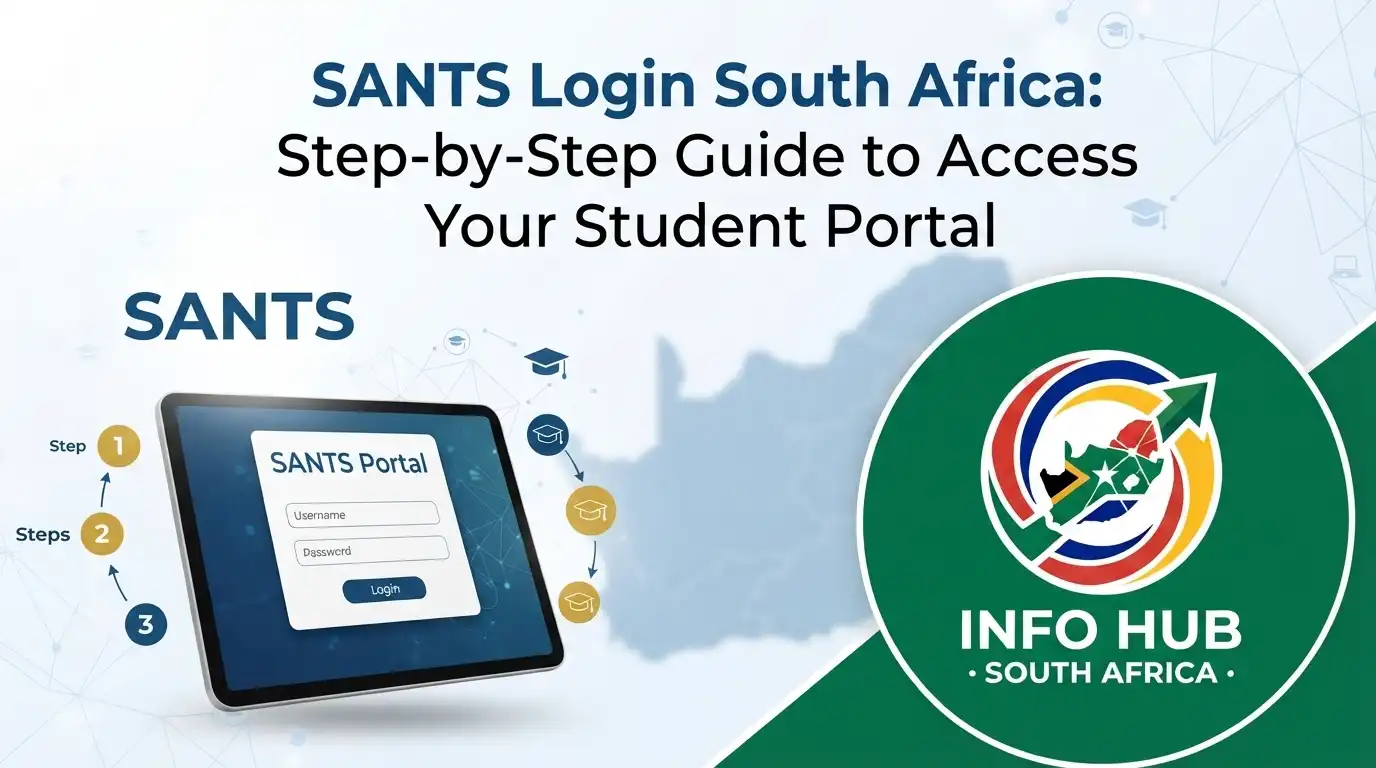
For students at SANTS Private Higher Education Institution, having reliable access to their online student portal makes it easier to manage important academic tasks. The my SANTS login provides a central way to access student-related resources, while the SANTS login process allows users to reach their account and stay up to date with their studies. Whether you need to check your academic progress, view grades, submit assignments, or access other student services, knowing how to use my SANTS can make managing your academic journey much more convenient.”Visit Homepage for more”.

What Is the SANTS Login System?

The SANTS login is the online portal used by students at SANTS Private Higher Education Institution to access academic information and study-related resources. Through my SANTS, students can manage different parts of their academic journey, including course materials, assignments and results.

SANTS is an established South African higher education institution that offers accredited teaching qualifications. After signing in through the my SANTS login, students can manage their studies, monitor assignments, view examination results and access the Learning Management System (SANTS LMS login).

SANTS Login Guide: How to Access Your Student Portal

How to Access Your My SANTS Student Login

Getting into your student account only takes a few steps. Use the following process to access the my SANTS login portal:

Step 1: Open the My SANTS Portal
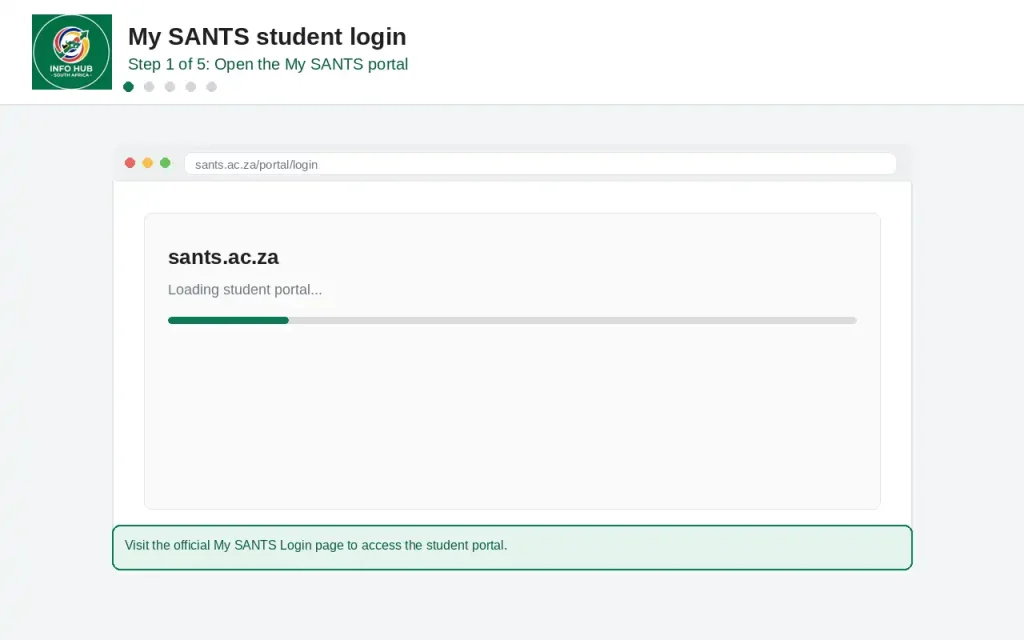
My SANTS Login portal page for accessing the SANTS student account

Visit the official My SANTS Login page to access the student portal.

Step 2: Enter Your Email Address
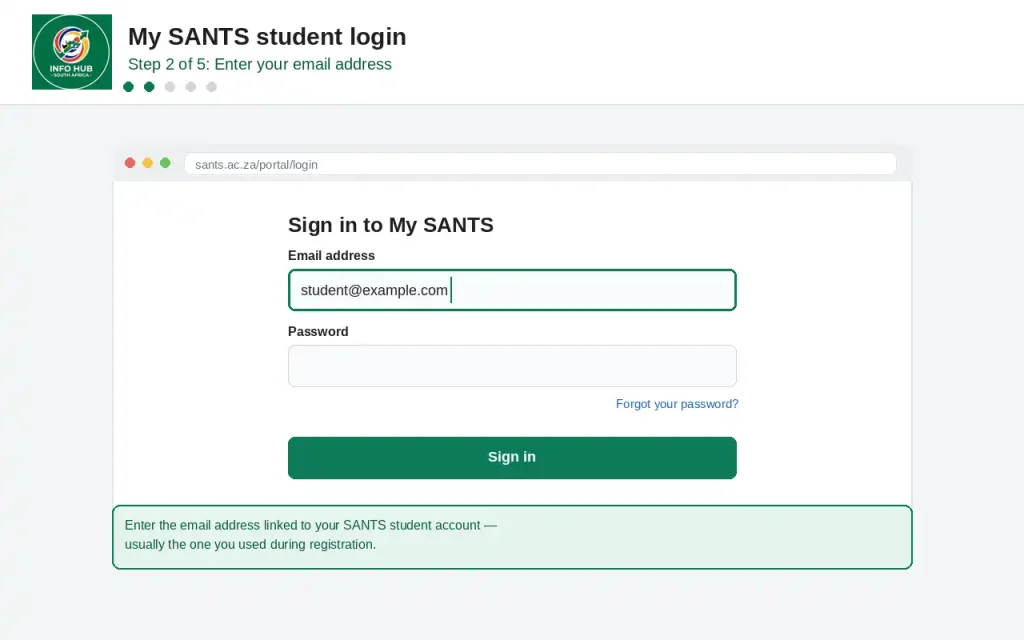
My SANTS student login page showing where to enter your email address

Enter the email address linked to your SANTS student account. This is usually the email address you used during registration.

Step 3: Enter Your Password
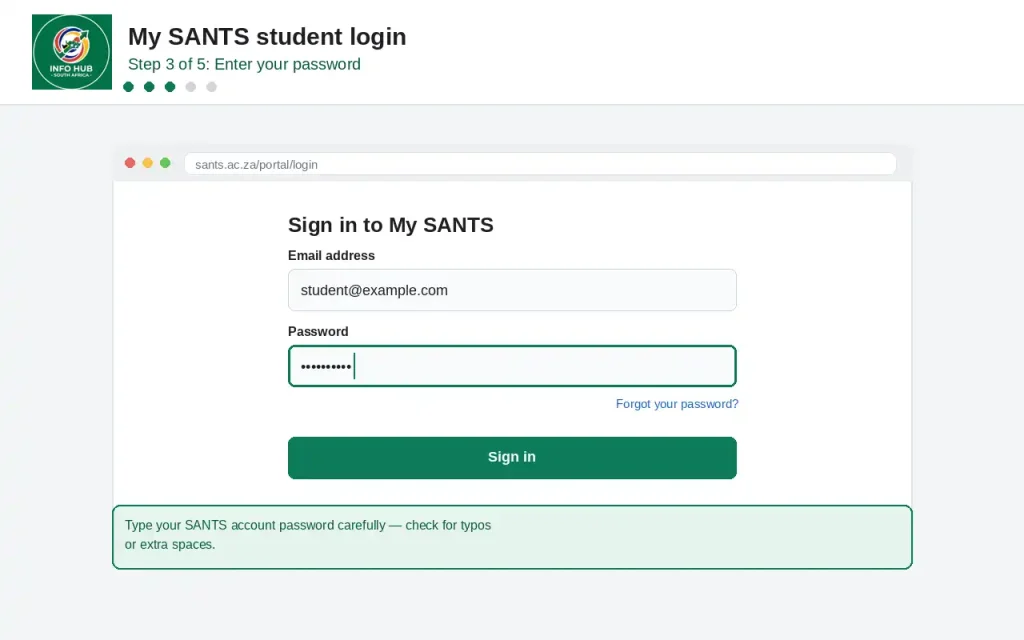
My SANTS Login page showing the password field for student account access

Type your SANTS account password carefully. Make sure there are no typing errors or unnecessary spaces.

Step 4: Reset Your Password if Needed
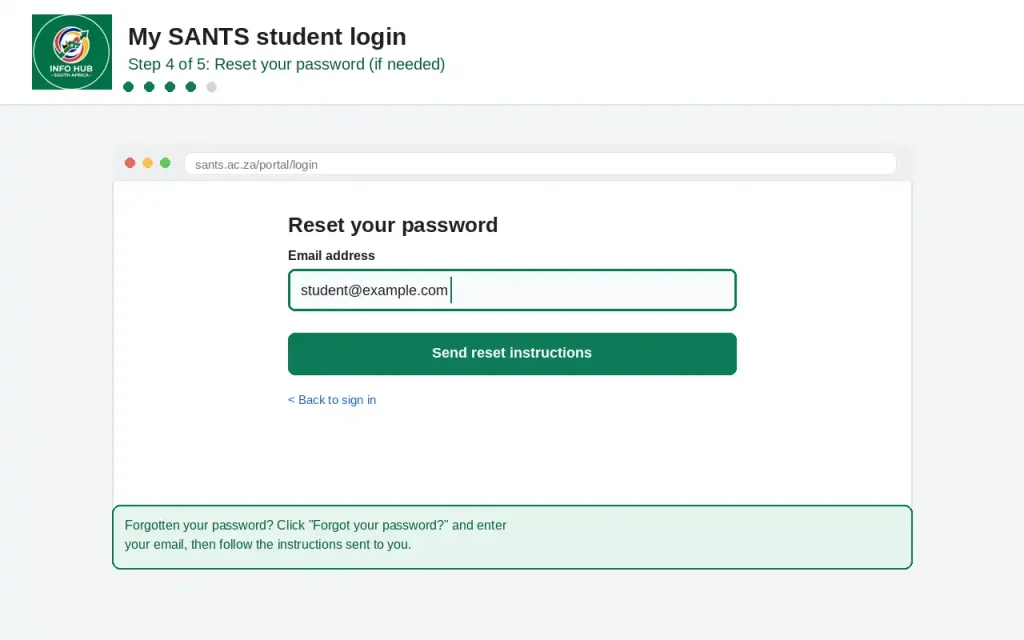
My SANTS password reset page showing the Forgot your password option

If you have forgotten your password, click “Forgot your password?” and enter your email address. Follow the instructions provided to reset your login details.

Step 5: Click Sign In
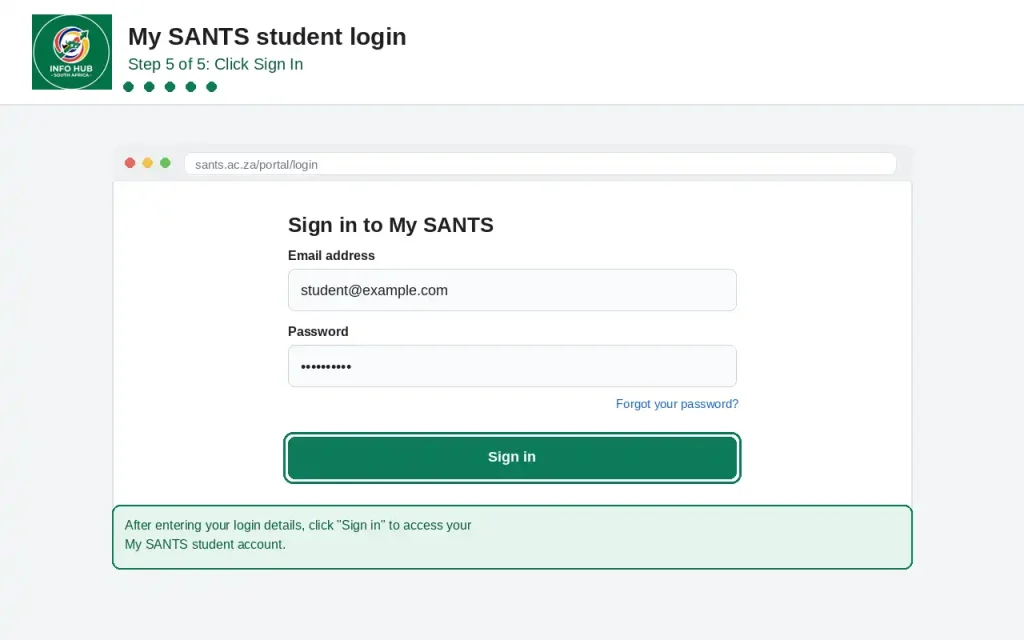
My SANTS student login page showing the Sign In button to access the account

After entering your login details, click “Sign In” to access your My SANTS student account.

Forgot Your My SANTS Login Password?

If you cannot remember the password for your my SANTS login, you can use the password recovery option on the student portal rather than creating a new account.

  1. Open the My SANTS Student Login page.
  2. Select “Forgot your password?” on the login screen.
  3. Enter the email address associated with your SANTS student account.
  4. Follow the password-reset instructions sent to your email.
  5. Create a new password and return to the SANTS Student Login page to sign in again.

If you do not receive the password-reset email, check your spam or junk folder and make sure you entered the correct email address. If you still cannot recover your account, contact SANTS support through the official SANTS contact page.

Using the recovery option is generally the quickest way to regain access to my SANTS when the password has been forgotten.

Exploring the My SANTS Dashboard

After a successful SANTS Student Login, your personal dashboard provides an overview of the information and activities connected to your studies. The exact options available may depend on your student account and course.

Assignments and Results

Your dashboard can show information about assignments, previous submissions and completed assessments. It can also help you keep track of academic results and monitor your progress.

Course and Learning Materials

The SANTS LMS login gives students access to learning resources associated with their courses. These may include lecture notes, readings and interactive learning content.

Notifications and Updates

Important academic information may also appear through your student portal, including announcements, deadlines and course-related alerts. Checking my SANTS regularly can help you avoid missing important updates.

SANTS Login Problems: What Should You Do?

Login difficulties can happen for several reasons. Before contacting support, check the basic details below.

  • Incorrect Login Information: Confirm that your email address and password are correct. If you cannot remember your password, use the password-recovery option.
  • Temporary Account Lockout: Repeated unsuccessful login attempts may temporarily prevent access. Wait for a short period before trying again.
  • Technical Problems: If the portal appears to be experiencing a technical issue, check the SANTS Help Centre or contact the institution through its official contact page for assistance.

If your credentials are correct but my SANTS Student Login still does not work, contacting SANTS support is the most appropriate next step rather than repeatedly attempting to sign in.

Why Students Use My SANTS

The My SANTS Student Login portal brings several study-related functions together, making it easier for students to manage their academic information online.

  • Access Academic Information: Students can reach relevant study materials and academic records through their online account.
  • Keep Track of Updates: Assignment information, results and other academic updates can be checked through the student portal.
  • Get Help When Needed: Students can use available support resources, including the FAQ and Help Centre, when they need assistance with their account or studies.

For many students, having these resources available through my SANTS makes routine academic tasks easier to manage.

How to Download the My SANTS App

Students who prefer using a smartphone or tablet can look for the My SANTS App through their device’s app store. The mobile option is intended to provide a more convenient way to access student services while away from a computer.

  1. Open the App Store or Google Play Store on your device.
  2. Search for My SANTS App.
  3. Download and install the app.
  4. Open it and enter the email address and password associated with your SANTS account.

Once signed in, you can use the available mobile features to stay connected with your academic information while using your smartphone or tablet.

SANTS Contact Details

If you still cannot access your my SANTS login after trying the password-reset option, you can contact SANTS Student Support using the official details below. Info Hub South Africa provides this information to help students find the appropriate support channels for SANTS Student Login and account-related issues.

  • Phone: 0800 872 687
  • Email: mailto:[email protected]
  • WhatsApp: 061 435 1567
  • Support hours: Monday to Friday, 09:00–16:30
  • Physical address: 3rd Floor, Landmark Building, 13 Umgazi Street, Menlo Park, Pretoria, 0080
  • Postal address: P.O. Box 72328, Lynnwood Ridge, 0040

For problems involving a forgotten password, account access or other SANTS login difficulties, contact SANTS directly and explain the issue clearly. Info Hub South Africa is an independent information resource and is not the SANTS institution or its official support service.

FAQs

The response time for a SANTS application can vary depending on the intake period, the programme selected, and whether all required documents have been submitted correctly. Applications may also take longer when additional verification is required.

If you have already applied, you should:

  • Check the email address used during the application.
  • Monitor your application or student portal for updates.
  • Make sure your submitted contact details are correct.
  • Contact SANTS if your application has been waiting for an unusually long time.

If you cannot remember your MySANTS login password, use the password reset or recovery option on the relevant login page. You will normally need to provide the account information requested by the system before a password reset can be completed.

For account security, create a strong password and avoid sharing your login details with anyone.

There is no single monthly fee that applies to every SANTS student. The overall cost can depend on the qualification, registration requirements, and applicable academic fees.

When calculating your study budget, consider:

  • Registration fees
  • Tuition or programme fees
  • Required learning materials
  • Other applicable academic charges
  • Any payment arrangements offered for your programme

Always check the latest fee information for your specific qualification because fees can change.

Students can check their SANTS application status through the relevant online system or by contacting the institution if they cannot access their status online.

A status may indicate that an application is still being processed, requires additional information, or has reached a final decision. If your status has not changed for a long period, contact SANTS and provide your application details so the institution can assist you.

The duration of a Higher Certificate at SANTS depends on the particular qualification and its academic structure. Students should check the official programme information for the exact duration before applying.

The study period can also be affected by factors such as:

  • The number of modules taken.
  • Assessment requirements.
  • Academic progress.
  • The institution’s current programme structure.

Paying the registration fee is an important part of the registration process, but students should not assume that payment alone means every registration step has been completed.

After making a payment, you should:

  1. Keep your proof of payment.
  2. Confirm that the payment has been received or reflected on your account.
  3. Check whether any remaining registration steps are required.
  4. Monitor your student portal and email for further instructions.
  5. Contact SANTS if your payment does not appear or your registration remains incomplete.

SANTS application periods depend on the academic intake and the qualification you want to study. Application deadlines can change, so an old opening or closing date may not apply to the current intake.

Before applying, check:

  • Whether applications are currently open.
  • The closing date for your chosen programme.
  • The admission requirements.
  • Which supporting documents are required.
  • Whether spaces are still available.

If you need to reset your SANTS password, go to the relevant SANTS login page and look for the password recovery option. Follow the instructions provided by the system to create a new password.

If the reset process does not work, check that you are using the correct email address or username associated with your account. If you still cannot access your account, contact SANTS support rather than creating multiple accounts.

Creating a SANTS account normally requires you to register through the appropriate online system and provide accurate personal and contact information.

You may need to:

  • Enter your personal details.
  • Provide an email address and contact information.
  • Create login credentials.
  • Complete the required verification steps.
  • Follow the instructions provided after registration.

Use information that matches your official documents to reduce the possibility of delays during the application or verification process.

SANTS uses online systems to support students with applications, registration, communication, learning, and other academic activities. However, whether a qualification is fully online depends on the specific programme and its academic and assessment requirements.

Students should check the details of their chosen qualification before applying. Some programmes may have particular assessment, examination, practical, or administrative requirements that students need to complete according to institutional rules.

SANTS examinations form part of the assessment process for applicable qualifications. The exact examination format, schedule, and requirements can vary according to the programme and the institution’s current academic arrangements.

Students should pay attention to:

  • Examination dates and timetables.
  • Examination rules and instructions.
  • Required identification or student information.
  • Submission deadlines for other assessments.
  • Any instructions provided through the student portal or official communication channels.

Always follow the examination instructions supplied by SANTS for your specific programme.

The cost of a Higher Certificate in Education at SANTS depends on the current fee structure and the specific programme. There may be more than one charge associated with studying, so looking only at a monthly amount may not give you the full cost.

Before enrolling, check the latest information for:

  • Tuition or programme fees.
  • Registration fees.
  • Payment requirements.
  • Additional academic charges.
  • Available payment arrangements.

Because fees can change between academic years, use current SANTS information when planning your education budget.

SANTS offers higher education programmes in areas related to education and teaching. The qualifications available can vary according to the institution’s current programme offerings and academic requirements.

If you are choosing a programme, consider the qualification level, admission requirements, duration, study format, and career or further-study pathway before applying.

Students who work may find distance or online study more flexible than traditional full-time campus study. However, studying while employed still requires regular time for coursework, assignments, assessments, and examinations.

A good approach is to create a weekly study schedule and check the expected workload of your programme before registering.

Conclusion

The SANTS Login and MySANTS portal can make it easier for students to manage important parts of their academic journey. From accessing learning materials and checking academic information to keeping track of assignments, results, registration details, and important updates, the student portal provides a convenient way to stay organised and informed throughout your studies.

Keeping your SANTS login details secure and checking your student portal regularly can help you avoid missing important announcements, academic deadlines, or registration information. If you forget your password or experience problems accessing your account, use the available password recovery options or contact SANTS through its official support channels for assistance. It is also important to keep records of relevant registration and payment information for future reference.

SANTS programmes, fees, application dates, admission requirements, and online services may change over time. Therefore, students should always verify important information with SANTS before applying, registering, or making payments. Info Hub South Africa provides informational guides to help students better understand services such as SANTS Student Login and MySANTS, while official SANTS channels should be used for account support and current institutional information.

Read More


Majuba Student Portal South Africa 2026: Student Login, Registration & Complete Portal Guide

Matric Results 2026 Online Check South Africa: Get Your NSC Results Instantly

CUT Status Check South Africa 2026: Complete Application and Admission Guide

Sol Plaatje University Online Application 2026 South Africa: Complete Step-by-Step Application Guide

TUT Late Applications 2026 in South Africa: Complete Guide to Apply Before the Closing Date

UP Portal South Africa: University of Pretoria Login & Student Guide

Similar Posts

Leave a Reply

Your email address will not be published. Required fields are marked *