SASSA Reapplication South Africa: How to Reapply for the SRD Grant in 2026

If you are looking up SASSA reapply in 2026, start by identifying the SRD action that matches your situation. Depending on the problem, you may need to submit an application, reconfirm your details, reinstate a cancelled grant, change your mobile number, complete a SASSA status check, update payment information, or appeal a declined month. Reapplying with a duplicate application will not resolve every SRD issue.
For approved beneficiaries, the current COVID-19 SRD payment is R370 per month for the extension period running from 01 April 2026 to 31 March 2027. If you need to track an application or payment decision, an SRD status check can help you review the current outcome. This page was last reviewed on 19 June 2026.
ElyForma is independent of SASSA, the Department of Social Development, National Treasury, Postbank, banks and SRD payment partners. We never request or collect ID numbers, cellphone numbers, banking information, PINs, CVV numbers, OTPs or SRD login details.
Quick Answer: Do You Actually Need to Reapply?
The word “reapply” can mean different things depending on what happened to your SRD record. Before starting another application, identify the issue and choose the official action that matches it.
| Your situation | Better official action | Why it matters |
|---|---|---|
| You have never applied for the current SRD process | Apply through the official SRD application route | A new application is different from correcting an existing record. |
| The official site asks you to reconfirm | Complete the official reconfirmation process | Reconfirmation does not mean submitting a duplicate application. |
| You previously cancelled your SRD grant | Use the official reinstatement route | There is a separate process for applicants who cancelled their grant. |
| Your mobile number has changed | Use the official mobile-number update route | Your registered number is used for access, status checks and verification messages. |
| Your application for a particular month was declined | Use the official appeal route if you believe the decision is incorrect | Reapplying may not resolve a declined monthly decision. |
| Your application shows as pending | Perform an SRD status check and wait for the relevant process | A duplicate application can make it harder to track your existing record. |
| Your problem concerns banking details | Use the official payment-detail update process | Payment verification is separate from determining eligibility. |
| The status page is not loading | Troubleshoot the official status-check route first | You need to see the actual status message before choosing the next step. |
| You are approved but have no payment date | Check your payment and banking details before considering another application | A missing payment date can be a payment issue rather than an application problem. |
Before You Reapply
Avoid relying on old screenshots, copied WhatsApp messages or social-media agents claiming they can complete a SASSA reapply process for you. First check the official information and use the relevant SRD route.
If you are unsure what is happening with your application, start with a SASSA status check or SRD status check so you can identify the current status before taking further action.
The official starting point provided for this process is srd.sassa.gov.za.
Related Posts
Appeal SASSA SRD Grant 2026: How to Submit Your Appeal Online
SASSA R350 Change Banking Details in South Africa: 2026 Guide
SASSA Change Phone Number South Africa: Step-by-Step Guide 2026
SASSA Status Check 2026: SASSA Status Check for R370 & SRD Status Online
When Should You Submit a SASSA Reapplication?
A SASSA reapply is not necessary for everyone. You may need to submit a new SRD application when your previous record is no longer active or your circumstances require a fresh application.
Reapplication may be needed when:
If your SRD profile remains active and you are receiving payments, there is generally no need to submit another application. Unnecessary reapplication could interfere with an existing record, so it is better to check your SASSA Reapplication or complete an SRD status check first.
What Does SRD Reconfirmation Mean?
Reconfirmation should not be confused with SASSA reapply. It is a process for active beneficiaries to confirm that their personal and financial information remains accurate when SASSA requests it.
The request may be communicated through SMS and the SASSA portal. When asked to reconfirm, you may need to verify:
You should only complete reconfirmation when SASSA requests it. There is no fixed requirement to reconfirm every month. If you are unsure whether action is required, an SRD status check can help you understand the current status before submitting anything.
How to Submit a SASSA Reapplication
The SASSA reapply process is completed online, so there is no paper form to fill in. Follow these steps to submit your SRD reapplication:
Step 1: Open the Official SRD Website

Go to srd.sassa.gov.za and look for the application section on the homepage.
Step 2: Select the Application Option

Click “How do I apply?” or select the application banner displayed on the homepage.
Step 3: Enter Your Personal Details
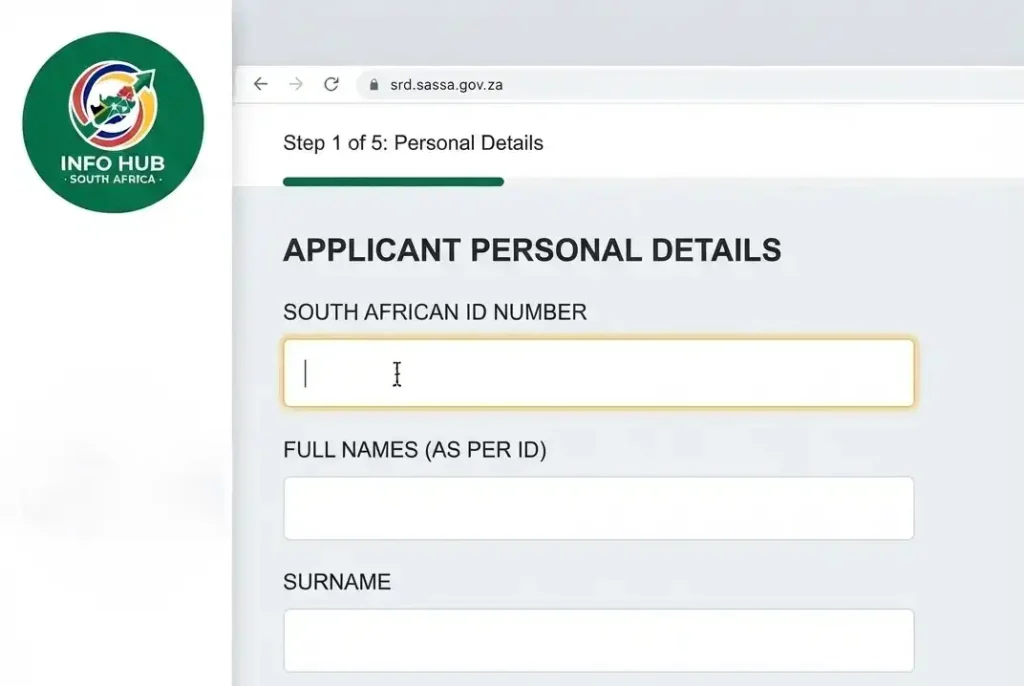
Provide your South African ID number and full names exactly as they appear on your identification document. Accurate information helps ensure your application matches your existing records.
Step 4: Add Your Cellphone Number
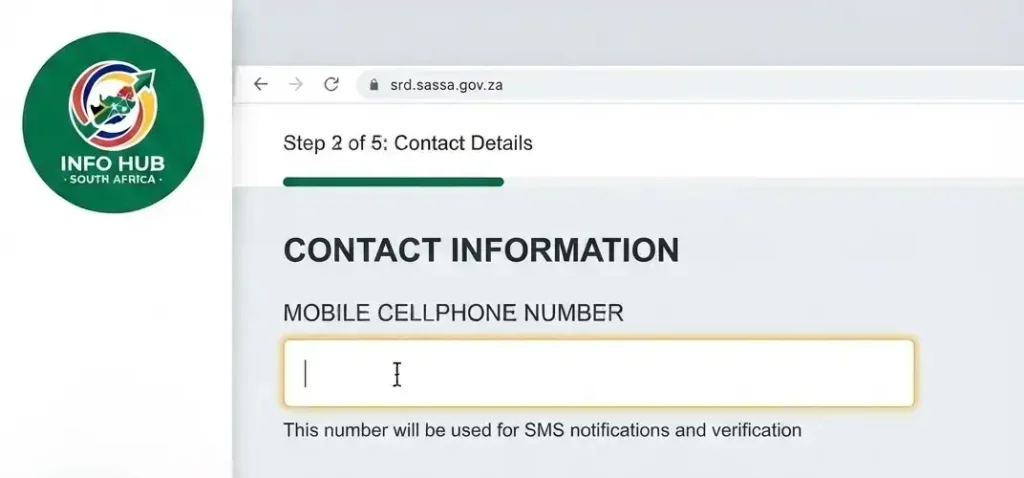
Enter a working cellphone number that is registered in your own name. This number may be used for communication and verification.
Step 5: Provide Your Banking Details
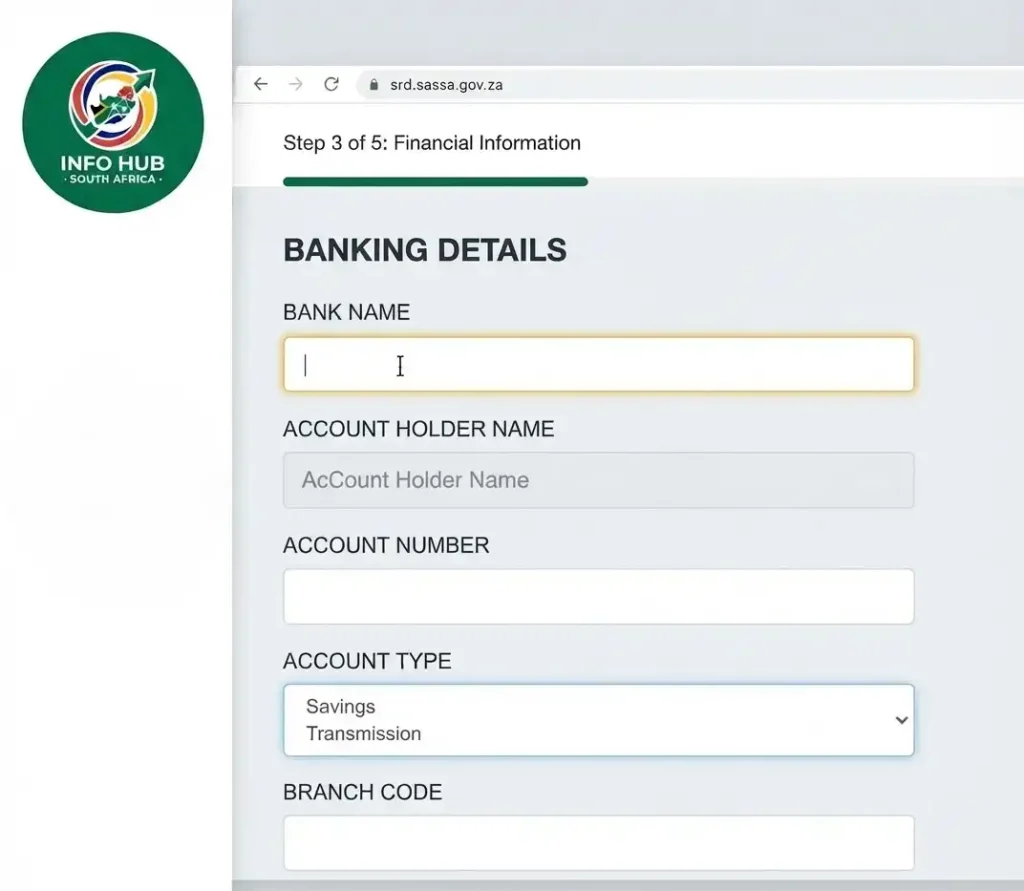
Enter your current banking information and make sure the bank account is in your name.
Step 6: Confirm Your Eligibility Information

Declare that you are unemployed and that you are not receiving another social grant or income above the applicable threshold.
Step 7: Submit the Application

Review the information you entered and submit the application through the official SRD system.
Step 8: Keep Your Reference Number
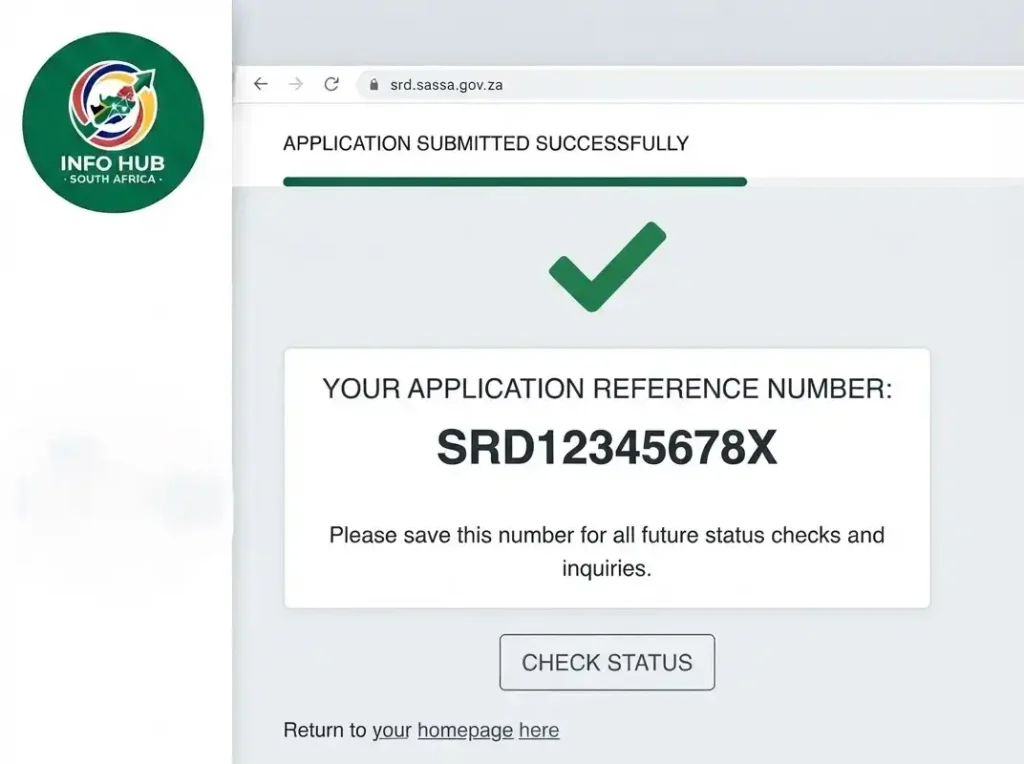
Save your application reference number after submission. You can then perform an SRD status check regularly to follow the progress of your application. A weekly SASSA status check can help you keep track of any changes.
How Long Does a SASSA Reapplication Take?
After submitting a SASSA reapply request, your information is checked against several government and financial records. The verification process may take anywhere from a few days to several weeks.
The checks may include:
If one of these checks identifies an issue, the SASSA Reapplication may be declined. In that situation, you can use the applicable SASSA appeal process rather than submitting the same application again.
Why Can a SASSA Reapplication Be Declined?
A reapplication may be declined for several reasons, including:
Before attempting another SASSA reapply, identify and resolve the reason for the decline where possible. Repeating an application with unchanged information is unlikely to resolve the same verification issue.
If you want to see whether your application has been approved or declined, complete an SRD status check and review the specific status or decline reason shown in the system.
Reapplying After Cancelling Your SRD Application
If you cancelled your SRD application yourself, you can submit a new application. Treat it as a fresh submission and make sure the information you provide is accurate.
Use the same South African ID details, but carefully check your cellphone number and banking information before submitting. Incorrect details can lead to delays during verification.
What to Do After Your SASSA Reapplication
Once your SASSA reapply request has been submitted, avoid sending another application simply because the status remains pending. Multiple submissions can make it harder to follow your record and may delay the process.
Instead, use the official SRD website to perform a SASSA status check with your ID number. An SRD status check can help you see whether your application is still pending or whether a decision has been made.
If your status remains pending after 30 days, contact the SASSA Toll-Free Helpline on 0800 60 10 11 for assistance.
A SASSA reapplication is easier to manage when your information is correct from the beginning. Reapply when necessary, keep your details updated, and complete any reconfirmation request from SASSA before the stated deadline.
When Should You Not Reapply?
Submitting a SASSA reapply request is not always the right solution. If you already have an active application, first identify the issue through a SASSA status check or SRD status check before starting another application.
| Situation | Why reapplying may be wrong | Better next step |
|---|---|---|
| Status is pending | Your application may still be going through verification. | Check your status again later through the official status route. |
| A month is declined | The decision may require an appeal rather than a duplicate application. | Use the official appeal route within the applicable appeal period. |
| Bank details are pending | Your payment information may still need verification or correction. | Follow the official payment-detail guidance. |
| Your phone number changed | The issue may involve account access or SMS verification. | Use the official mobile-number update route. |
| You previously cancelled the grant | A separate reinstatement option may be available. | Use the official reinstatement route if applicable. |
| You saw a message saying “everyone must reapply” on social media | Grant-related claims shared online may be false or misleading. | Verify the information through SASSA, DSD, gov.za or SAnews. |
Be Careful With Social Media Reapply Claims
A January 2026 DSD/SAnews warning highlights why grant information shared on social media should be checked carefully. False messages can use official-looking logos, images or urgent language to appear genuine.
If a message says “reapply today or lose your grant”, don’t act on it immediately. Verify the claim through an official channel before providing personal information or changing your SRD application.
Information to Keep Before Using an SRD Route
Keep a private record of the details connected to your application. Avoid posting screenshots containing personal or application information in public groups.
Before applying, reconfirming, reinstating, updating your details or appealing, record:
Keeping these details together can help you avoid repeating the wrong process. It can also make it easier to explain your situation if you need to contact SASSA about your SRD status check, payment or application.
How to stay scam-safe
Searching for SRD information can lead you to fake websites and social media posts designed to target people looking for urgent answers. To protect your personal information and avoid unnecessary losses, stick to these basic precautions:
Info Hub South Africa does not process SRD applications or appeals. The site provides informational guidance to help readers understand the process and directs applicants towards the appropriate official channels.
The safest approach is simple: verify the website, protect your personal details and rely on official SASSA information before taking action.
FAQs
Conclusion
Staying safe when checking your SRD grant information starts with using trusted and official sources. Always rely on official SASSA channels, never pay anyone who claims they can process your application, and avoid sharing sensitive personal or banking information with unknown individuals. Be especially cautious of offers or promises that seem too good to be true.
Info Hub South Africa provides clear and practical information to help applicants better understand the SRD grant process. However, we do not process SRD applications or appeals. All applications, appeals, and related actions should be completed through the official SASSA channels.
By staying alert and protecting your personal information, you can reduce the risk of scams and keep your personal and banking details secure.
Read More
GEHS Login South Africa 2026: Online Login, Password Reset & Status Check Guide
Television Licence South Africa: Online Application, Status Check & SABC TV Licence Guide 2026
UMP Moodle Login South Africa 2026: Student Portal Access Guide